

Add every new Lemcal meeting to your Google Calendar
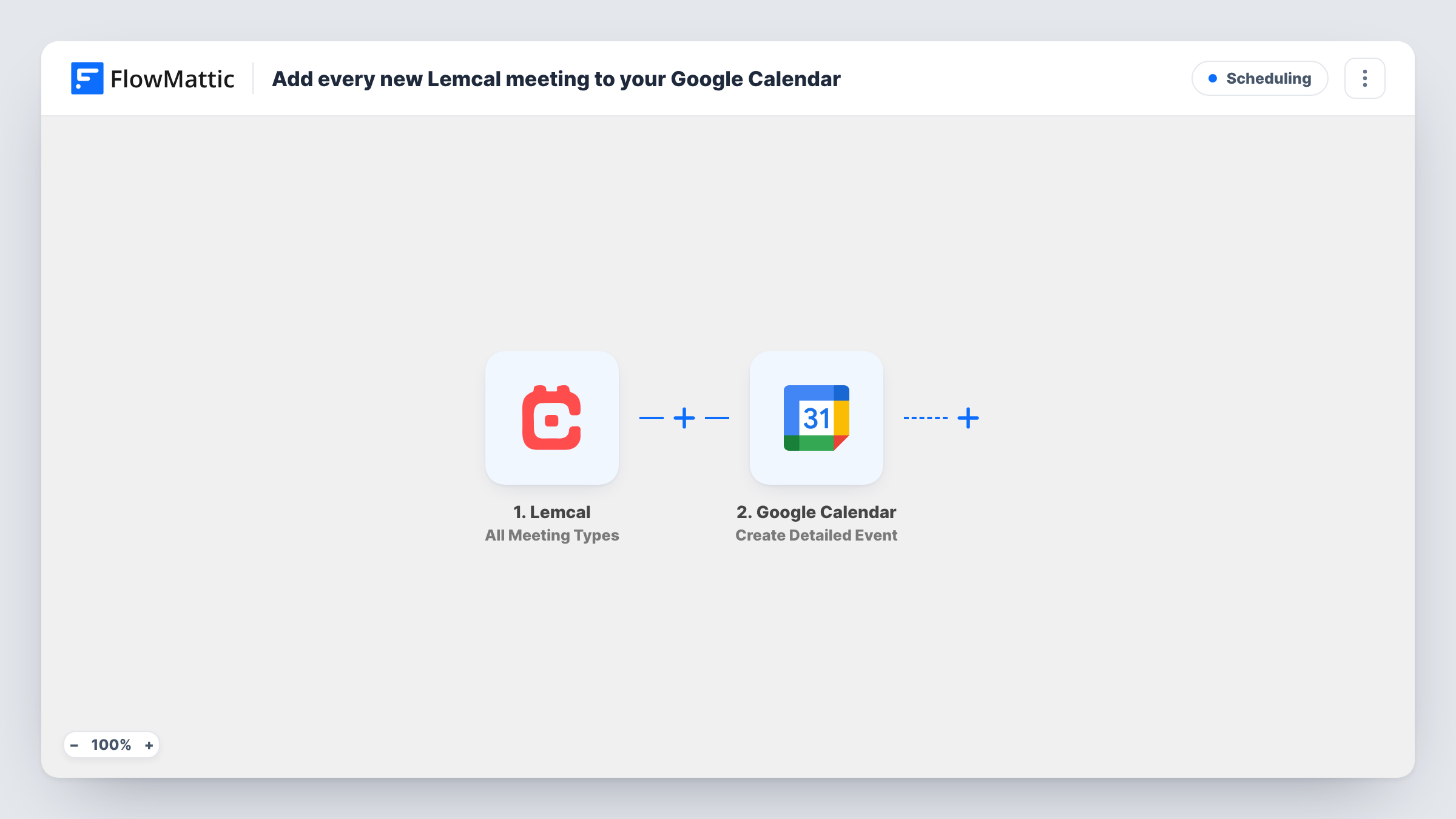
Meetings booked through any of your Lemcal meeting types are added to Google Calendar as detailed events, with the booking information mapped into the time, title and description.
 Lemcal
 Google Calendar
2 steps Setup ~5 min Used on 2.0k sites Free to import
What this workflow does
Lemcal handles the booking page, but your day is planned in Google Calendar. Keeping the two in step by hand is the kind of chore that slips in a busy week. This workflow copies each Lemcal meeting into the calendar you pick.
The Lemcal trigger, All Meeting Types, fires for meetings across every meeting type in your account, rather than one type only. FlowMattic receives the meeting data and hands it to Google Calendar. Create Detailed Event then adds an event, using the start and end time, the guest's name and the meeting type you map into it.
Every meeting from every type is copied, since there is no Filter. If you only want one type in this calendar, Lemcal also offers an A Specific Meeting Type trigger you can swap in. The workflow creates events only, so changes made later in Lemcal don't reach the calendar.
Founders booking investor and customer calls
Several Lemcal meeting types, from intro calls to demos, all end up in one Google Calendar, so your day is complete in a single view.
Recruiters scheduling interviews
Candidates book interview slots in Lemcal, and each interview becomes a calendar event with the candidate's name in the title.
Freelancers with a separate work calendar
Client meetings go into a dedicated work calendar you share with a partner or assistant who plans around them.
How this workflow runs
What happens at each step once the workflow is on, and what you need before you import it.
 Lemcal All Meeting Types
Fires for meetings across all your Lemcal meeting types. The meeting data, such as time, guest and meeting type, is passed on for mapping.
- Google Calendar Create Detailed Event
Creates a detailed event in the Google Calendar you choose. Map the meeting's start and end time, plus the guest and meeting type into the title or description, and connect your Google account.
What you need
- FlowMatticCore
- Lemcal AccountAccount
- Google Calendar AccountAccount
After importing, map your own data. To keep the template universal, not every step is pre-filled. Open each step in the builder and connect your accounts and fields (channels, lists, sheets, recipients) before you switch the workflow on.
Make it yours
Changes worth making after you import it.
- Only want one kind of meeting in this calendar? Swap the trigger for Lemcal's A Specific Meeting Type and pick that type.
- Book a test meeting after import, then check that the start time in Google Calendar matches Lemcal. Adjust the mapping if the time zone is off.
- Add the meeting link from the Lemcal data to the event description if a test run shows one, so you can join straight from the calendar.
Questions about this workflow
Which Lemcal meetings create Google Calendar events?
Meetings from all your meeting types, because the trigger is All Meeting Types. Use the A Specific Meeting Type trigger instead to limit it.
What if a Lemcal meeting is cancelled or moved?
The workflow only creates events, so the existing calendar event isn't changed. Edit or delete it in Google Calendar yourself.
Does it cover meetings booked with my teammates?
This trigger covers your meeting types. Lemcal has a separate All Meetings From My Team trigger for team meetings, which you can use in a copy of this workflow.
More Scheduling workflows
Other ready-to-import templates from the same category.






Import this workflow into your WordPress site
Download the JSON, import it from the Workflows screen and connect your accounts. Every run stays on your server, with no per-task fees.
30-day money-back guarantee Unlimited workflows and runs Self-hosted