

Add every new Orufy Bookings appointment to your Google Calendar
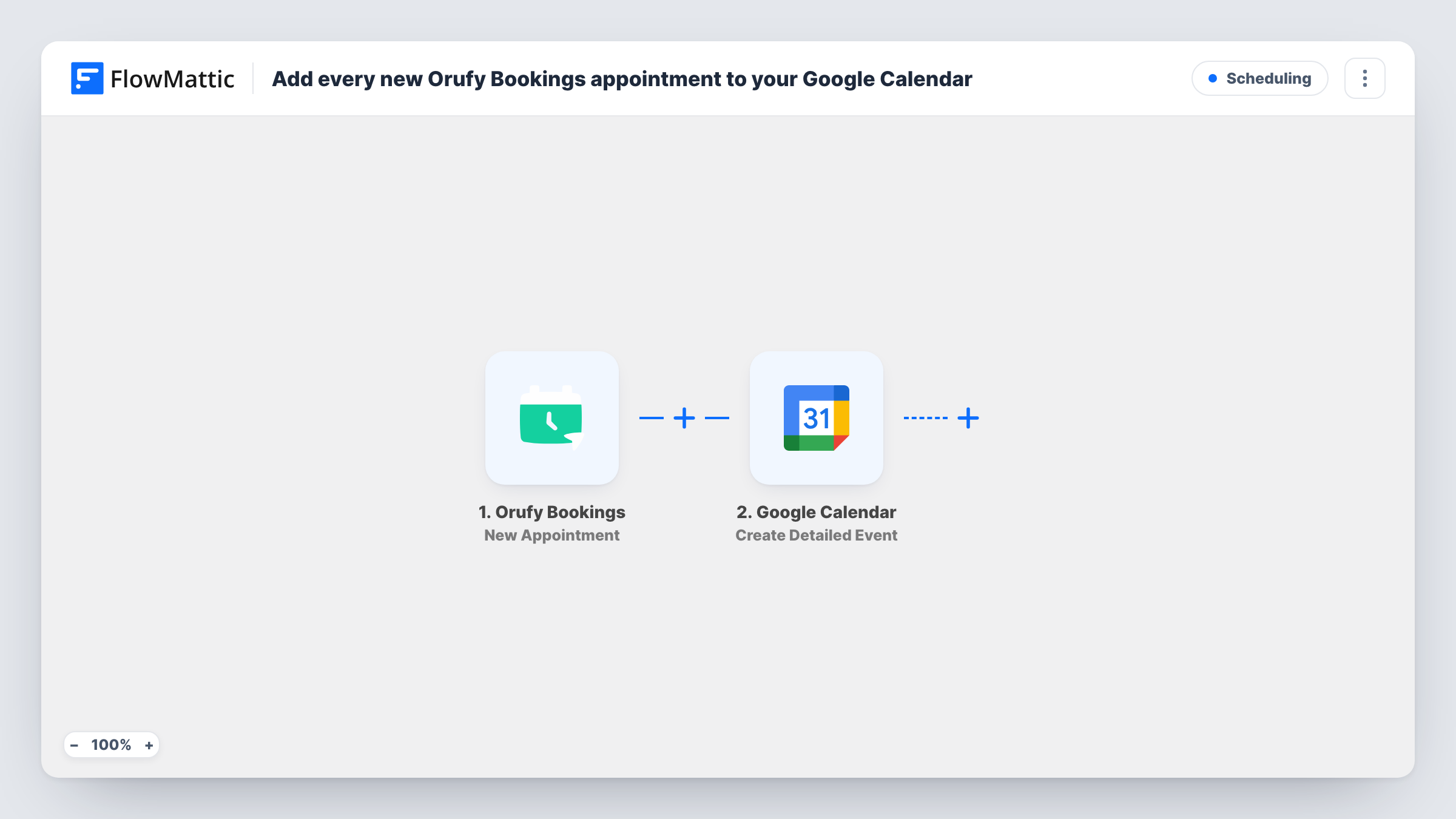
When a new appointment is scheduled in Orufy Bookings, this workflow creates a detailed event in Google Calendar with the booking’s time and details, so your calendar shows every client appointment.
 Orufy Bookings
 Google Calendar
2 steps Setup ~5 min Used on 2.9k sites Free to import
What this workflow does
If clients book through Orufy Bookings but you plan your day in Google Calendar, an appointment can be missed simply because it isn't where you look. Copying each one over by hand takes time and invites typos in the date or time. This workflow puts every new appointment on your calendar for you.
The Orufy Bookings trigger fires when a new appointment is scheduled. FlowMattic passes the appointment data, such as the client, service and time, to Google Calendar. The Create Detailed Event action then adds an event to the calendar you pick, using the start, end and description values you map.
The workflow only reacts to new appointments. If a client reschedules or cancels in Orufy Bookings, the calendar event stays as it was, so you change or delete it yourself. Check the time zone on your first test event, since the event time comes from the values you map.
A salon owner's day view
Clients book cuts and colour sessions in Orufy Bookings, and each one appears on the owner's Google Calendar next to supplier calls and personal plans.
A tutor with several services
Map the service name into the event title so the calendar shows whether each slot is a trial lesson or a regular session.
A shared team calendar
Pick a team Google Calendar in the action, so everyone at a small clinic sees the full list of booked appointments.
How this workflow runs
What happens at each step once the workflow is on, and what you need before you import it.
 Orufy Bookings New Appointment
Runs when a new appointment is scheduled in Orufy Bookings. The appointment data is passed to the Google Calendar step for mapping.
- Google Calendar Create Detailed Event
Turns the appointment into a Google Calendar event on the calendar you select. Map the appointment's start and end time, a title and any details you want in the event description.
What you need
- FlowMatticCore
- Orufy Bookings AccountAccount
- Google Calendar AccountAccount
After importing, map your own data. To keep the template universal, not every step is pre-filled. Open each step in the builder and connect your accounts and fields (channels, lists, sheets, recipients) before you switch the workflow on.
Make it yours
Changes worth making after you import it.
- Put the client's name and service in the event title, for example Haircut - Priya, so you can read your calendar at a glance.
- Map the client's phone number or email into the description, if the appointment data carries them, so contact details are one click away.
- Book a test appointment after import and compare the Google Calendar event time with the booking, to catch any time zone mismatch before real clients book.
Questions about this workflow
Does a rescheduled Orufy Bookings appointment move the Google Calendar event?
No. The trigger only fires for new appointments. A reschedule or cancellation leaves the event as it is, and you update the calendar by hand.
Can the event go to a calendar other than my main one?
Yes. You pick the target calendar in the Create Detailed Event step, so any calendar your connected Google account can edit works.
Will Orufy Bookings appointments made before import appear?
No. Only appointments scheduled after you turn the workflow on are added. Earlier bookings need to be added to Google Calendar some other way.
More Scheduling workflows
Other ready-to-import templates from the same category.







Import this workflow into your WordPress site
Download the JSON, import it from the Workflows screen and connect your accounts. Every run stays on your server, with no per-task fees.
30-day money-back guarantee Unlimited workflows and runs Self-hosted