

Add user to access group in SureMembers when booking is created in Sessions
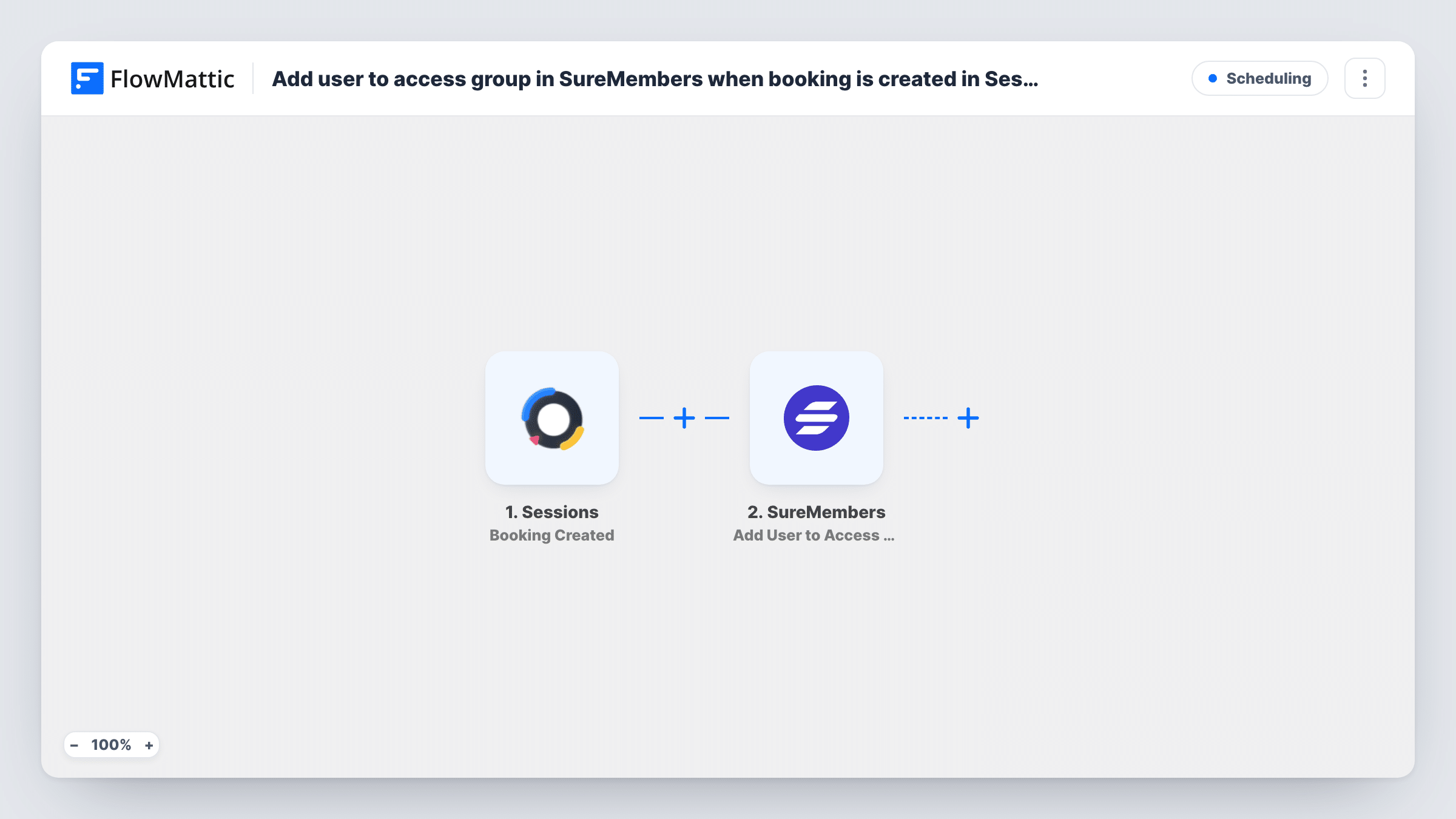
When someone books through Sessions, FlowMattic creates a WordPress user for them and adds that user to a SureMembers access group, so people who book get into your protected content without manual setup.
 Sessions
 WordPress
 SureMembers
3 steps Setup ~5 min Used on 1.6k sites Free to import
What this workflow does
If a booking comes with member content, such as prep material, recordings or a resource library behind SureMembers, each new client needs an account and the right access. This workflow sets both up from the booking itself.
The Sessions trigger fires when a new booking is created and passes the booking details on, including the person's name and email when Sessions provides them. A test booking shows the exact fields.
An account is then made in WordPress by the New User step. It ships unmapped, so map the email and name from the booking after import. WordPress won't make a duplicate for an address it already has: the step reports success with that existing user's ID instead, so returning clients keep their one account. Task History shows the user ID each run returned.
The SureMembers step adds the user to an access group, with the user ID already mapped from the New User step. Pick the access group after import. Every booking runs both steps, so a client who books twice is added to the same group again with the same account.
Pre-session resources for coaching clients
A coach keeps worksheets in a SureMembers-protected area, and every client who books a session through Sessions can log in and read them before the call.
Recordings for workshop bookers
A trainer posts workshop recordings on a members-only page, and people who book are put in the access group that opens it to them.
Client portal for consultants
A consultancy gives each new booking a WordPress login and portal access through a SureMembers group, ready for shared documents.
How this workflow runs
What happens at each step once the workflow is on, and what you need before you import it.
 Sessions Booking Created
Fires when a new booking is created in Sessions. The booking's details, such as the person's name and email, are passed to WordPress.
- WordPress New User
Creates a WordPress user from the booking. Map the email and name after import. For an email already registered, the step returns the existing user's ID rather than creating a second account.
- SureMembers Add User to Access Group
Adds the user to a SureMembers access group, using the user ID from the New User step. Choose the access group after import.
What you need
- FlowMatticCore
- Sessions AccountAccount
- SureMembers PluginPlugin
After importing, map your own data. To keep the template universal, not every step is pre-filled. Open each step in the builder and connect your accounts and fields (channels, lists, sheets, recipients) before you switch the workflow on.
Make it yours
Changes worth making after you import it.
- Add a WordPress Send Password Reset step between the New User step and the SureMembers step, mapped to the returned user ID, so new clients get an email to set their password.
- If only some booking types should get access, put a Filter between the Sessions trigger and the New User step on a value from the booking, such as the booking page name. Adjust that value to your setup.
- Create a dedicated SureMembers access group for booked clients, so you can see who joined through Sessions and remove access in one place.
Questions about this workflow
What if the person who booked in Sessions already has a WordPress account?
WordPress doesn't add a second account for an address it already holds. The New User step returns the existing account's user ID, and SureMembers adds that account to the access group.
Do clients get their login details?
Not from this template. Add a WordPress Send Password Reset step after New User so new users get an email to set a password, or send your own welcome email.
Does canceling the Sessions booking remove access?
No. Only new Sessions bookings start a run here. Remove the user from the access group in SureMembers, or build a separate workflow with the Remove User from Access Group action.
More Scheduling workflows
Other ready-to-import templates from the same category.




Import this workflow into your WordPress site
Download the JSON, import it from the Workflows screen and connect your accounts. Every run stays on your server, with no per-task fees.
30-day money-back guarantee Unlimited workflows and runs Self-hosted