

Reschedule Zoho Bookings appointments from updated Google Sheets rows
Keep your appointment plan in Google Sheets and let this workflow send each changed row to Zoho Bookings as a reschedule request, so the booking moves to the time you typed in the sheet.
 Google Sheets
 Zoho Bookings
2 steps Setup ~5 min Used on 1.4k sites Free to import
What this workflow does
Some teams plan appointments in a spreadsheet first: a coordinator moves sessions around in Google Sheets, and someone then repeats every change in Zoho Bookings. This workflow cuts out the second half. When a row changes, the matching appointment is rescheduled.
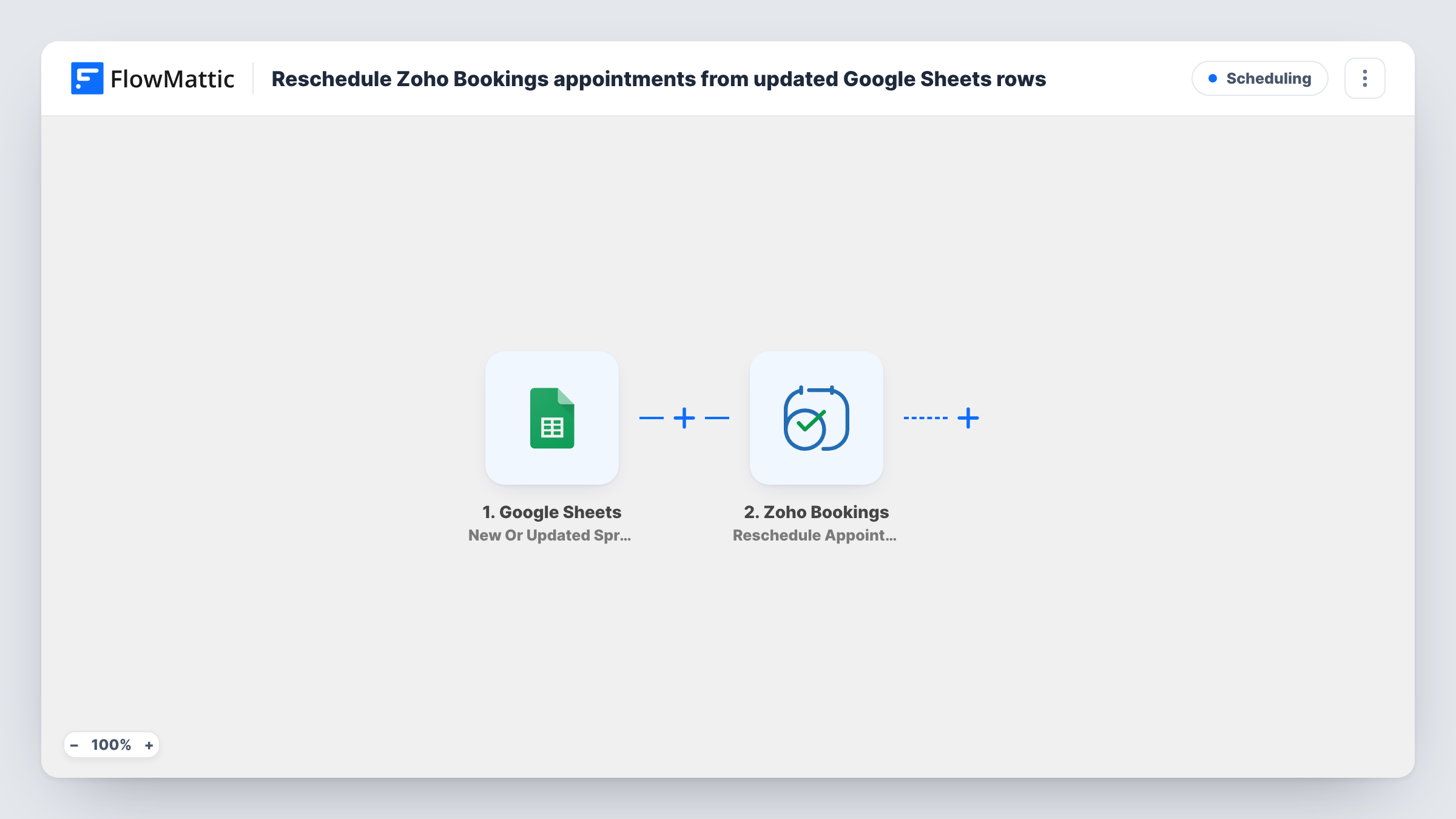
The Google Sheets trigger is New Or Updated Spreadsheet Row. It runs when a row in your chosen sheet is updated, and new rows start a run too. FlowMattic passes that row's cells on for mapping. The Zoho Bookings step then runs Reschedule Appointment, which moves an existing appointment. Map the row's cells into it: the identifier of the booking and the new date and time.
Zoho Bookings has to know which appointment to move, so your sheet must keep each booking's identifier in its own column. Any edit to a row, even to a notes cell, sends that row's time to Zoho Bookings again. Task History shows every run and what Zoho Bookings replied.
Coordinator-managed interview slots
A recruiter keeps candidate interviews in a sheet with each Zoho Bookings booking ID. Changing a slot's time in the sheet moves the booking.
Training sessions planned by a manager
A team lead reshuffles staff training times in Google Sheets, and each changed row reschedules the related appointment in Zoho Bookings.
Clinic rota changes
When a practitioner's day changes, the admin edits the appointment rows in the sheet instead of opening each booking in Zoho Bookings.
How this workflow runs
What happens at each step once the workflow is on, and what you need before you import it.
 Google Sheets New Or Updated Spreadsheet Row
Runs when a row in the spreadsheet you choose is updated, and also when a row is added. Connect your Google account, pick the spreadsheet and sheet, then edit a test row so its cells can be mapped.
- Zoho Bookings Reschedule Appointment
Reschedules an existing Zoho Bookings appointment. Map the booking identifier and the new date and time from the row's cells, then check with a test run which values the step expects.
What you need
- FlowMatticCore
- Google Sheets AccountAccount
- Zoho Bookings AccountAccount
After importing, map your own data. To keep the template universal, not every step is pre-filled. Open each step in the builder and connect your accounts and fields (channels, lists, sheets, recipients) before you switch the workflow on.
Make it yours
Changes worth making after you import it.
- Add a Filter after the trigger that continues only when the booking ID cell is not empty, so rows without an appointment don't send a failing request.
- Keep notes and other columns you edit often on a separate sheet. Every change to a watched row sends a reschedule request for it.
- Test with one appointment you booked for yourself, change its time in the sheet, and confirm the new slot in Zoho Bookings before using real client bookings.
Questions about this workflow
Where does the Zoho Bookings booking ID come from?
From your sheet. The workflow reads only the row that changed, so each row must hold the ID of the appointment it belongs to. Without it, Zoho Bookings can't tell which booking to move.
Does adding a new row to the Google Sheet also reschedule something?
It can. The trigger runs for new rows as well as edited ones, so a new row with a booking ID and time sends a reschedule request too.
What happens if the new time isn't available in Zoho Bookings?
Zoho Bookings decides whether the move is accepted. If it refuses, Task History shows its reply on the Reschedule Appointment step and the booking keeps its old time.
Will Zoho Bookings notify the customer about the new time?
That depends on your notification settings in Zoho Bookings. The workflow only sends the reschedule request.
More Scheduling workflows
Other ready-to-import templates from the same category.






Import this workflow into your WordPress site
Download the JSON, import it from the Workflows screen and connect your accounts. Every run stays on your server, with no per-task fees.
30-day money-back guarantee Unlimited workflows and runs Self-hosted