

Add posts to Nuelink from incoming emails by using Email Parser
Send or forward an email to your FlowMattic Email Parser address and this workflow adds a post to your Nuelink collection from it, so you can queue social content from your inbox or phone.
 Email Parser by FlowMattic
 Nuelink
2 steps Setup ~5 min Used on 1.4k sites Free to import
What this workflow does
Ideas for social posts often turn up in your inbox: a newsletter line worth sharing, a link a colleague sent, a note you mailed yourself from your phone. Copying them into Nuelink means switching apps each time. With this template, emailing the content is enough.
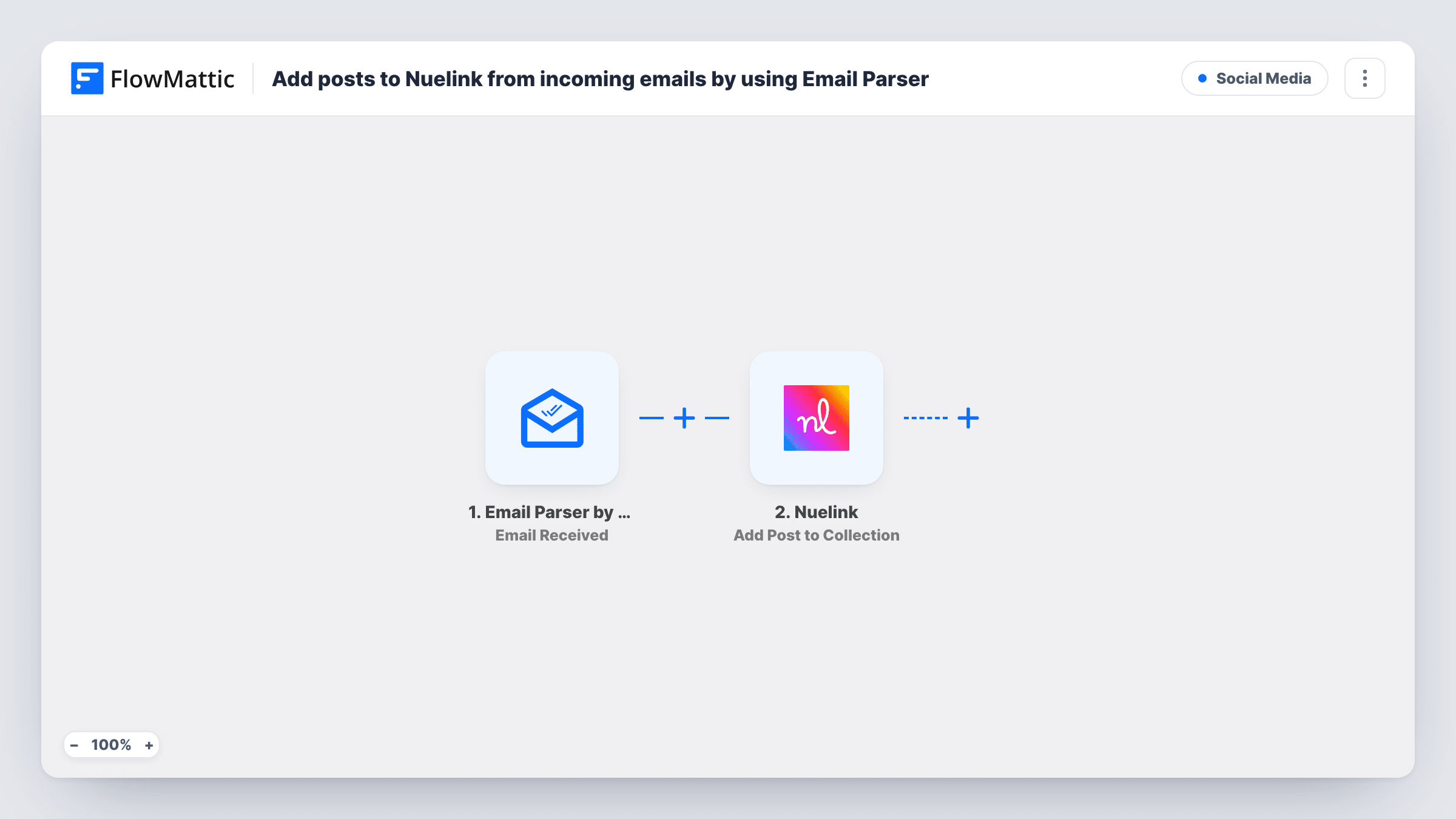
FlowMattic's Email Parser gives you a dedicated address. Whenever a message reaches it, the trigger fires and the email's parts, such as subject and body, become values you can map. The Nuelink step uses Add Post to Collection, which adds a new social media post to a Nuelink collection. Map the email body, or the subject, to the post text.
Nothing filters the incoming mail, so every email that arrives at the parser address turns into a Nuelink post. Keep the address private and share it only with people allowed to add content. From there, Nuelink handles the collection the way you have it set up.
Saving post ideas on the go
You email yourself a quote or a link from your phone to the parser address, and it waits in your Nuelink collection when you sit down to plan the week.
Team contributions without Nuelink logins
Colleagues send short updates to the parser address. Each one becomes a post in a team collection that the social media manager reviews.
Reusing newsletter snippets
Forward the parts of your own newsletter you want on social, and they land in Nuelink ready for scheduling.
How this workflow runs
What happens at each step once the workflow is on, and what you need before you import it.
 Email Parser by FlowMattic Email Received
Fires each time an email reaches your Email Parser by FlowMattic address. The subject, body and other parts the parser reads become values for the Nuelink step.
- Nuelink Add Post to Collection
Adds a new social media post to your Nuelink collection. Map the email text into the post, connect your Nuelink account and check the result with a test email.
What you need
- FlowMatticCore
- Nuelink AccountAccount
After importing, map your own data. To keep the template universal, not every step is pre-filled. Open each step in the builder and connect your accounts and fields (channels, lists, sheets, recipients) before you switch the workflow on.
Make it yours
Changes worth making after you import it.
- Add a Filter after the trigger that continues only when the sender's address is one you trust. Mail from anyone else then stops at the Filter and creates no post.
- Agree on a subject keyword such as SOCIAL and filter on it, so ordinary mail that reaches the parser address doesn't become a post.
- Add a Text Formatter step such as Split Text or Text Between to cut a signature or quoted reply off the email body before it goes into the Nuelink post.
Questions about this workflow
Does every email to the Email Parser address become a Nuelink post?
Yes, as imported. There is no Filter, so each email that arrives starts a run. Add a Filter on the sender or subject if you want to limit which emails turn into posts.
Do I need a separate parsing service to read the emails?
No. Email Parser by FlowMattic provides the address and reads incoming mail. You only need a Nuelink account for the post step.
Which part of the email goes into the Nuelink post?
Whatever you map; the body is the natural fit for the post text. Send a test email after import to see the values the parser captures before you map them.
Can I forward emails from my own inbox to the parser address?
Yes. A forwarded message arrives like any other email, though the body may include forwarding headers. Check a test forward and trim the text if needed.
More Social Media workflows
Other ready-to-import templates from the same category.





Import this workflow into your WordPress site
Download the JSON, import it from the Workflows screen and connect your accounts. Every run stays on your server, with no per-task fees.
30-day money-back guarantee Unlimited workflows and runs Self-hosted