

Create a Notion database entry every time a Cockpit content item is saved
Each time a content item is saved in Cockpit, FlowMattic adds an entry to a Notion database, giving your team a running record of content saves in a workspace they already use.
 Cockpit
 Notion
2 steps Setup ~5 min Used on 2.8k sites Free to import
What this workflow does
Cockpit is a headless CMS, so editors and the people planning content often work in different tools. This workflow puts a trace of every Cockpit content save into Notion, where you can review what changed, comment on it or plan the next piece next to it.
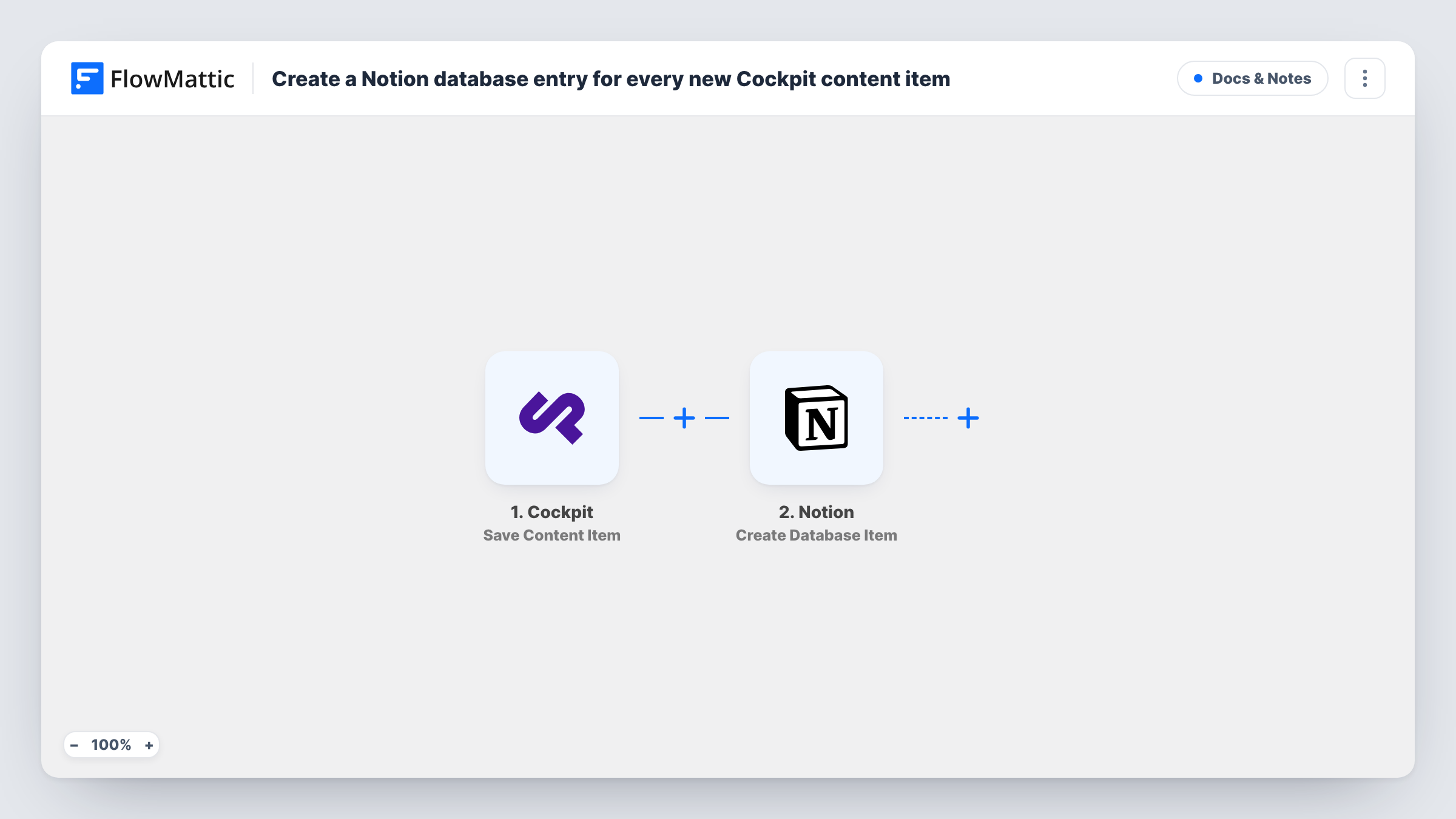
The Cockpit Save Content Item trigger fires whenever a content item is saved in Cockpit. That includes the first save of a new item and every later save of an edit, so one item can produce several runs over its life. Pages and project localisation have their own Cockpit triggers and don't start this workflow.
The Notion Create Database Item step adds a new item to the database you pick. The step ships unmapped: after import you connect Notion, choose the database and map the Cockpit values you want, such as the item's title, collection or save time, into its properties.
Because every save creates a fresh Notion entry, the database reads as a log of saves rather than one row per content item. Save a test item in Cockpit and check Task History to see the values Cockpit sends before you finish the mapping.
Editorial log for a content team
An editor saves articles in Cockpit throughout the day, and the managing editor reviews each save in a Notion database sorted by date.
Change history clients can read
An agency that runs a client site on Cockpit shares a Notion database with the client, showing each content save without giving them CMS access.
Content planning beside the CMS
A marketing team plans campaigns in Notion and sees each Cockpit save arrive in a linked database, so planners know which copy has moved.
How this workflow runs
What happens at each step once the workflow is on, and what you need before you import it.
 Cockpit Save Content Item
Fires every time a content item is saved in Cockpit, both for new items and for edits to existing ones. The saved item's data is passed to the Notion step.
- Notion Create Database Item
Adds a new item to a Notion database of your choosing. Nothing is mapped in the template, so connect Notion, select the database and map Cockpit's values into its properties.
What you need
- FlowMatticCore
- Cockpit AccountAccount
- Notion AccountAccount
After importing, map your own data. To keep the template universal, not every step is pre-filled. Open each step in the builder and connect your accounts and fields (channels, lists, sheets, recipients) before you switch the workflow on.
Make it yours
Changes worth making after you import it.
- Map the save time into a Notion date property, so you can sort the database and see the most recent Cockpit saves first.
- If only one Cockpit collection matters, put a Filter between the Save Content Item trigger and the Notion step that continues when the collection name matches it. Check a test run to find the field that holds the collection.
- Add Notion relation or select properties for status or owner, so your team can mark each save as reviewed inside the database.
Questions about this workflow
Does editing a Cockpit item add another Notion entry?
Yes. The trigger fires on every save, so each edit you save adds a new item to the Notion database. That is what makes the database a log of saves.
Do Cockpit pages start this workflow too?
No. Save Content Item covers content items. Cockpit's Save Pages Page event is a separate trigger you can use in its own workflow if you want saved pages logged as well.
Which Notion properties are filled in?
Only properties you map. The Create Database Item step ships empty, so match Cockpit's values to the properties of the database you pick.
Do I need to set up the Notion database first?
Yes. Create the database in Notion with the properties you want, make sure the Notion account you connect in FlowMattic can reach it, then pick it in the step.
More Docs & Notes workflows
Other ready-to-import templates from the same category.





Import this workflow into your WordPress site
Download the JSON, import it from the Workflows screen and connect your accounts. Every run stays on your server, with no per-task fees.
30-day money-back guarantee Unlimited workflows and runs Self-hosted