

Create a Todoist task whenever a GoodDay.Work task is reopened
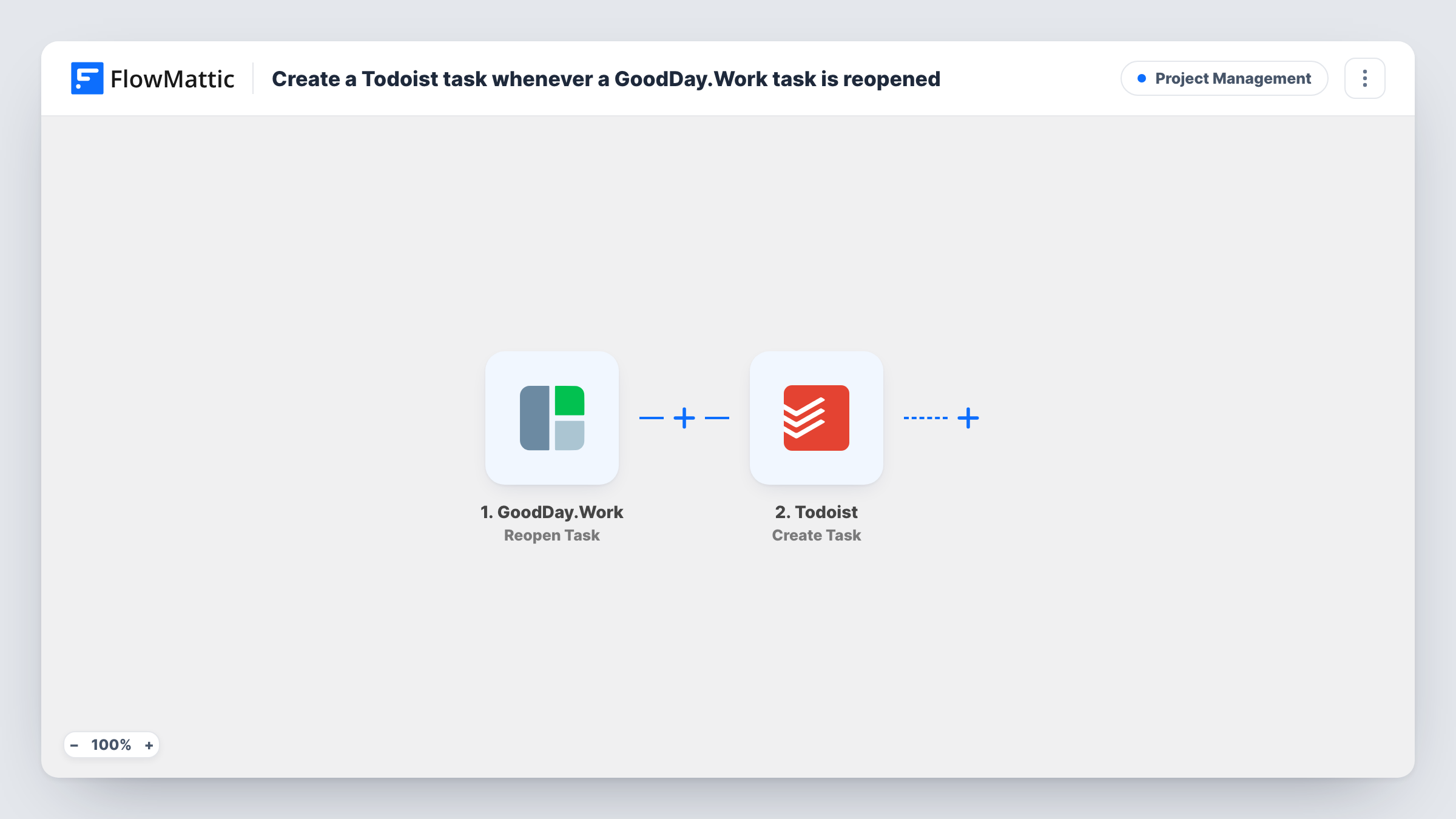
When a task is reopened in GoodDay.Work, this workflow creates a new task in Todoist from its details, so work that comes back shows up on your personal to-do list.
 GoodDay.Work
 Todoist
2 steps Setup ~5 min Used on 1.0k sites Productivity Free to import
What this workflow does
A task marked done in GoodDay.Work sometimes comes back: a client spots a problem, or a reviewer sends it back. If you track your own day in Todoist, you may not notice the reopened task until someone asks about it. This workflow puts it back on your list.
The GoodDay.Work trigger fires when a task is reopened. The task's details are passed to FlowMattic as fields you can map. The Todoist step then creates a new task in your connected Todoist account, with its content built from those fields.
Every reopen creates a new Todoist task, so a task reopened twice gives you two. The workflow does not close or update the Todoist task when the GoodDay.Work task is completed again. Task History records each run with the data that came through.
Catch work sent back by a client
A freelancer working in a client's GoodDay.Work account gets each reopened task in Todoist, next to the rest of the day's work.
Review feedback for developers
When QA reopens a task, the developer sees it as a new Todoist task instead of hunting for it in the project view.
Personal list for a team lead
A lead who plans in Todoist gets reopened tasks there and decides who picks them up.
How this workflow runs
What happens at each step once the workflow is on, and what you need before you import it.
 GoodDay.Work Reopen Task
Fires when a task is reopened in GoodDay.Work. Details of the reopened task become available for the Todoist step.
- Todoist Create Task
Adds a fresh to-do to the Todoist account you connect. Map the GoodDay.Work task's details into it and run a test to see where the new task appears.
What you need
- FlowMatticCore
- GoodDay.Work AccountAccount
- Todoist AccountAccount
After importing, map your own data. To keep the template universal, not every step is pre-filled. Open each step in the builder and connect your accounts and fields (channels, lists, sheets, recipients) before you switch the workflow on.
Make it yours
Changes worth making after you import it.
- Reopen a test task in GoodDay.Work after import so the trigger captures sample data, then map it into the Todoist step.
- If you only care about tasks in certain projects or assigned to you, add a Filter after the trigger that checks that value.
- Put a fixed word such as Reopened at the start of the Todoist task text, so these tasks stand out from your other to-dos.
Questions about this workflow
Does completing the Todoist task close it in GoodDay.Work?
No. The workflow only creates the Todoist task. The two apps stay separate after that, so you close each one yourself.
What if a GoodDay.Work task is reopened more than once?
Each reopen fires the trigger, so you get a new Todoist task every time. Look for an earlier copy in Todoist when a task keeps bouncing back.
Are tasks reopened before I import this sent to Todoist?
No. Only reopens that happen after the workflow is turned on create Todoist tasks.
Which accounts do I connect for GoodDay.Work and Todoist?
A GoodDay.Work account where tasks get reopened, and the Todoist account where the new tasks should appear.
More Project Management workflows
Other ready-to-import templates from the same category.




Import this workflow into your WordPress site
Download the JSON, import it from the Workflows screen and connect your accounts. Every run stays on your server, with no per-task fees.
30-day money-back guarantee Unlimited workflows and runs Self-hosted