

Email a sales rep via Gmail when a new AppDirect quote is created
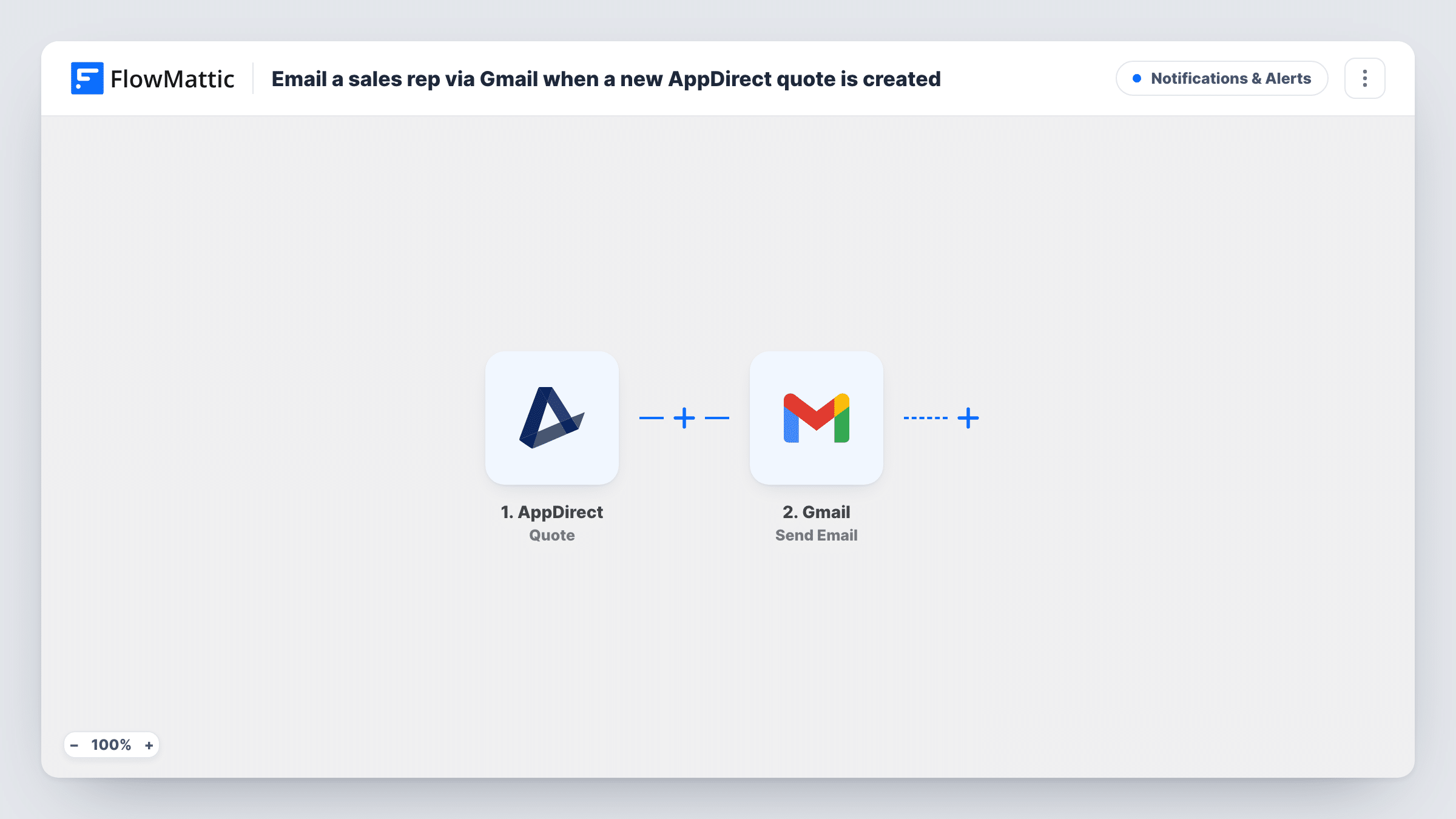
When a new quote is added in AppDirect, Gmail emails your sales rep about it. Set the AppDirect webhook to send only the added action for quotes, then write the email and choose who receives it.
 AppDirect
 Gmail
2 steps Setup ~5 min Used on 2.8k sites Free to import
What this workflow does
A new quote in AppDirect usually means a buyer is weighing a purchase, and someone on your sales side should know about it. If reps only find quotes by checking the marketplace, some sit unseen. This workflow sends a Gmail message for each new quote, so the person who handles it hears about it in their inbox.
The AppDirect Quote trigger can fire when a quote is added, changed or removed. Which of those reach FlowMattic depends on your AppDirect webhook. When you create it, choose the Quote resource and only the notification action for an added quote. If you also select changed or removed, edits and deletions would send the rep an email as well.
Nothing is filled in on the Gmail step yet. After import you connect your Gmail account and write the message yourself: who it goes to, the subject and the body. Nothing in the template picks a rep, so send it to a fixed address for your sales rep or team inbox. If a test quote shows a rep's email in the AppDirect data, you can map that instead.
The workflow only reads the quote and sends one email per run. It doesn't change the quote in AppDirect. Task History lists each run with the quote data that arrived and the response from Gmail.
One rep covering marketplace quotes
A software vendor sells through an AppDirect marketplace and has one account manager for it. Every added quote lands in that person's Gmail with the quote details mapped into the message.
Shared sales inbox
A small team sends the alert to a shared address that everyone on sales reads, so whoever is free picks up the new AppDirect quote.
Quote alert with buyer details
The rep's email carries the buyer and quote details that a test run shows in the AppDirect data, so they can prepare before contacting the buyer.
How this workflow runs
What happens at each step once the workflow is on, and what you need before you import it.
 AppDirect Quote
Starts a run for each quote notification your AppDirect webhook sends. When you set up the webhook, choose the Quote resource and only the added action; selecting changed or removed too would also run the workflow on edits and removals.
- Gmail Send Email
Emails the new quote alert through the Gmail account you connect. This step ships unmapped: after import, set the recipient to your rep or team address, write the subject and message, and map quote details from a test run.
What you need
- FlowMatticCore
- AppDirect AccountAccount
- Gmail AccountAccount
After importing, map your own data. To keep the template universal, not every step is pre-filled. Open each step in the builder and connect your accounts and fields (channels, lists, sheets, recipients) before you switch the workflow on.
Make it yours
Changes worth making after you import it.
- Add a Filter between the AppDirect trigger and the Gmail step that continues only when the notification's action is the added one. Find the field that holds the action in a test run before you set the condition.
- Map a quote identifier from the AppDirect data into the subject line, so the rep can search Gmail for that quote later.
- If different reps own different accounts, add a Router between the AppDirect trigger and the Gmail step, move the email into each route as its own Gmail step with that rep's address, and use route conditions that can't both match.
- Send one test quote from AppDirect after setup and check Task History to confirm which quote fields arrive before you finish the email text.
Questions about this workflow
Will changing or deleting an AppDirect quote email the rep?
Only if your AppDirect webhook sends those actions. The Quote trigger can carry added, changed and removed notifications, so choose only the added action when you set up the webhook. A Filter between the two steps can add a second check.
How does the workflow know which sales rep to email?
It doesn't, as imported. The Gmail step ships unmapped, so you enter the recipient yourself. Use a fixed address, or map a rep's email from the quote data if a test run shows one.
Is the email text already written in the Gmail step?
No. You write the subject and message after import and map the AppDirect quote values you want the rep to see. Run a test quote first so you know which values are available.
Does this send the quote to the customer?
No. The email goes only to the address you set in the Gmail step, such as your sales rep. Nothing is sent to the buyer and the quote in AppDirect isn't changed.
More Notifications & Alerts workflows
Other ready-to-import templates from the same category.






Import this workflow into your WordPress site
Download the JSON, import it from the Workflows screen and connect your accounts. Every run stays on your server, with no per-task fees.
30-day money-back guarantee Unlimited workflows and runs Self-hosted