

Email HR via Gmail when a clock out happens outside the geo fence
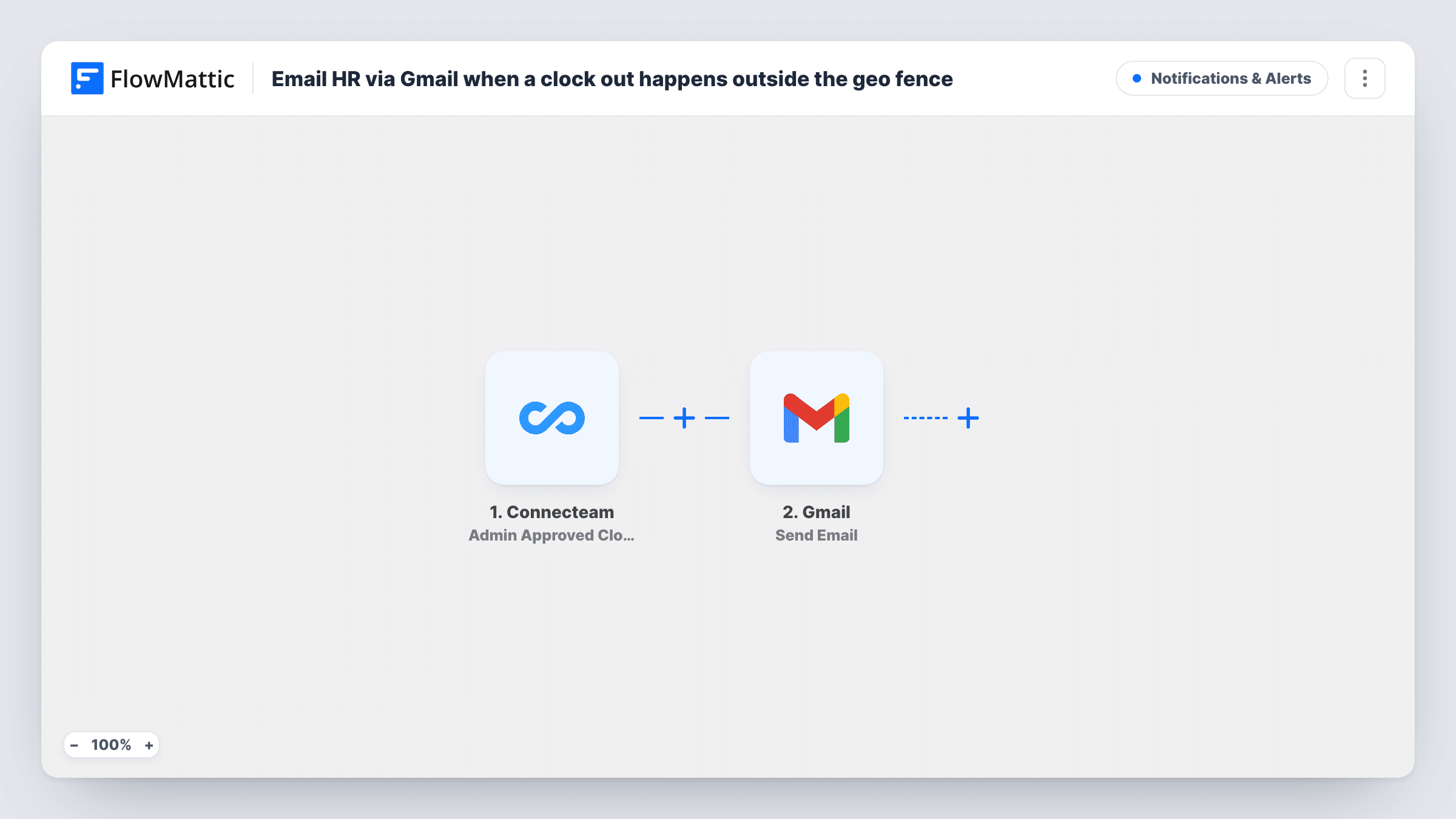
When a Connecteam admin approves a clock out that happened outside the geofence, FlowMattic sends HR an email from your Gmail account with the details, so the out-of-area shift is on record.
 Connecteam
 Gmail
Gmail2 steps Setup ~5 min Used on 1.4k sites Free to import
What this workflow does
Connecteam lets staff clock out from outside the work area and asks an admin to approve it. HR often needs to know about those shifts for payroll checks or site rules, but the approval stays inside the Connecteam admin screen. This workflow passes each one on by email.
The Connecteam trigger, Admin Approved Clock Out Outside Geo Fence Request, fires when an admin approves a clock out that occurred outside the geofence. FlowMattic then runs the Send Email action in Gmail, sending from the Google account you connect. You set HR's address and write the message, mapping in whatever details the Connecteam event carries. Run a test after import to see what those are.
Note the timing. The email goes out when the admin approves, not at the moment of the clock out. Clock outs that Connecteam approves automatically use a separate trigger and don't start this workflow, and requests an admin hasn't approved don't either.
Field crews finishing on a client site
A cleaner clocks out from a client's building outside the office geofence. Once the supervisor approves it in Connecteam, HR gets the email for the timesheet file.
Payroll checks for remote clock outs
Your payroll officer reviews hours each week. Approved out-of-area clock outs arrive in their inbox, ready to match against the hours report.
Keeping a manager's approvals visible
Several shift leads approve requests in Connecteam. HR sees each approved out-of-fence clock out by email without logging into the admin console.
How this workflow runs
What happens at each step once the workflow is on, and what you need before you import it.
 Connecteam Admin Approved Clock Out Outside Geo Fence Request
Fires when an admin in Connecteam approves a clock out that happened outside the geofence. The event's details about the employee and the time activity become available to map.
- Gmail Send Email
Sends an email from your connected Gmail account to the HR address you enter. Write the subject and body and map in the Connecteam details you want HR to see.
What you need
- FlowMatticCore
- Connecteam AccountAccount
- Gmail AccountAccount
After importing, map your own data. To keep the template universal, not every step is pre-filled. Open each step in the builder and connect your accounts and fields (channels, lists, sheets, recipients) before you switch the workflow on.
Make it yours
Changes worth making after you import it.
- Clock outs that Connecteam approves automatically use the Auto Approved Clock Out Outside Geo Fence Request trigger. Import a second copy of this workflow and swap in that trigger so HR hears about those too.
- Add a Google Sheets step after Gmail to log each approved out-of-fence clock out in a row, giving HR a running list as well as the emails.
- Send the alert to a shared HR mailbox rather than one person, so it is still read when someone is away.
Questions about this workflow
Does HR get the email the moment the employee clocks out outside the geofence?
No. The Connecteam trigger fires when an admin approves that clock out, so the email follows the approval.
What about clock outs that Connecteam approves on its own?
They don't start this workflow. Connecteam has a separate Auto Approved Clock Out Outside Geo Fence Request trigger for those, which you can use in a second workflow.
Which Gmail account sends the email to HR?
The Google account you connect to the Gmail step in FlowMattic. The email comes from that address.
What details about the Connecteam clock out can I put in the email?
Whatever the trigger event carries. Run a test with a real approval after import, then pick the fields you want from the captured data when you write the message.
More Notifications & Alerts workflows
Other ready-to-import templates from the same category.




Import this workflow into your WordPress site
Download the JSON, import it from the Workflows screen and connect your accounts. Every run stays on your server, with no per-task fees.
30-day money-back guarantee Unlimited workflows and runs Self-hosted