

Email the security team via Gmail when a vendor score falls below threshold
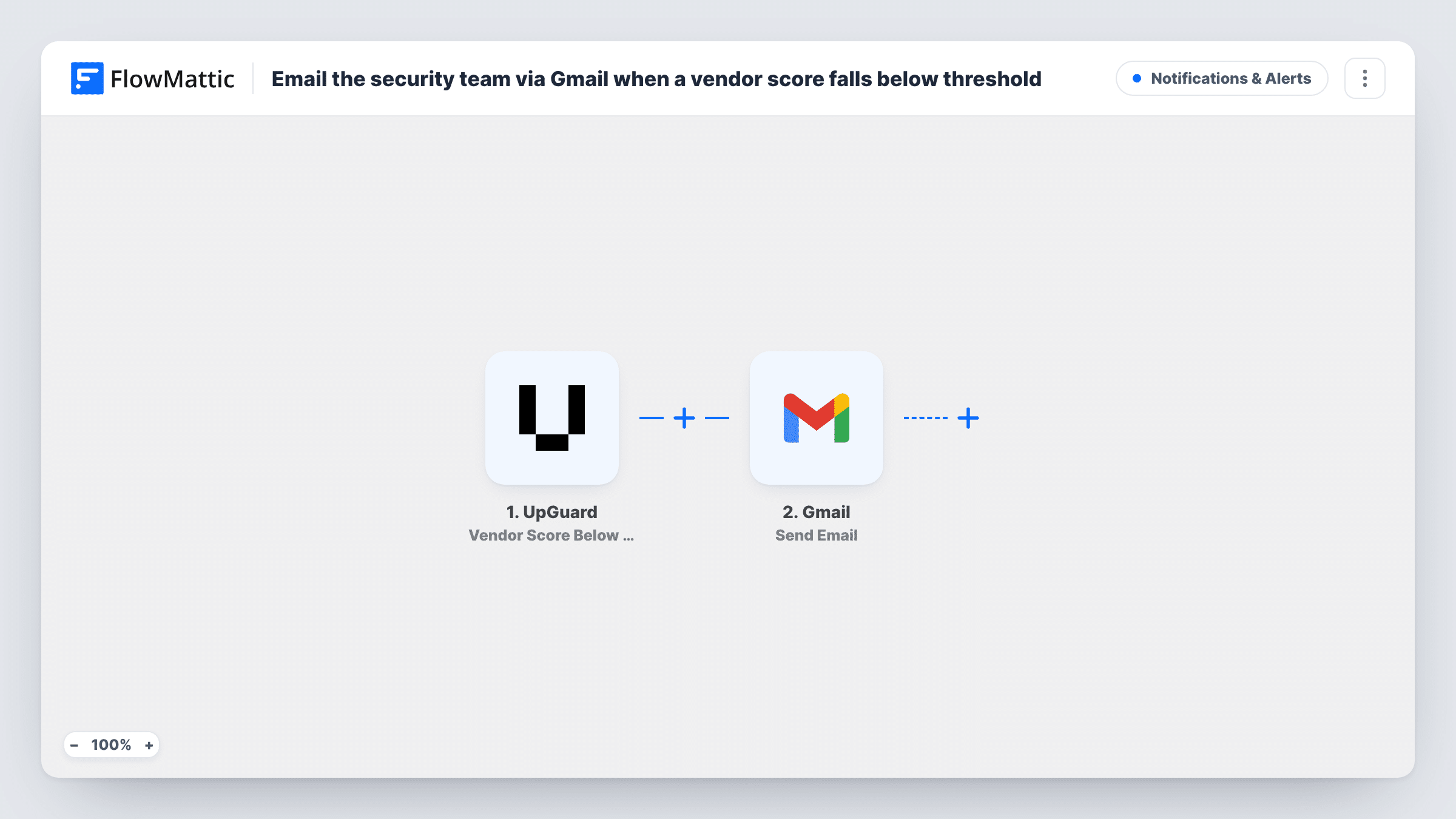
When UpGuard reports that a monitored vendor’s security score has fallen below your threshold, this workflow emails your security team from Gmail with the vendor and score details.
 UpGuard
 Gmail
Gmail2 steps Setup ~5 min Used on 1.0k sites Free to import
What this workflow does
Third-party risk changes without warning. A supplier's security rating can slip after a misconfigured server or an expired certificate, and you only hear about it if someone is watching. This workflow turns an UpGuard threshold alert into an email that lands with the people who act on it.
The UpGuard trigger, Vendor Score Below threshold, fires when a vendor's score crosses the threshold set for the trigger. The alert data, such as the vendor and its score, is passed to FlowMattic. Then Gmail Send Email sends a message from the Google account you connect. You set the recipients, for example a security team mailbox, and write the subject and body with the vendor details mapped in.
The email is the only action: nothing is changed in UpGuard, and no ticket is opened. One alert means one email. Each run, with the data UpGuard sent, is kept in Task History, which is useful when you review how often a vendor has dropped.
Vendor risk team on email rotation
Your security team shares a mailbox for third-party risk. Every vendor that drops below the line produces an email there, so whoever is on rotation picks it up.
Procurement kept in the loop
Add the vendor's account owner in procurement as a recipient, so the person who manages the contract hears about the score drop at the same time as security.
Audit trail for compliance
Score alerts emailed to a compliance inbox give you a dated record of when each vendor fell below your threshold, alongside the runs in Task History.
How this workflow runs
What happens at each step once the workflow is on, and what you need before you import it.
 UpGuard Vendor Score Below threshold
Fires when UpGuard reports a vendor score below the given threshold. The vendor and score details are passed on so you can use them in the email.
- Gmail Send Email
Gmail emails your security team from the account you link. Enter the recipient addresses, then write a subject and message with the vendor name and score mapped in.
What you need
- FlowMatticCore
- UpGuard AccountAccount
- Gmail AccountAccount
After importing, map your own data. To keep the template universal, not every step is pre-filled. Open each step in the builder and connect your accounts and fields (channels, lists, sheets, recipients) before you switch the workflow on.
Make it yours
Changes worth making after you import it.
- Put the vendor name and current score in the subject line, so the team can triage from the inbox without opening each email.
- Want the alert in chat too? Add Slack Send Channel Message after the Gmail step to post the same vendor details in your security channel.
- Add a Google Sheets Add New Row step to log each alert with the date, vendor and score, giving you a history of drops to review.
Questions about this workflow
Where is the UpGuard score threshold set?
FlowMattic describes the trigger as firing when the vendor score moves past a given amount. After import, open the trigger to see whether that amount is entered there or comes from your UpGuard set-up, and test with a known vendor.
Does this cover my own organization's UpGuard score?
No. This trigger watches vendor scores. UpGuard also has an Organization Score Below Threshold trigger you could use in a second workflow.
Can the Gmail alert go to several people on the security team?
Yes. Use a shared team address, or enter more than one recipient in the Gmail step if the field accepts a list. Send a test to confirm.
Will vendors already below the threshold send an email at import?
Only alerts UpGuard sends after the workflow is on start a run. Check UpGuard directly for vendors that were already below the line.
More Notifications & Alerts workflows
Other ready-to-import templates from the same category.





Import this workflow into your WordPress site
Download the JSON, import it from the Workflows screen and connect your accounts. Every run stays on your server, with no per-task fees.
30-day money-back guarantee Unlimited workflows and runs Self-hosted