

Enroll new Paid Membership Pro members into LearnDash courses
When someone purchases a Paid Memberships Pro membership on your site, FlowMattic enrolls that WordPress user in the LearnDash course you choose, so the course is ready once they’ve paid.
 Paid Memberships Pro
 LearnDash
2 steps Setup ~5 min Used on 2.8k sites Free to import
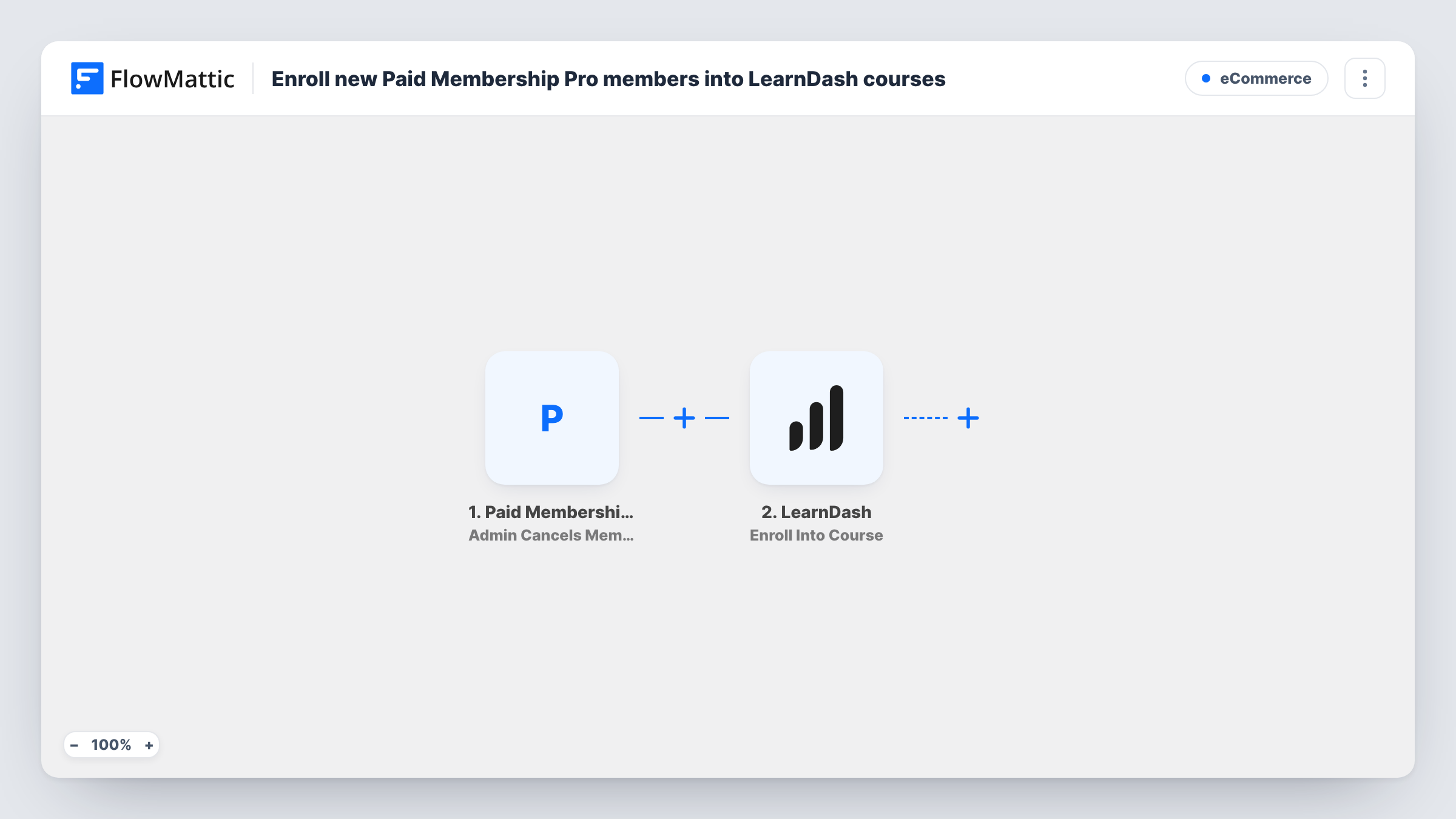
What this workflow does
Many membership sites sell access to training: a paid level includes one or more LearnDash courses. Without a link between the two plugins, someone has to enroll each new member by hand, and members wait. This workflow does the enrollment as soon as the membership is bought.
The Paid Memberships Pro trigger fires when a user purchases a membership. Because Paid Memberships Pro sells to WordPress accounts, the buyer is already a user on your site, and the trigger passes that user's details on. After that, LearnDash adds the member to a course.
The enroll step ships unmapped. After import, map the member's WordPress user ID from the trigger and choose the course. To give one level its course and another level a different one, check the membership level in a Router placed between the trigger and the enroll step.
The trigger reacts to purchases, so a member who buys again, for example a second level, starts another run and is enrolled again. Buy a test membership and check Task History to confirm the user ID LearnDash received.
Course included with a paid plan
A fitness coach sells a monthly membership that includes a LearnDash training programme, and each buyer is enrolled the moment checkout completes.
Professional association training
An association enrols every new paying member in its onboarding course on the code of conduct and member benefits.
Tiered course bundles
A language school sells Basic and Pro levels and uses a Router so each level opens its own LearnDash course.
How this workflow runs
What happens at each step once the workflow is on, and what you need before you import it.
 Paid Memberships Pro User Purchases Membership
Fires when a user purchases a Paid Memberships Pro membership. The buyer's WordPress user details and the membership level are passed on; a test purchase shows the exact fields.
- LearnDash Enroll Into Course
Enrolls a WordPress user into a LearnDash course. The template leaves it unmapped, so map the member's user ID from the trigger and choose the course after import.
What you need
- FlowMatticCore
- Paid Memberships Pro PluginPlugin
- LearnDash PluginPlugin
After importing, map your own data. To keep the template universal, not every step is pre-filled. Open each step in the builder and connect your accounts and fields (channels, lists, sheets, recipients) before you switch the workflow on.
Make it yours
Changes worth making after you import it.
- To match courses to levels, put a Router between the User Purchases Membership trigger and the Enroll Into Course step, move the enroll step into one route, give each other route its own copy with that level's course, and use level conditions that can't both match.
- Add a second workflow on Paid Memberships Pro's User Cancels Membership trigger with LearnDash's Remove From Course action, if access should end when the membership does.
- If one level includes several courses, add one Enroll Into Course step per course after the first, each mapping the same user ID.
Questions about this workflow
Do Paid Memberships Pro buyers need a WordPress account for LearnDash?
LearnDash enrolls WordPress users, and Paid Memberships Pro memberships belong to WordPress accounts, so the buyer already has one. Map that user ID from the trigger into the enroll step.
Are members enrolled again when they buy another Paid Memberships Pro level?
Each purchase starts a run, so the enroll step runs again. LearnDash decides how to treat someone already in the course; check Task History on a test account.
Does this enroll members an admin adds in the dashboard?
No. The trigger is User Purchases Membership. FlowMattic's Paid Memberships Pro integration has a separate Admin Assigns Membership Level to User trigger you can use in a second workflow.
Are existing Paid Memberships Pro members enrolled when I turn this on?
No, only purchases made after the workflow is active. People who joined earlier need to be added to the course by hand in LearnDash.
More E-Commerce workflows
Other ready-to-import templates from the same category.





Import this workflow into your WordPress site
Download the JSON, import it from the Workflows screen and connect your accounts. Every run stays on your server, with no per-task fees.
30-day money-back guarantee Unlimited workflows and runs Self-hosted