

Log every new Waalaxy prospect in a Google Sheets spreadsheet
Each prospect Waalaxy sends to this workflow’s webhook is added as a new row in Google Sheets, giving you a running list of the people your LinkedIn outreach reaches that you can sort, share and report on.
 Waalaxy
 Google Sheets
2 steps Setup ~5 min Used on 2.1k sites Free to import
What this workflow does
Waalaxy keeps your prospects inside its own app. When you want to share them with a colleague, count them by campaign or keep a record outside Waalaxy, a spreadsheet is often the simplest place. This workflow writes each prospect to Google Sheets as Waalaxy sends it.
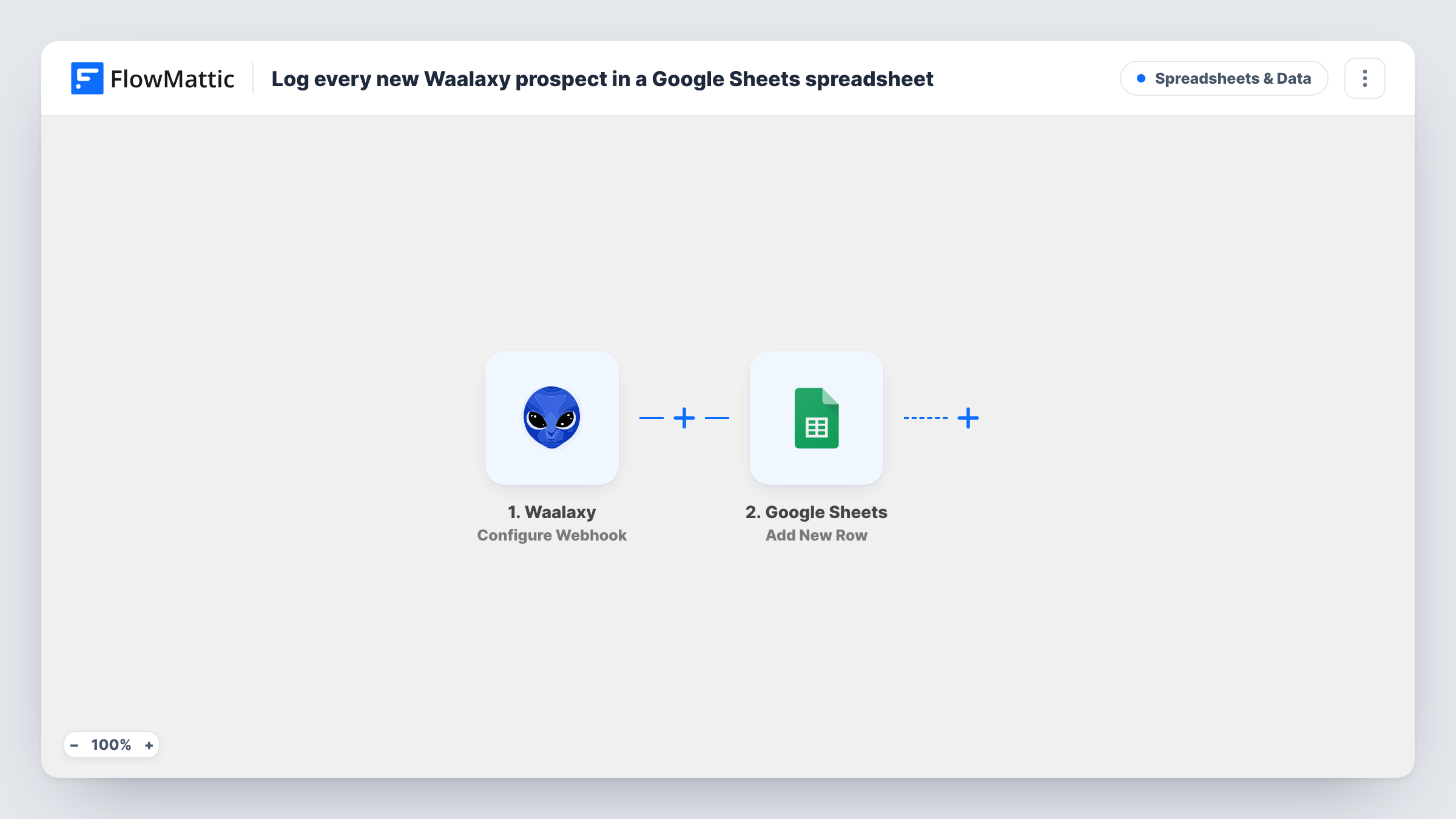
The Waalaxy trigger, Configure Webhook, gives you a URL and fires each time a response is captured there. You add that URL in Waalaxy, and the prospect data Waalaxy posts becomes fields you can map. The Google Sheets step, Add New Row, then writes those fields to a new row in the spreadsheet you pick.
The sheet holds whatever Waalaxy sends, so where you place the webhook in your Waalaxy setup decides which prospects are logged. There is no duplicate check: a prospect sent twice gets two rows. Task History shows each payload and the row it produced.
Weekly outreach report
A sales manager opens the sheet on Friday and counts the prospects each Waalaxy campaign produced, without logging in to Waalaxy.
Hand-off to a research assistant
An assistant works down the sheet, adding company size and notes in extra columns before the rep reaches out a second time.
Backup of prospect data
Keeping a copy of every prospect in Google Sheets means you still have the list if you change outreach tools later.
How this workflow runs
What happens at each step once the workflow is on, and what you need before you import it.
 Waalaxy Configure Webhook
Provides a webhook URL for Waalaxy and fires whenever Waalaxy posts prospect data to it. Each field in that data can be mapped into the sheet.
- Google Sheets Add New Row
Writes the prospect into a new row of the Google Sheets file you choose. Map Waalaxy fields to your columns and connect your Google account on import.
What you need
- FlowMatticCore
- Waalaxy AccountAccount
- Google Sheets AccountAccount
After importing, map your own data. To keep the template universal, not every step is pre-filled. Open each step in the builder and connect your accounts and fields (channels, lists, sheets, recipients) before you switch the workflow on.
Make it yours
Changes worth making after you import it.
- Add a column for the campaign name, or a fixed value per workflow copy, so you can tell which Waalaxy campaign each prospect came from.
- Add a Filter after the trigger if Waalaxy sends events you don't want logged, for example prospects without a LinkedIn profile URL.
- Set up the sheet's header row before mapping, then send a test prospect from Waalaxy so FlowMattic captures real data to map.
Questions about this workflow
Which Waalaxy prospects end up in the Google Sheets log?
Every prospect Waalaxy posts to the webhook URL. The trigger doesn't pick prospects itself, so decide in Waalaxy which actions or campaigns send to it.
Will a Waalaxy prospect sent twice create two rows?
Yes. Add New Row adds a row for every run and doesn't look for an existing one, so remove duplicates in the sheet if they appear.
What data does Waalaxy include for each prospect?
That depends on what Waalaxy sends to the webhook. Send a test after import and look at the captured payload in FlowMattic to see the fields you can map.
Can I log Waalaxy prospects to Airtable instead of Google Sheets?
Yes. Replace the Google Sheets step with Airtable's Create Record action and map the same Waalaxy fields to your table.
More Spreadsheets & Data workflows
Other ready-to-import templates from the same category.




Import this workflow into your WordPress site
Download the JSON, import it from the Workflows screen and connect your accounts. Every run stays on your server, with no per-task fees.
30-day money-back guarantee Unlimited workflows and runs Self-hosted