

When a new submission is received in WPForms, check if the email is valid with EmailListVerify, and add details to Google Spreadsheet
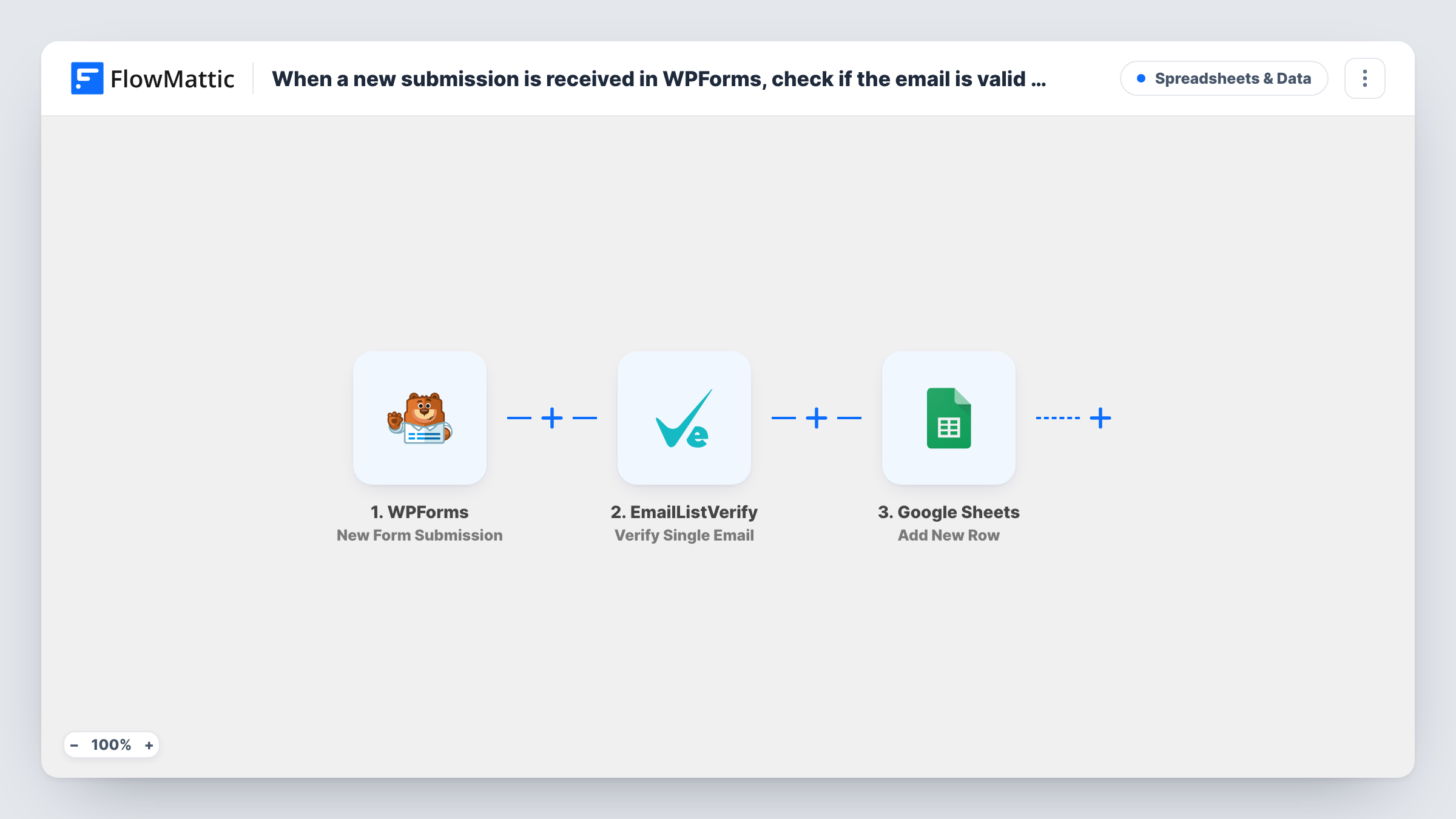
When a visitor submits a WPForms form, EmailListVerify checks the address they entered, and the entry is then added as a new Google Sheets row, with the verification response available to record beside it.
 WPForms
 EmailListVerify
 Google Sheets
3 steps Setup ~5 min Used on 776 sites Free to import
What this workflow does
A spreadsheet of form entries is only as useful as the addresses in it. Typos and made-up emails slip through WPForms, and you find out when your follow-up emails bounce. This workflow runs each submitted address through EmailListVerify before the entry is written to your sheet, so you can see the check result on the same row.
The WPForms trigger fires on each new form submission on your WordPress site. FlowMattic passes the email field to EmailListVerify, whose Verify Single Email action checks that one address. The final step writes a new row in Google Sheets, where you map form answers and the EmailListVerify response to the columns you want.
Every submission gets a row, valid or not. The template has no condition on the result, so the sheet is a full log with each address's status next to it. If the sheet should hold only addresses that pass, add a Filter after the verification step.
Webinar sign-ups you will email
Registrants fill in a WPForms registration form. The sheet shows which addresses EmailListVerify flagged, so you can correct or remove them before sending joining links.
Quote requests from a service business
A plumber's quote form logs each enquiry to a shared sheet. The verification column warns the office when an address looks undeliverable, so they phone instead of emailing.
Gated downloads
People enter an email to get a checklist. Recording the EmailListVerify result shows how many downloads came from addresses you could actually reach later.
How this workflow runs
What happens at each step once the workflow is on, and what you need before you import it.
 WPForms New Form Submission
Runs when someone submits a WPForms form on your site. The submitted fields, including the email address, can be mapped in the two steps that follow.
- EmailListVerify Verify Single Email
Hands the address from the form to EmailListVerify's single-email check. Map the WPForms email field into this step and connect your EmailListVerify account. The returned result can go into the sheet.
- Google Sheets Add New Row
Writes the submission to a new row in your chosen spreadsheet. Map each column to a WPForms field, and give the EmailListVerify result its own column so the status sits beside each entry.
What you need
- FlowMatticCore
- WPForms PluginPlugin
- EmailListVerify AccountAccount
- Google Sheets AccountAccount
After importing, map your own data. To keep the template universal, not every step is pre-filled. Open each step in the builder and connect your accounts and fields (channels, lists, sheets, recipients) before you switch the workflow on.
Make it yours
Changes worth making after you import it.
- To keep failed addresses out, put a Filter after EmailListVerify that continues only when the result equals the status EmailListVerify returns for a good address. A test submission shows you that value.
- Want both lists? Replace the single sheet step with a Router: one route for good results and one for the rest, each holding its own Google Sheets step pointing at a different sheet.
- Submit the form once with your own address after import. The test run captures the WPForms fields and the EmailListVerify response, so the column mapping is easier.
Questions about this workflow
Do invalid WPForms emails still get a row in the sheet?
Yes, as imported. The result from EmailListVerify is only mapped into a column. Add a Filter between the verification and Google Sheets steps if you want rejected addresses left out.
Does WPForms still save and email the entry as normal?
Yes. FlowMattic starts after the submission, so your form's notifications and confirmation work as before. The verification only affects what you record in Google Sheets.
What does this WPForms to Google Sheets workflow need?
WPForms on the same WordPress site as FlowMattic, an EmailListVerify account for the checks, and a Google account that can edit the target spreadsheet.
Will past WPForms entries be verified?
No. Only submissions made after you turn the workflow on reach EmailListVerify and the sheet.
More Spreadsheets & Data workflows
Other ready-to-import templates from the same category.




Import this workflow into your WordPress site
Download the JSON, import it from the Workflows screen and connect your accounts. Every run stays on your server, with no per-task fees.
30-day money-back guarantee Unlimited workflows and runs Self-hosted