

Mirror new Quickbase table records into an Airtable base
Each record added to your chosen Quickbase table is copied into an Airtable base as a new record, so teams that work in Airtable get the same new entries without exporting.
 Quickbase
 Airtable
2 steps Setup ~5 min Used on 743 sites Free to import
What this workflow does
Some teams keep their system of record in Quickbase while others prefer to build views and forms in Airtable. This workflow copies each new Quickbase record into an Airtable table, so the Airtable side starts with the same new entries and nobody has to export a CSV.
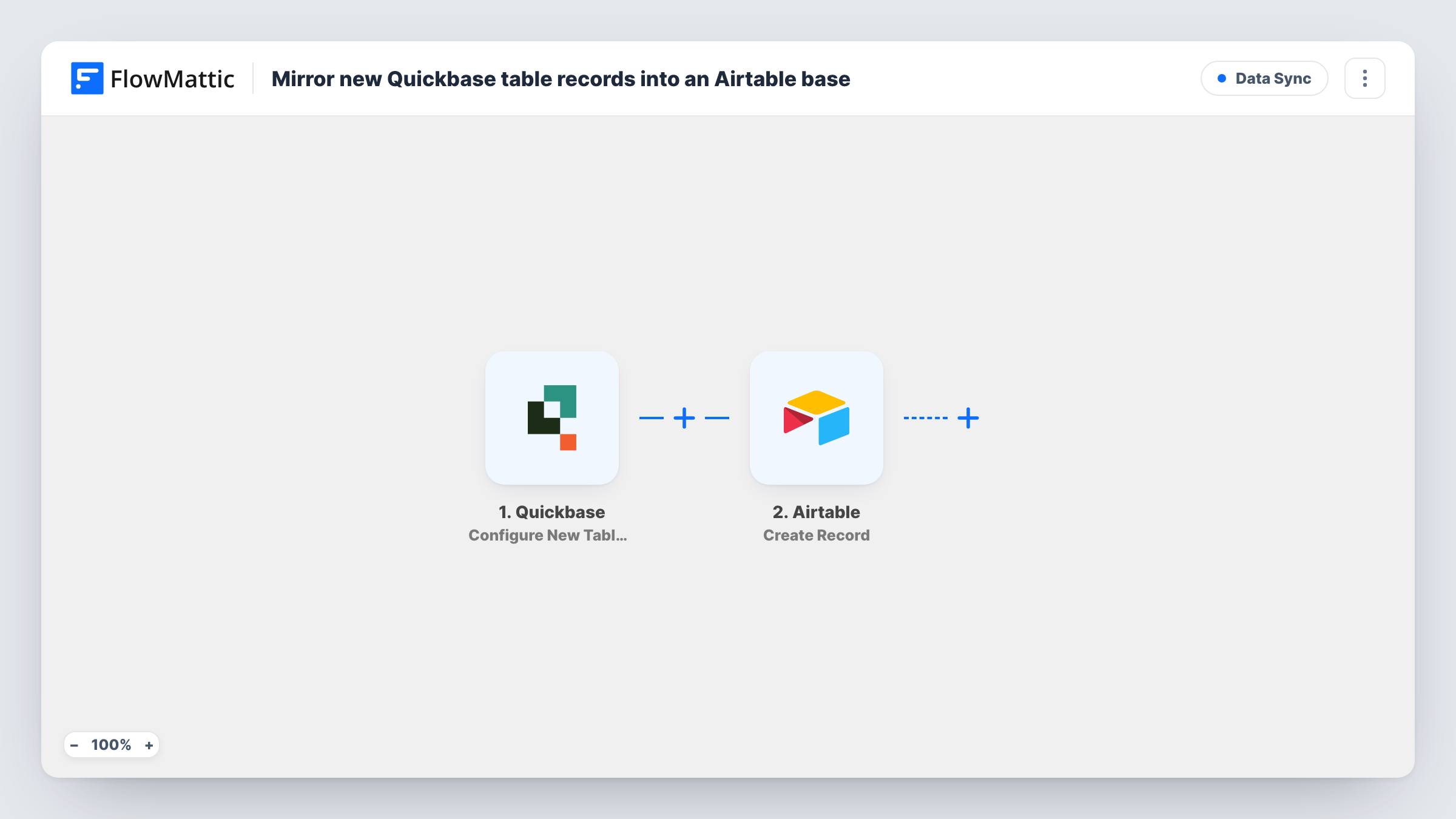
The Quickbase trigger is Configure New Table Webhooks. FlowMattic describes it as firing when a record is added, deleted or modified in your table. You set which of those happen to call the workflow when you create the webhook on that table in Quickbase, and for this flow that should be the added event alone. Turn on modified or deleted as well and edits and deletions also start runs, each one creating another Airtable record.
The Airtable step is Create Record. It ships unmapped: after import you connect Airtable, pick the base and table, and map each Quickbase value to a matching Airtable field. Add a record in Quickbase as a test and check Task History to see what the webhook sends.
The mirror covers new records only. Changing or deleting a record in Quickbase later leaves its Airtable copy as it was.
Airtable views for a team outside Quickbase
Your marketing team plans in Airtable but the product list lives in a Quickbase table. Each product your operations team adds in Quickbase appears in their Airtable base for planning.
A shared Airtable base for a client
You share an Airtable base with a client instead of giving them Quickbase access. New project records your team adds in Quickbase are copied into it, so the client sees them there.
Moving work to Airtable gradually
While you try Airtable alongside Quickbase, each record your team keeps adding in Quickbase is also created in Airtable, so the trial base doesn't fall behind on new entries.
How this workflow runs
What happens at each step once the workflow is on, and what you need before you import it.
 Quickbase Configure New Table Webhooks
Starts the workflow when the Quickbase table webhook calls it. FlowMattic says this trigger covers records added, deleted or modified in your table, so set up the Quickbase webhook with only the added event chosen.
- Airtable Create Record
Adds the Quickbase entry to Airtable as one fresh record per run. The template has no field mapping, so after import you connect Airtable and map the values from the Quickbase record into your Airtable fields.
What you need
- FlowMatticCore
- Quickbase AccountAccount
- Airtable AccountAccount
After importing, map your own data. To keep the template universal, not every step is pre-filled. Open each step in the builder and connect your accounts and fields (channels, lists, sheets, recipients) before you switch the workflow on.
Make it yours
Changes worth making after you import it.
- Add an Airtable field for the Quickbase record ID and map it, if the webhook sends the ID. It lets you match each Airtable copy to its source record later.
- Set up the Airtable table with fields that match your Quickbase columns before you map the step, so every value has a place to go and the field types fit.
- Add a Filter between the Quickbase trigger and the Airtable step if only some records should be mirrored, for example where a status field equals Active. Swap in your own Quickbase field and value; these are only examples.
Questions about this workflow
Will changes to a Quickbase record update the Airtable copy?
No. This template only creates Airtable records. Keeping edits in sync would need a separate workflow on the modified event that finds the Airtable record, for example with Airtable's Search Record by a stored Quickbase ID, and then runs Update Record.
Which Quickbase table does the Airtable mirror watch?
The table you create the Quickbase webhook on. Records added to your other Quickbase tables don't start a run of this workflow.
What happens in Airtable when I delete a Quickbase record?
Nothing, as long as the Quickbase webhook sends only the added event: a deletion doesn't run the workflow, and the Airtable record stays.
Do Quickbase and Airtable field names have to match?
No. You choose which Quickbase value goes into which Airtable field when you map the Create Record step. Matching names just make that mapping quicker.
More Data Sync workflows
Other ready-to-import templates from the same category.





Import this workflow into your WordPress site
Download the JSON, import it from the Workflows screen and connect your accounts. Every run stays on your server, with no per-task fees.
30-day money-back guarantee Unlimited workflows and runs Self-hosted