

Send a Slack alert for every new Sprintful booking reminder
Whenever Sprintful sends a booking reminder, this workflow posts a matching message in a Slack channel, so the team members running the meeting get a heads-up in Slack at the same moment your guest is reminded.
 Sprintful
 Slack
2 steps Setup ~5 min Used on 605 sites Free to import
What this workflow does
Sprintful reminds your guests about upcoming meetings, but your own team may not be watching the calendar. If the person taking the call is deep in other work, a reminder in Slack is harder to miss than one in an inbox. This workflow mirrors Sprintful's reminders into a Slack channel.
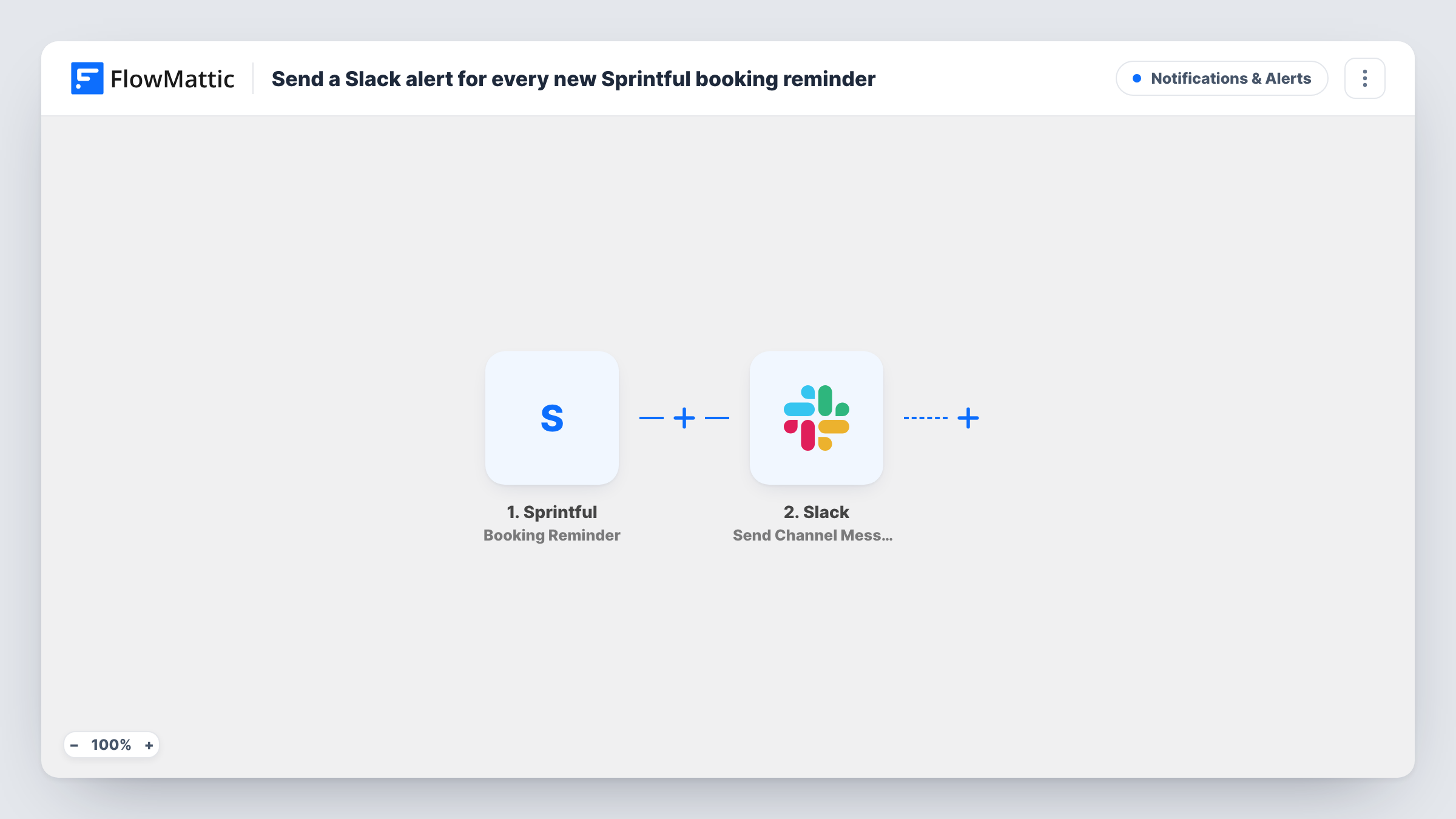
The Sprintful trigger fires when a booking reminder is sent, and FlowMattic captures the booking data that comes with it. The Slack step then uses Send Channel Message to put your reminder text in the channel of your choice. You can include booking details from Sprintful in that text.
The timing follows Sprintful's reminder settings, so the Slack post goes out whenever Sprintful sends its reminder. If a booking gets more than one reminder, each one posts to Slack. Each post is logged as a run in Task History.
Sales demos booked through Sprintful
The sales channel sees a post when each demo reminder goes out, so the rep and anyone joining them know the call is coming up.
Consulting calls in a small agency
A shared #calls channel shows upcoming client calls as reminders are sent, so whoever covers for an absent colleague can step in.
Interview scheduling
Hiring managers get a Slack post when Sprintful reminds a candidate about their interview, with the booking details you include.
How this workflow runs
What happens at each step once the workflow is on, and what you need before you import it.
 Sprintful Booking Reminder
Fires when Sprintful sends a booking reminder. The booking data attached to that reminder is captured for use in the Slack message.
- Slack Send Channel Message
Posts the reminder to the Slack channel you pick. Connect Slack, write the text and insert booking details from Sprintful, such as the guest's name and meeting time, if the trigger provides them.
What you need
- FlowMatticCore
- Sprintful AccountAccount
- Slack AccountAccount
After importing, map your own data. To keep the template universal, not every step is pre-filled. Open each step in the builder and connect your accounts and fields (channels, lists, sheets, recipients) before you switch the workflow on.
Make it yours
Changes worth making after you import it.
- Make a test booking in Sprintful with a reminder that fires soon, so FlowMattic captures real reminder data before you write the Slack message.
- If several people take bookings, add a Filter after the trigger on a host or meeting-type field from the captured data, so this channel only hears about one person's meetings.
- To alert the host directly instead of a channel, replace the step with Slack's Send Direct Message action and pick the host as the recipient.
Questions about this workflow
When does the Slack alert for a Sprintful booking go out?
When Sprintful sends its booking reminder. The workflow has no timing of its own, so change the reminder settings in Sprintful to change when Slack is alerted.
Does this post new Sprintful bookings to Slack?
No. The trigger is Booking Reminder, so it runs when a reminder is sent, not when the booking is made. Sprintful's New Booking trigger would cover that.
Will a booking with two reminders post twice?
Yes. Each reminder Sprintful sends starts its own run, so each one becomes a Slack post.
What if Sprintful sends no reminder for a booking?
Then nothing is posted for it. The workflow only reacts to reminders Sprintful actually sends, so check your reminder setup in Sprintful if a meeting never reaches Slack.
More Notifications & Alerts workflows
Other ready-to-import templates from the same category.



Import this workflow into your WordPress site
Download the JSON, import it from the Workflows screen and connect your accounts. Every run stays on your server, with no per-task fees.
30-day money-back guarantee Unlimited workflows and runs Self-hosted