

Send a Slack alert to the loan team when a new LendingWise application is submitted
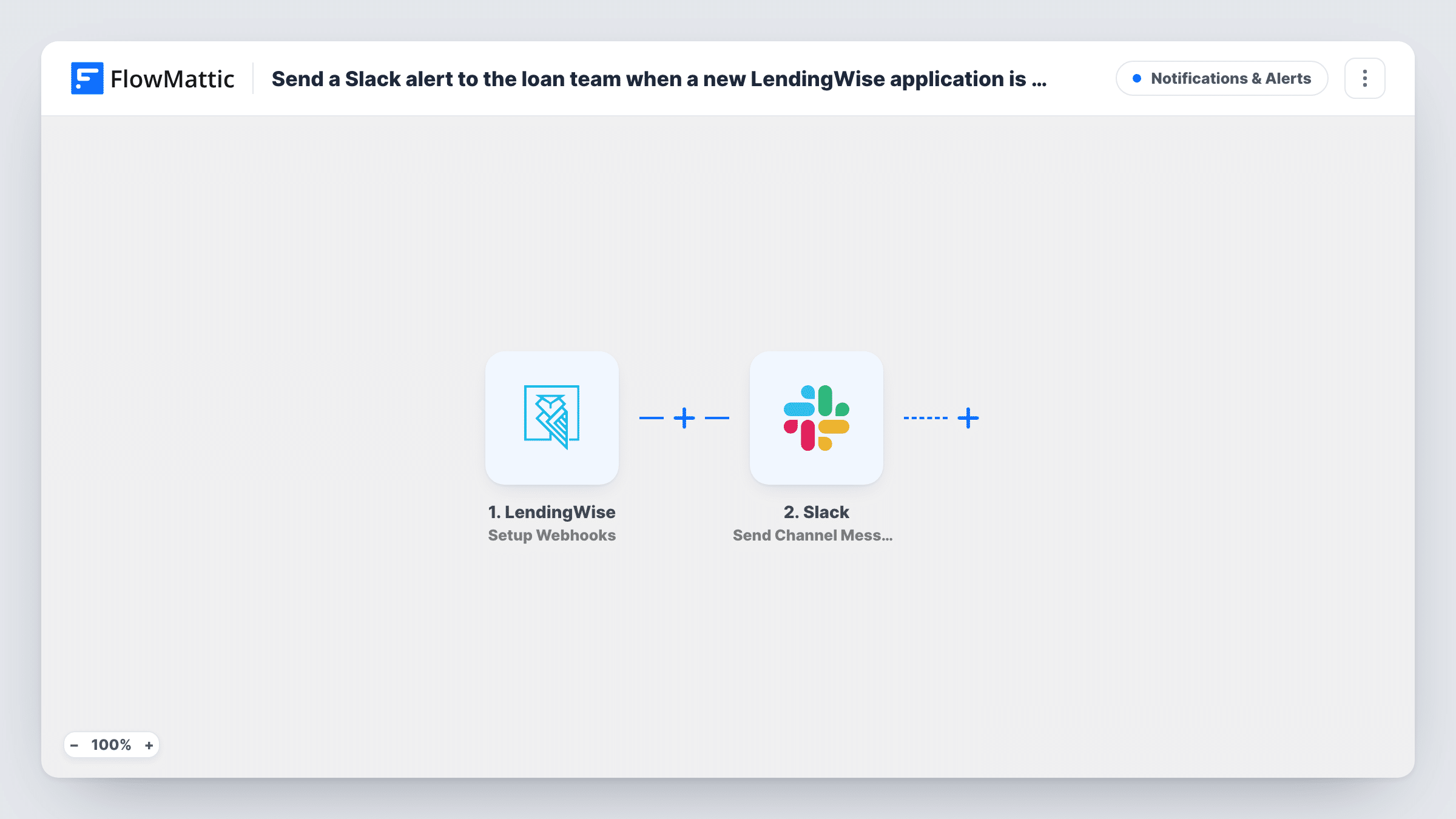
When LendingWise sends a new loan application to FlowMattic through its webhook, this workflow posts an alert to your loan team’s Slack channel, so someone can pick up the file without checking the pipeline.
 LendingWise
 Slack
2 steps Setup ~5 min Used on 3.3k sites Free to import
What this workflow does
A new loan application usually needs someone to look at it soon: to check documents, call the borrower or assign a processor. If the team has to keep LendingWise open to notice new files, applications can sit untouched. This workflow sends each one to the team's Slack channel instead.
The LendingWise Setup Webhooks trigger sets up a webhook for the events you specify. For this flow, set LendingWise to send only its new-application event to the webhook, so the trigger fires when an application is submitted. FlowMattic then passes the application data to Slack, and Send Channel Message posts your alert to the channel you pick, with details from the application mapped into the text.
The trigger runs for whatever events LendingWise sends, and the template has no Filter, so leave other events off the webhook if new applications are all the team should hear about. Loan applications hold personal and financial data, so keep the Slack message to what the team needs and post it in a channel limited to the loan team.
Mortgage brokerage with a shared intake channel
Each new LendingWise application shows up in an intake channel, and the first available loan officer replies in the thread to take it.
Private lender reviewing deals daily
Partners see new application alerts in Slack throughout the day and open the file in LendingWise when a deal looks worth a closer look.
Processing team assigning files
A processing lead watches the channel and assigns each new LendingWise file to a processor as soon as the alert lands.
How this workflow runs
What happens at each step once the workflow is on, and what you need before you import it.
 LendingWise Setup Webhooks
Gives you a webhook for the LendingWise events you specify and runs each time one arrives. In LendingWise, send only the new-application event so the trigger fires when an application is submitted.
- Slack Send Channel Message
Posts the alert to the Slack channel you choose. Write the message and map in details from the LendingWise application, such as the borrower's name and the loan type, after a test run shows which fields arrive.
What you need
- FlowMatticCore
- LendingWise AccountAccount
- Slack AccountAccount
After importing, map your own data. To keep the template universal, not every step is pre-filled. Open each step in the builder and connect your accounts and fields (channels, lists, sheets, recipients) before you switch the workflow on.
Make it yours
Changes worth making after you import it.
- Submit a test application in LendingWise after import so FlowMattic captures real data, then build the Slack message from the fields you see in Task History.
- If your loan team uses a private Slack channel, swap in Slack's Send Private Channel Message action, since Send Channel Message is for regular channels.
- To alert one loan officer instead of the whole team, replace the channel step with Slack's Send Direct Message action.
Questions about this workflow
Which LendingWise events start the Slack alert?
The ones LendingWise is set to send to the webhook. Choose only the new-application event there if the team should hear about new files and nothing else.
What LendingWise application details can the Slack message include?
Whatever LendingWise sends with the event. Run a test after import and look at the captured data in FlowMattic before you map fields into the message.
Does the workflow change the application in LendingWise?
No. It only receives the event and posts to Slack. Nothing is written back to LendingWise.
More Notifications & Alerts workflows
Other ready-to-import templates from the same category.




Import this workflow into your WordPress site
Download the JSON, import it from the Workflows screen and connect your accounts. Every run stays on your server, with no per-task fees.
30-day money-back guarantee Unlimited workflows and runs Self-hosted