

Send a Slack alert to the sales team when an Upnify opportunity changes phase
Whenever an opportunity in Upnify moves to a different phase, this workflow posts a message to a Slack channel, so your sales team sees pipeline movement without opening the CRM.
 Upnify
 Slack
2 steps Setup ~5 min Used on 3.1k sites Free to import
What this workflow does
A deal moving forward in Upnify is news for more than its owner. A manager wants to know when a proposal goes out, and a colleague may need to prepare the contract. If the only place that change shows is the CRM, people learn about it late. This workflow puts each phase change where your team already talks.
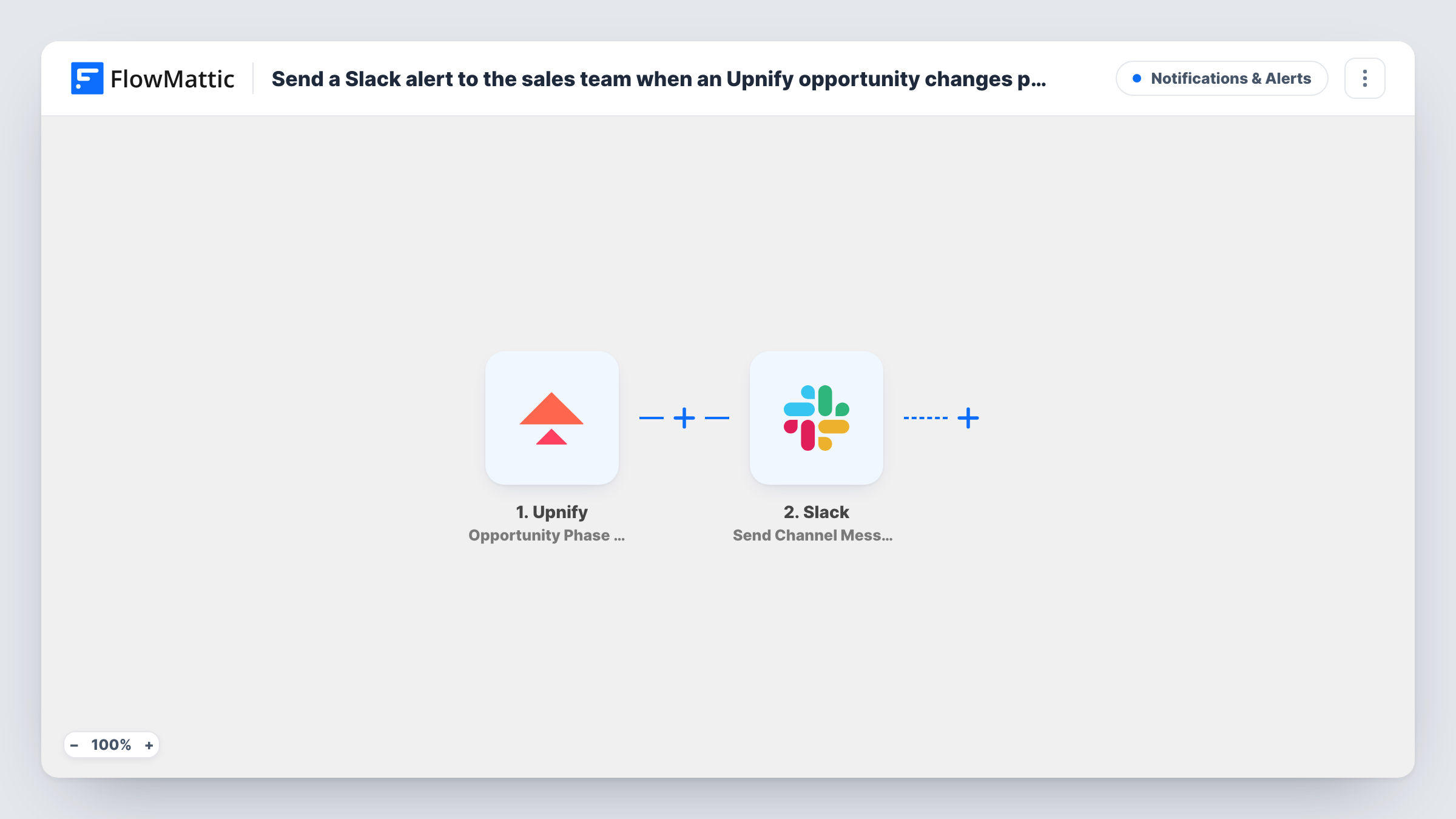
The Upnify trigger fires when an opportunity's phase changes. Its data, such as the opportunity and its new phase, is passed to Slack. The Send Channel Message action then posts a message to the channel you pick, built from the Upnify values you map into the text.
Every phase change starts a run, in either direction, so a deal moved back a step is posted too. If the channel should only hear about some phases, add a Filter on the phase value. Each run, and Slack's reply to it, is kept in Task History.
Pipeline feed for a sales channel
A #sales channel gets a line each time an Upnify opportunity moves phase, so the whole team follows deal progress during the day.
Heads-up for the proposal writer
With a Filter on the phase, only opportunities moving into your proposal phase post to a channel the proposal writer watches.
Manager view of stalled deals moving again
A sales manager who rarely opens Upnify sees in Slack when long-quiet opportunities finally change phase.
How this workflow runs
What happens at each step once the workflow is on, and what you need before you import it.
 Upnify Opportunity Phase Change
Fires when an opportunity in Upnify changes phase. The opportunity's data from Upnify is passed on for you to place in the Slack message.
- Slack Send Channel Message
Sends the phase update to a Slack channel of your choosing. Write the text and map Upnify values into it, such as the opportunity name and its new phase, then connect your Slack workspace.
What you need
- FlowMatticCore
- Upnify AccountAccount
- Slack AccountAccount
After importing, map your own data. To keep the template universal, not every step is pre-filled. Open each step in the builder and connect your accounts and fields (channels, lists, sheets, recipients) before you switch the workflow on.
Make it yours
Changes worth making after you import it.
- Add a Filter after the trigger that continues only when the new phase equals the one you care about, for example a closing phase, so the channel isn't flooded with every move.
- If the deal chatter belongs in a private Slack channel, replace this step with Send Private Channel Message. Send Direct Message suits an alert meant for one rep.
- Move an opportunity's phase in Upnify once after import, then look at the trigger data to see which values arrive before you write the Slack message.
Questions about this workflow
Does every Upnify phase change post to Slack?
Yes, as imported. The trigger fires on any phase change, forward or back, and nothing filters it. Add a Filter on the phase value to post only selected changes.
Can the Slack message mention the opportunity's owner?
You can add any value Upnify sends to the message text. Run a test phase change to see which owner details arrive, then place them in the message.
Will new Upnify opportunities post a message too?
Not from this trigger. It reacts to phase changes. Upnify has a separate New opportunity trigger in FlowMattic if you want those posted as well.
Which Slack channels can this post to?
The Send Channel Message action posts to the channel you choose in the step. Private channels need the separate Send Private Channel Message action from the Slack app.
More Notifications & Alerts workflows
Other ready-to-import templates from the same category.



Import this workflow into your WordPress site
Download the JSON, import it from the Workflows screen and connect your accounts. Every run stays on your server, with no per-task fees.
30-day money-back guarantee Unlimited workflows and runs Self-hosted