

Send a Slack notification when a SmartSurvey response is completed
Each time someone completes a SmartSurvey response, this workflow posts a message in the Slack channel you pick, so your team hears about new feedback without opening the survey dashboard.
 SmartSurvey
 Slack
2 steps Setup ~5 min Used on 1.2k sites Free to import
What this workflow does
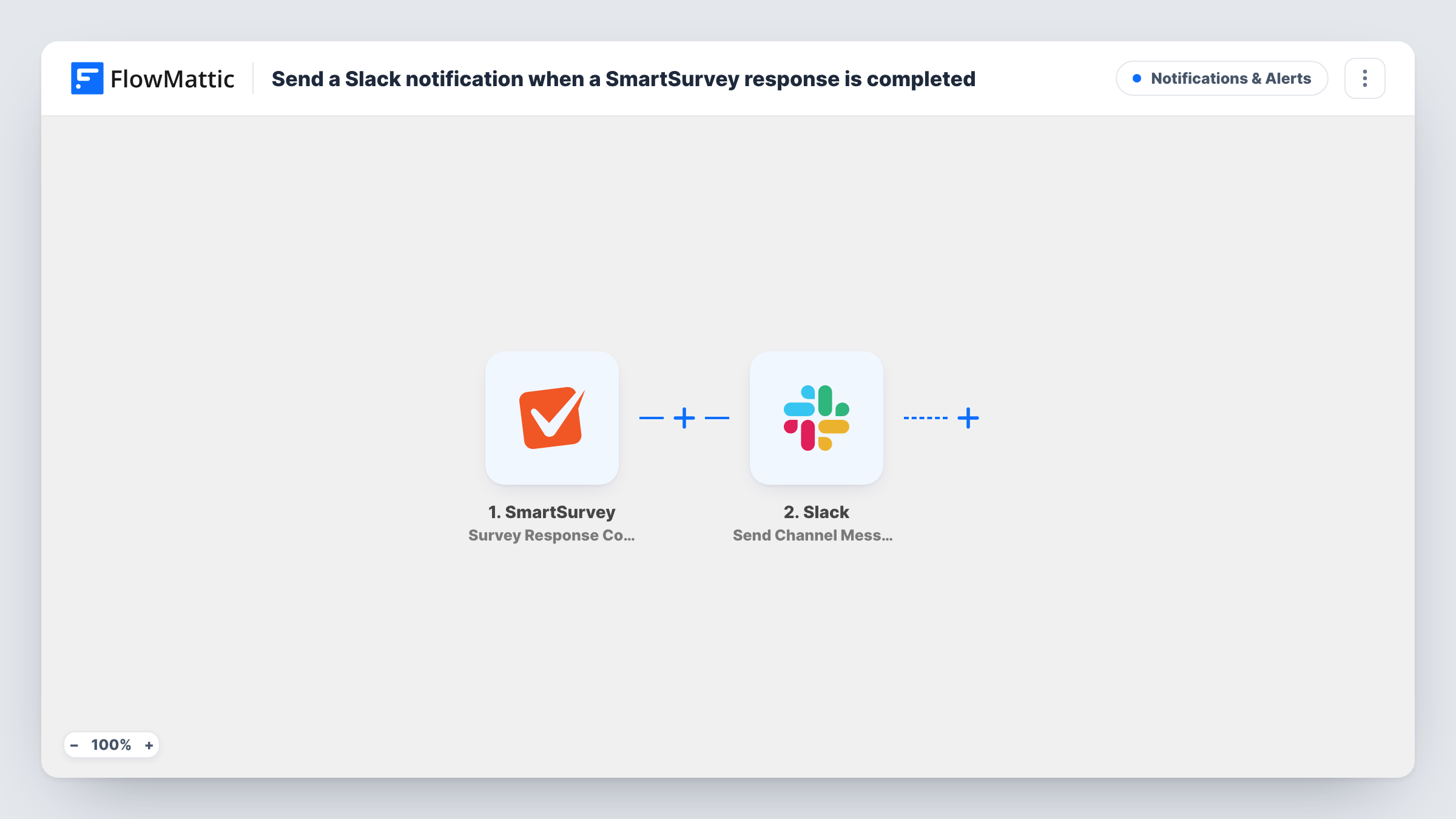
Survey answers are most useful while they are fresh, but few people keep a survey dashboard open all day. If your team already talks in Slack, the simplest fix is to bring each finished response to them there. This workflow does that with two steps.
The SmartSurvey trigger fires when a respondent completes a survey response. FlowMattic receives the data from that response and makes it available to map. The Slack step then posts a message to the channel you choose, built from whatever response details you place in the message text.
As imported, every completed response produces one Slack message. Nothing is filtered or summarised, so a busy survey means a busy channel. You decide what each message shows, from a short notice that a response arrived to a few key answers. Each run is listed in Task History, so you can check what was posted and spot a step that returned an error.
Customer satisfaction survey for a support team
Support leads see each finished satisfaction survey in their team channel and can pick up a poor experience the same day it is reported.
Post-event feedback
After a workshop, organisers watch completed SmartSurvey feedback forms arrive in a dedicated Slack channel instead of waiting for an export.
Product research interviews
A product team posts each completed screening survey to Slack so researchers can see who responded and follow up on the answers.
How this workflow runs
What happens at each step once the workflow is on, and what you need before you import it.
 SmartSurvey Survey Response Completed
Runs each time a respondent completes a SmartSurvey response. The response data FlowMattic receives becomes available to map into the Slack message.
- Slack Send Channel Message
Sends a message into whichever Slack channel you select. Write its text and insert response details from the trigger, then connect your Slack workspace on import.
What you need
- FlowMatticCore
- SmartSurvey AccountAccount
- Slack AccountAccount
After importing, map your own data. To keep the template universal, not every step is pre-filled. Open each step in the builder and connect your accounts and fields (channels, lists, sheets, recipients) before you switch the workflow on.
Make it yours
Changes worth making after you import it.
- Add a Filter after the trigger so only certain responses reach Slack, for example ones where a rating answer is below the score you care about.
- Use a Router to send responses to different Slack channels based on an answer, such as one channel per department or product line.
- Complete one test response in SmartSurvey after import so FlowMattic captures the answer data, then map those answers into the Slack message text.
Questions about this workflow
Which SmartSurvey responses trigger a Slack message?
Every completed response the trigger receives. There is no Filter in the template, so each one is posted. Add a Filter after the trigger if you only want some of them.
Can the Slack message include the survey answers?
Yes, as far as the trigger passes them on. Run a test response first, then look at the data FlowMattic captured and insert the answers you want into the message text.
Do I need a Slack channel set up before importing this SmartSurvey workflow?
Yes. The Slack step posts to a channel you pick, so create the channel first and make sure the Slack account you connect can post to it.
Are older SmartSurvey responses sent to Slack?
No. The workflow reacts to responses completed after you turn it on. Responses collected before that stay in SmartSurvey only.
More Notifications & Alerts workflows
Other ready-to-import templates from the same category.




Import this workflow into your WordPress site
Download the JSON, import it from the Workflows screen and connect your accounts. Every run stays on your server, with no per-task fees.
30-day money-back guarantee Unlimited workflows and runs Self-hosted