

Send a Telegram notification when a Paytm Insider event is sold out
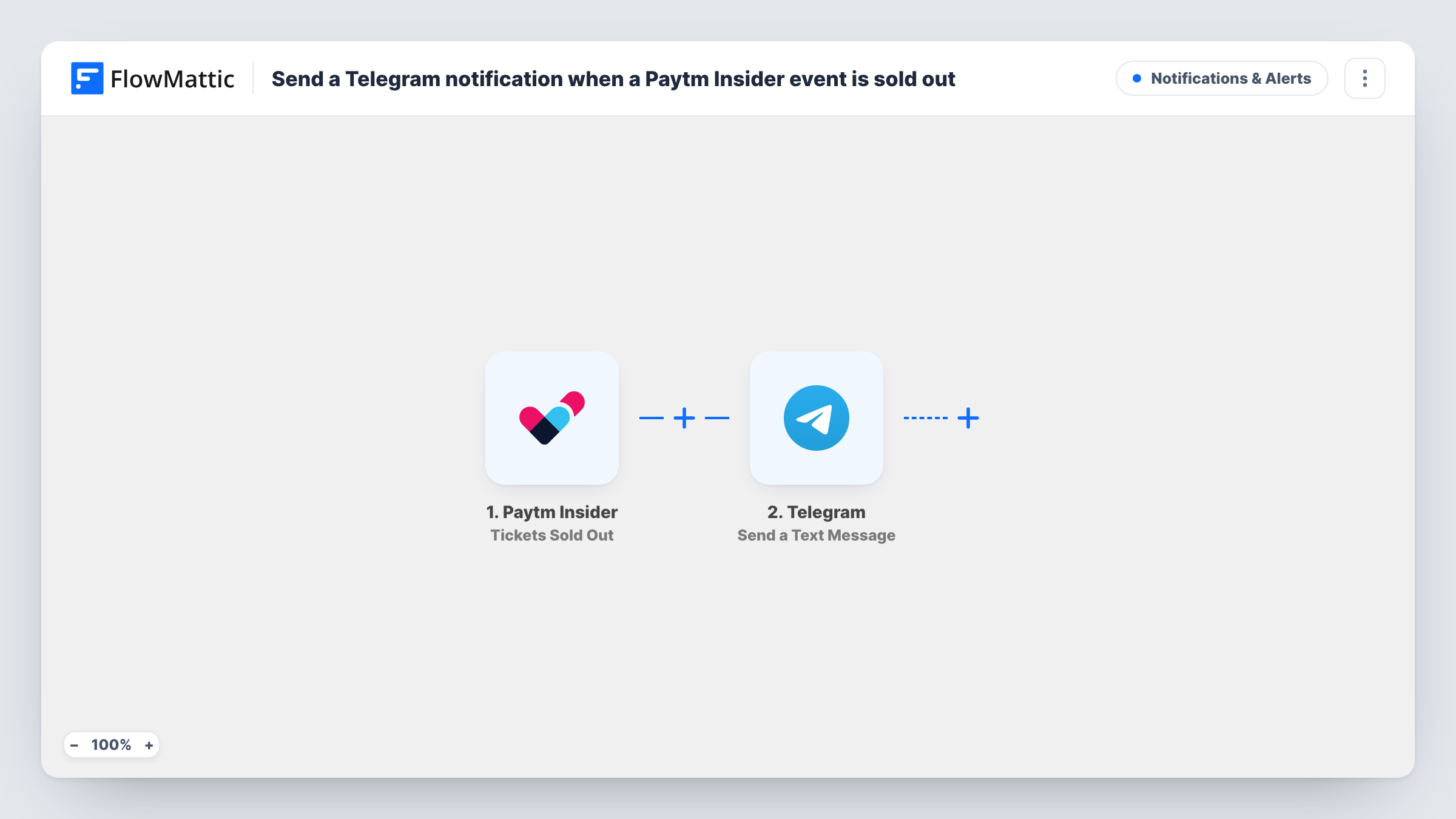
When all the tickets for a Paytm Insider event are sold out, FlowMattic sends a Telegram message to the chat you choose, so organisers hear about the sell-out without watching the sales page.
 Paytm Insider
 Telegram
2 steps Setup ~5 min Used on 2.0k sites Free to import
What this workflow does
A sold-out show changes what an organiser does next: stop paid promotion, update the event page, think about a second date or a bigger venue. Finding out hours later from a dashboard means acting late. This workflow sends the news to Telegram when it happens.
The Paytm Insider trigger, Tickets Sold Out, fires when all the tickets are sold out. FlowMattic then runs the Telegram step, Send a Text Message, which sends text to the chat you set. You write the message, which supports markup, and insert values from the Paytm Insider event, such as the event name.
The run has no other steps. It doesn't pause your ads or change anything in Paytm Insider. It only tells people. Task History records each sell-out alert, so you can confirm when it was sent.
Promoter group chat
A promoter's Telegram group gets a message when a gig sells out, so the team can switch off ad campaigns and post a sold-out notice.
Venue and artist management
Venue managers and an artist's team share one Telegram chat and learn together that the show is full, before discussing a second date.
Festival with many sessions
Each session that sells out on Paytm Insider sends its own Telegram alert, giving the festival office a running record of which sessions are full.
How this workflow runs
What happens at each step once the workflow is on, and what you need before you import it.
 Paytm Insider Tickets Sold Out
Runs when all the tickets for a Paytm Insider event are sold out. The event's details are passed on so you can include them in the Telegram message.
- Telegram Send a Text Message
Sends a Telegram text message, with markup if you want it, to the chat you set. Connect your Telegram bot, set the chat, and write the alert with the Paytm Insider event values.
What you need
- FlowMatticCore
- Paytm Insider AccountAccount
- Telegram AccountAccount
After importing, map your own data. To keep the template universal, not every step is pre-filled. Open each step in the builder and connect your accounts and fields (channels, lists, sheets, recipients) before you switch the workflow on.
Make it yours
Changes worth making after you import it.
- Add your Telegram bot to the group that should receive alerts before you test, since a bot can only post in chats it belongs to.
- Use the message markup to put the event name in bold, so the sold-out alert stands out in a busy group chat.
- Want a log too? Add a Google Sheets step after Telegram to record each sold-out event with its date.
Questions about this workflow
Does the workflow stop ticket sales on Paytm Insider?
No. The event is already sold out when the trigger fires. The workflow only sends the Telegram message and changes nothing in Paytm Insider.
Can I get a Telegram alert for each Paytm Insider sale as well?
You can, by building a second workflow. Paytm Insider also has a New Sales trigger in FlowMattic. Pair it with another Telegram step, keeping in mind that busy events can send many messages.
Who receives the Paytm Insider sold-out message?
The Telegram chat you set in the step, which can be a private chat with your bot, a group or a channel where your bot can post.
What Paytm Insider details can the Telegram alert include?
The values sent with the Tickets Sold Out event. Check the trigger step's captured data after a real or test event to see what you can insert.
More Notifications & Alerts workflows
Other ready-to-import templates from the same category.



Import this workflow into your WordPress site
Download the JSON, import it from the Workflows screen and connect your accounts. Every run stays on your server, with no per-task fees.
30-day money-back guarantee Unlimited workflows and runs Self-hosted