

Send a Telegram notification when an Updown.io SSL certificate is invalid
When Updown.io reports an invalid SSL certificate on a site it monitors, FlowMattic sends a Telegram message with the details you choose, so whoever looks after the site hears about it on their phone.
 Updown.io
 Telegram
2 steps Setup ~5 min Used on 2.0k sites Free to import
What this workflow does
An expired or broken SSL certificate makes browsers show a security warning to every visitor. Updown.io watches for that, but its alert only helps if it reaches the person who can renew or fix the certificate. If your team lives in Telegram, that is where the alert should land.
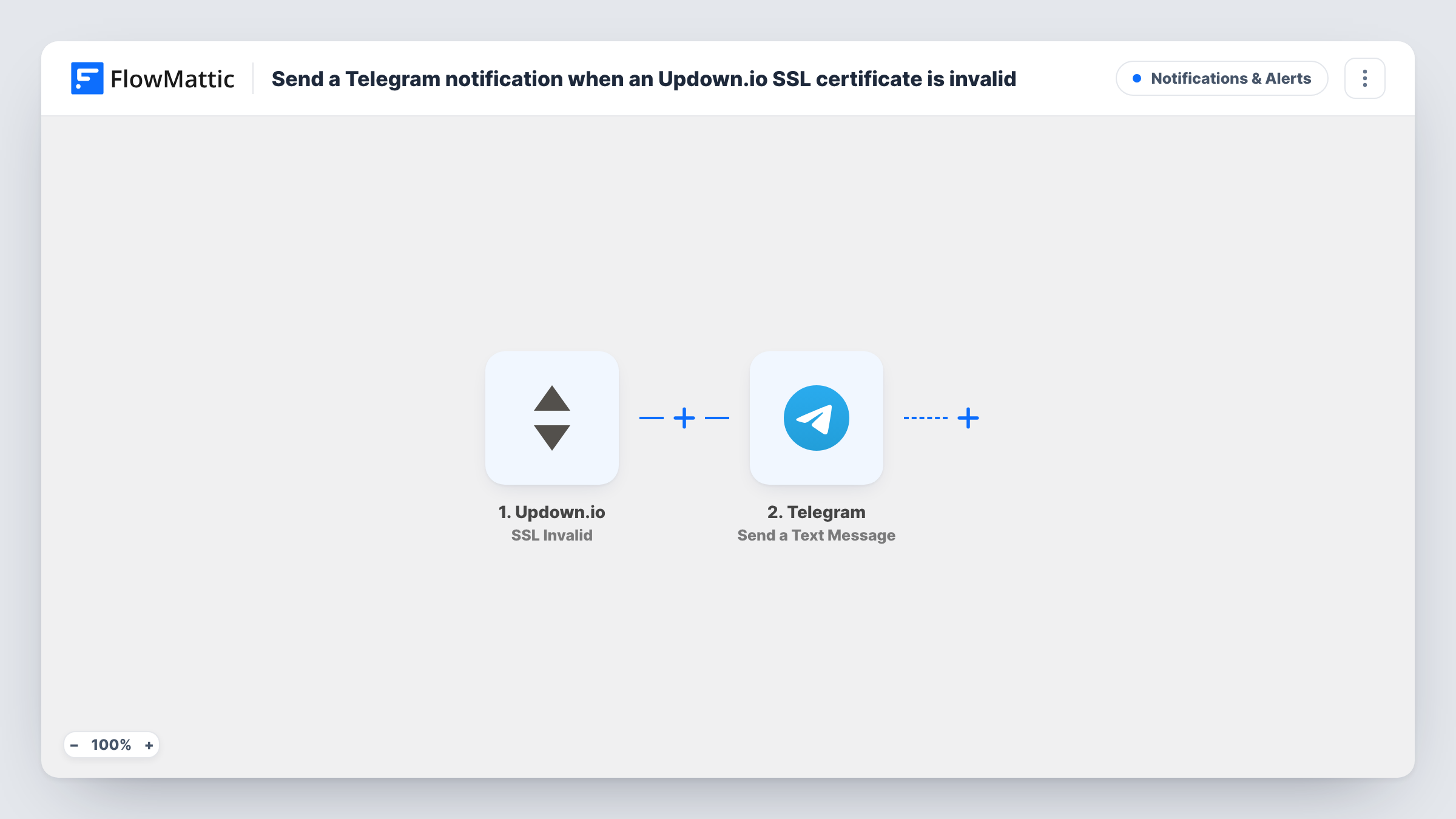
The Updown.io trigger runs on SSL Invalid and passes the event's details to FlowMattic. The next step sends a text message through Telegram to the chat you set up.
The Telegram message is empty in the template. After import, connect both accounts and capture a test event, then write the message with the details Updown.io sends, such as which site or check is affected. The workflow only reports the problem; it does not renew or change the certificate. Each alert run is listed in Task History.
Freelancer looking after client sites
Updown.io monitors every client site, and an invalid certificate on any of them sends a Telegram message so you can fix it before the client notices.
Ops chat for a small SaaS team
SSL problems on the app, the marketing site and the API post into the team's Telegram group, where whoever is on call picks them up.
Catching failed automatic renewals
If your host renews certificates automatically and a renewal fails, the SSL Invalid event reaches you in Telegram instead of waiting in an inbox.
How this workflow runs
What happens at each step once the workflow is on, and what you need before you import it.
 Updown.io SSL Invalid
Runs when Updown.io reports an invalid SSL certificate for one of your checks. The event's details become available for the Telegram message.
- Telegram Send a Text Message
Sends a Telegram text message about the SSL problem. The text is blank in the template, so after a test event write it from the Updown.io fields, such as the affected site.
What you need
- FlowMatticCore
- Updown.io AccountAccount
- Telegram AccountAccount
After importing, map your own data. To keep the template universal, not every step is pre-filled. Open each step in the builder and connect your accounts and fields (channels, lists, sheets, recipients) before you switch the workflow on.
Make it yours
Changes worth making after you import it.
- Put the affected URL or check name at the start of the Telegram message, so the notification itself tells you which site has the problem.
- Add a second workflow on another Updown.io event, such as a check going down, sending to the same Telegram chat, so all monitoring alerts sit in one place.
- Add a Filter after the trigger if you only want alerts for certain sites, building the condition on a field you see in a test event.
Questions about this workflow
Does FlowMattic fix the SSL certificate Updown.io flagged?
No. The workflow passes the alert on to Telegram. Renewing or replacing the certificate happens with your host or certificate provider.
What does the Telegram alert say?
Whatever you write in the Send a Text Message step after import. The template leaves it empty so you can choose the Updown.io details that matter to you.
Will I get a Telegram message when the certificate is fixed?
Not from this workflow, which only reacts to SSL Invalid. Build a separate workflow on another Updown.io event if your account sends one for that.
Can the Updown.io alert go to a Telegram group?
Send a test message after connecting Telegram and check where it arrives. Use whichever chat your team watches for site alerts.
More Notifications & Alerts workflows
Other ready-to-import templates from the same category.




Import this workflow into your WordPress site
Download the JSON, import it from the Workflows screen and connect your accounts. Every run stays on your server, with no per-task fees.
30-day money-back guarantee Unlimited workflows and runs Self-hosted