

Send a Telegram message when a Pushcut action runs
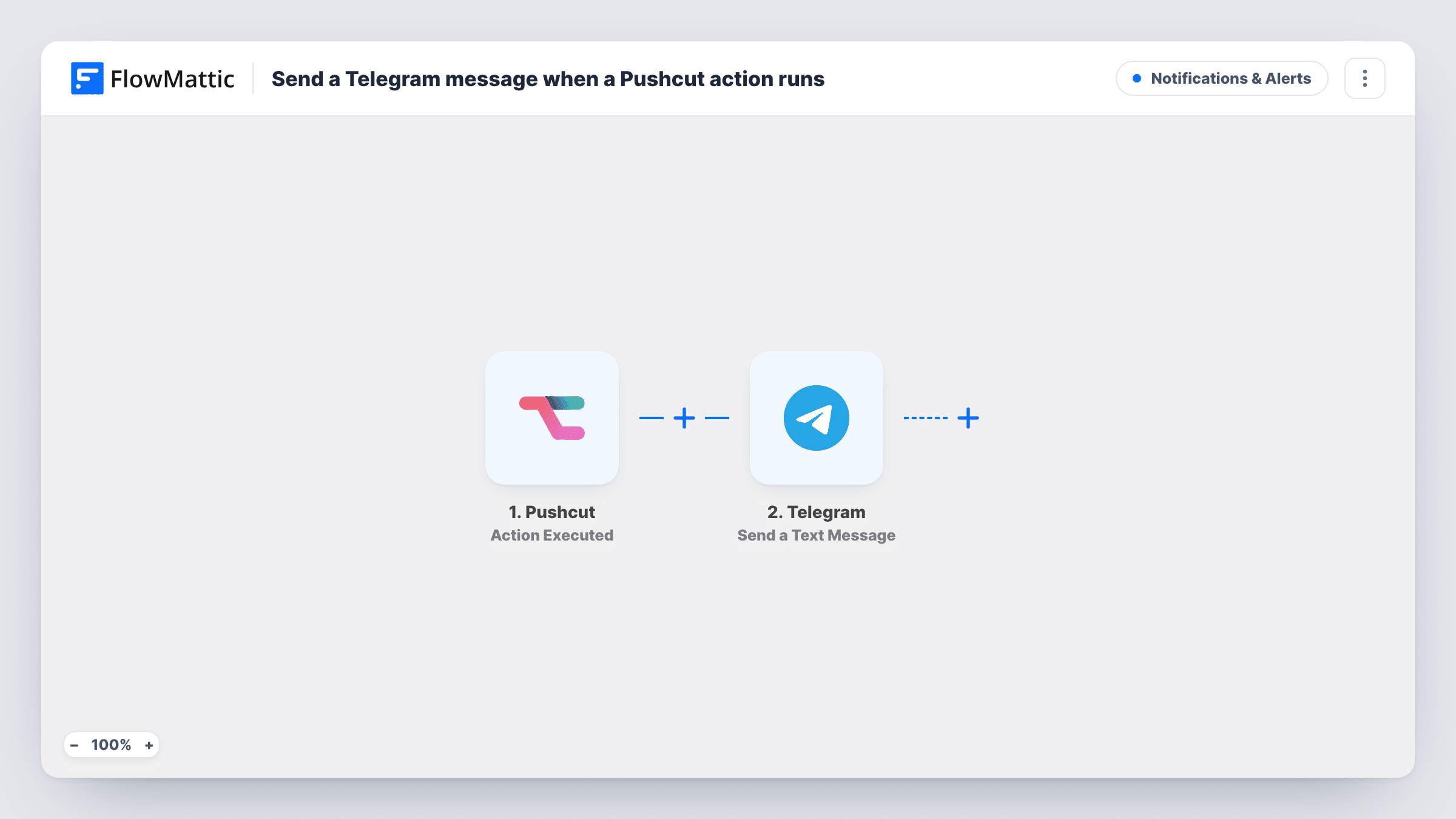
When an action runs in Pushcut, this workflow sends a Telegram message through your bot to the chat you choose, so you or your team get a record of it in Telegram.
 Pushcut
 Telegram
2 steps Setup ~5 min Used on 2.9k sites Free to import
What this workflow does
Pushcut lets you act from smart notifications and shortcuts on your iPhone. Sometimes you want other people, or another device, to know that an action ran. This workflow passes each executed Pushcut action on to a Telegram chat.
The Pushcut trigger fires when an action is executed. FlowMattic receives the data Pushcut sends and hands it to Telegram, where your bot posts a text message to the chat you set. You write that message and include the action details, with markup if you want parts in bold.
Every executed action sends one message. The workflow does not change anything in Pushcut and does not run anything else. It simply reports what happened. Task History keeps a list of each run and the data it carried.
Tell a partner you are on your way
Tap a Pushcut notification action when you leave work, and a Telegram message lands in a shared chat with your partner.
Log actions from the field
A technician taps a Pushcut action after finishing a job. The office Telegram group gets a message so the team knows the job is done.
A personal action history
Send every Pushcut action to a private Telegram chat with your bot, giving you a scrollable log of what you triggered and when.
How this workflow runs
What happens at each step once the workflow is on, and what you need before you import it.
 Pushcut Action Executed
Fires each time an action is executed in Pushcut. The data Pushcut sends about that action becomes available for the Telegram message.
- Telegram Send a Text Message
Sends a Telegram text message through your bot to the chat you pick. Write the text with Pushcut action data and add markup if you like.
What you need
- FlowMatticCore
- Pushcut AccountAccount
- Telegram AccountAccount
After importing, map your own data. To keep the template universal, not every step is pre-filled. Open each step in the builder and connect your accounts and fields (channels, lists, sheets, recipients) before you switch the workflow on.
Make it yours
Changes worth making after you import it.
- Add a Filter after the trigger so only certain Pushcut actions send a message, by checking a value that names the action.
- Running different actions for different groups? Use a Router with one route per action name and a Telegram step on each.
- Execute a test action after import and look at the run in Task History to see which Pushcut fields you can use in the message.
Questions about this workflow
Do I need a Telegram bot for Pushcut alerts?
Yes. Messages are sent through a Telegram bot that you connect in FlowMattic. Add the bot to any group you want it to post in.
Does every Pushcut action send a Telegram message?
Every action that reaches the trigger does. To pass on only certain actions, put a Filter right after the Pushcut trigger.
Can the Telegram message reply back to Pushcut?
No. This workflow only sends a message to Telegram. It does not send anything back to Pushcut.
More Notifications & Alerts workflows
Other ready-to-import templates from the same category.





Import this workflow into your WordPress site
Download the JSON, import it from the Workflows screen and connect your accounts. Every run stays on your server, with no per-task fees.
30-day money-back guarantee Unlimited workflows and runs Self-hosted