

Send an acknowledgement email via Gmail when a new Conversus.pro application is received
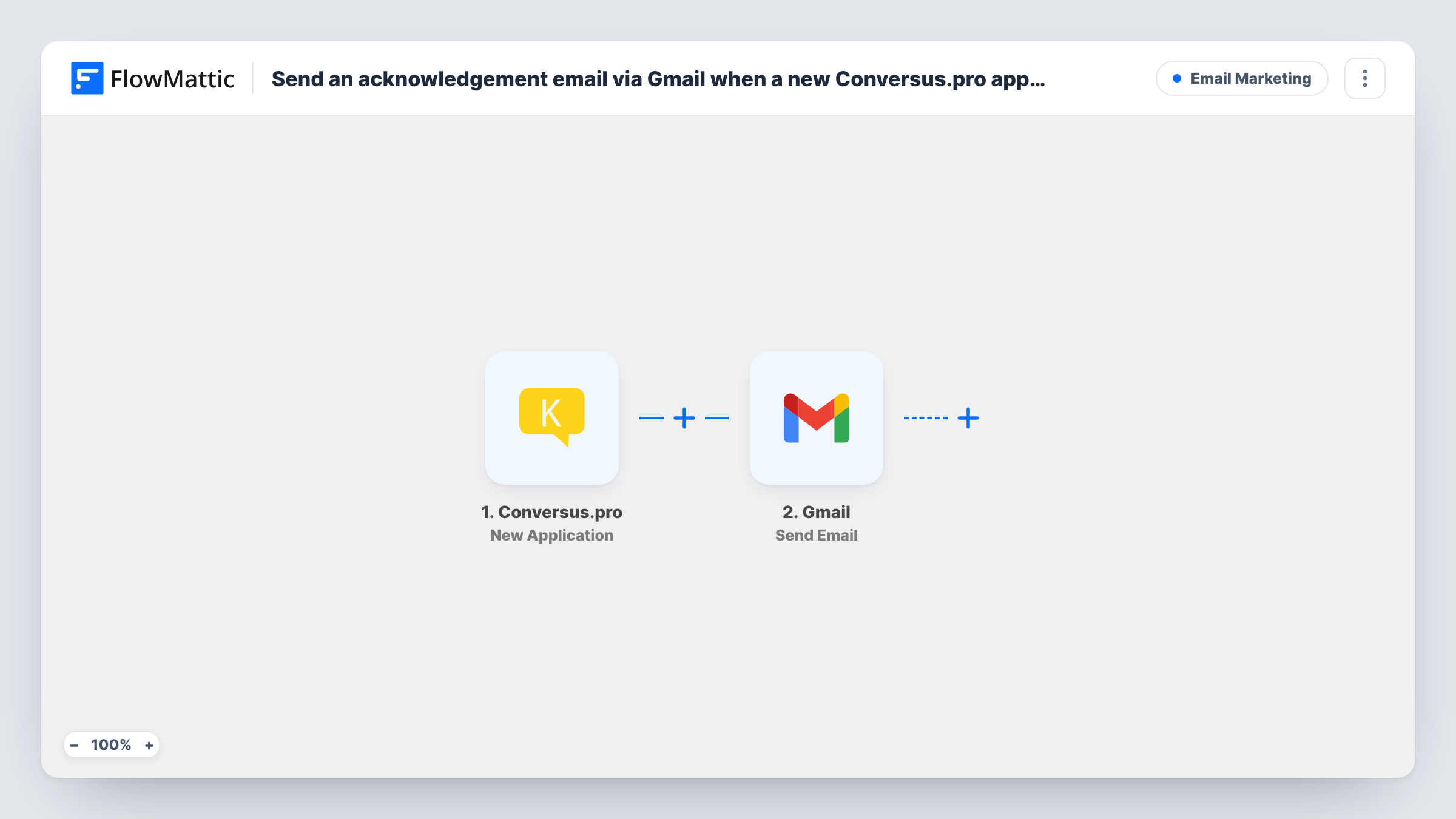
When Conversus.pro sends FlowMattic a new job application, this workflow emails the applicant from your Gmail account to confirm you received it.
 Conversus.pro
 Gmail
Gmail2 steps Setup ~5 min Used on 2.9k sites Free to import
What this workflow does
Applicants want to know their application arrived. Sending each confirmation yourself takes time, and on a busy week some people never hear back. This workflow sends the acknowledgement from your own Gmail address as each application comes in.
The Conversus.pro trigger fires when Conversus.pro sends data about a new application to the URL FlowMattic gives you. The application details become data you can map. FlowMattic then runs the Gmail Send Email action, which sends an email to the recipient you set. Map the applicant's email address as the recipient and write a message that uses their name and, if the application data includes it, the role they applied for.
Every application gets the same message, so keep it to a receipt and an idea of what happens next rather than any promise about the outcome. The email goes out from the Gmail account you connect, and replies come back to that inbox. Task History shows each run and anything Gmail returned.
Small business hiring for one role
A café owner advertising a barista role sends every applicant a short note confirming their application and when interviews will be arranged.
Recruiters running several openings
If the application data carries the job title, mapping it into the email gives applicants for different roles a confirmation that names the right position.
Volunteer programmes
Charities collecting volunteer applications through Conversus.pro send a thank-you note with the next steps from the coordinator's Gmail.
How this workflow runs
What happens at each step once the workflow is on, and what you need before you import it.
 Conversus.pro New Application
Fires when Conversus.pro sends a new application to the FlowMattic URL for this trigger. The applicant's details are passed on for the email.
- Gmail Send Email
Sends the acknowledgement from your Gmail account. Map the applicant's email as the recipient, write the subject and body, and personalise them with details from the application.
What you need
- FlowMatticCore
- Conversus.pro AccountAccount
- Gmail AccountAccount
After importing, map your own data. To keep the template universal, not every step is pre-filled. Open each step in the builder and connect your accounts and fields (channels, lists, sheets, recipients) before you switch the workflow on.
Make it yours
Changes worth making after you import it.
- Add a Filter after the trigger that continues only when the applicant's email is not empty, so incomplete applications don't produce a failed Gmail step.
- Add a Delay before the Gmail step if you'd rather the acknowledgement arrive a little while after the application instead of straight away.
- Add a Google Sheets Add New Row step after the email to keep a list of applicants who were sent the acknowledgement.
Questions about this workflow
Which address does the Conversus.pro acknowledgement come from?
From the Gmail account you connect in the Send Email step. Applicants see that address and their replies go to that inbox.
Do I need to set anything up in Conversus.pro?
Yes. The trigger receives data Conversus.pro sends to a URL, so add the URL from the trigger step to Conversus.pro and send a test application.
Will applicants for different jobs get different emails?
They get the same template, with any details you map from the application, such as the job title. Use a Router with one Gmail step per role for fully different messages.
Are past Conversus.pro applicants emailed?
No. Only applications sent to FlowMattic after the workflow is active trigger an email.
More Email Marketing workflows
Other ready-to-import templates from the same category.



Import this workflow into your WordPress site
Download the JSON, import it from the Workflows screen and connect your accounts. Every run stays on your server, with no per-task fees.
30-day money-back guarantee Unlimited workflows and runs Self-hosted