

Add new Zoho Billing customers to a Mailchimp audience
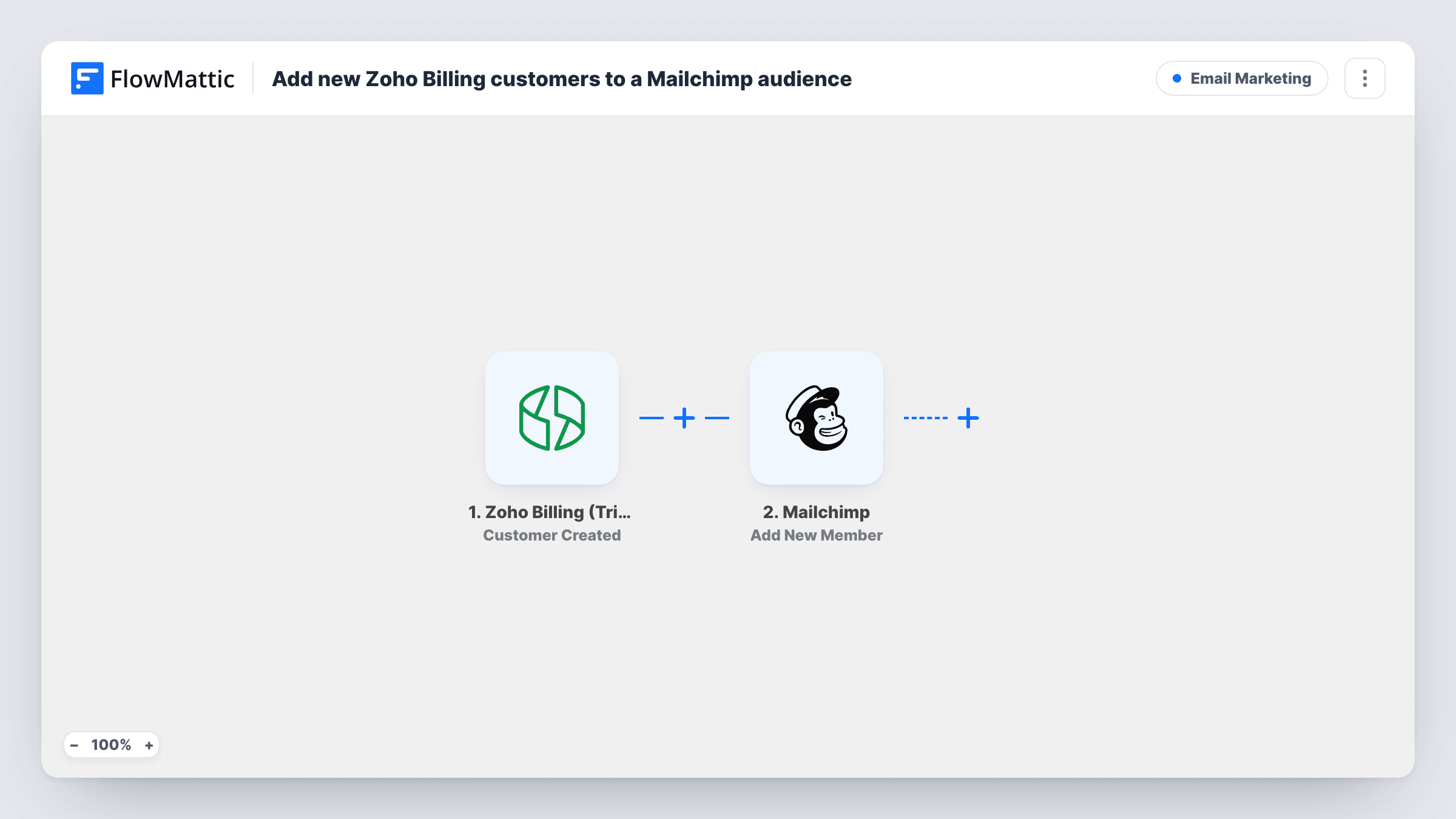
Each time a customer is created in Zoho Billing, this workflow adds their email address to the Mailchimp audience you choose, or updates the member if they are already on it.
 Zoho Billing (Trigger)
 Mailchimp
2 steps Setup ~5 min Used on 1.6k sites Free to import
What this workflow does
Your billing system knows who your paying customers are, and your email tool decides who hears about product news and onboarding. When the two don't talk, someone exports customers from Zoho Billing and imports them into Mailchimp now and then, and new customers miss emails in the meantime. This workflow sends each one across as they are added.
The Zoho Billing (Trigger) step fires when a customer is created in your Zoho Billing organisation. The customer's details, such as name, company and email, are passed on. The Mailchimp step runs Add New Member, which adds a new member to the audience, or updates them if they already exist. Map the email address and any name fields you want stored on the member.
The flow reacts to customer records, not to payments. A customer created in Zoho Billing who never subscribes is still added. If that matters, the Subscription Created trigger in the same app may suit you better. To check a new customer made it across, open their run in Task History and read what Mailchimp sent back.
SaaS onboarding emails
A new account is set up in Zoho Billing, and the customer joins a Mailchimp audience whose welcome automation explains how to get started.
Product update list for paying clients
An agency keeps a Mailchimp audience for clients only. Every customer added in Zoho Billing ends up there for release notes and service changes.
Subscription box communications
Customers created in Zoho Billing are added to the Mailchimp audience that receives shipping schedules and menu previews.
How this workflow runs
What happens at each step once the workflow is on, and what you need before you import it.
 Zoho Billing (Trigger) Customer Created
Fires when a customer is created in Zoho Billing. Their details, such as name, company and email, become available to map into Mailchimp.
- Mailchimp Add New Member
Adds the customer to the Mailchimp audience you select, or updates the member if that email is already there. Map the Zoho Billing email and name into the step.
What you need
- FlowMatticCore
- Zoho Billing (Trigger) AccountAccount
- Mailchimp AccountAccount
After importing, map your own data. To keep the template universal, not every step is pre-filled. Open each step in the builder and connect your accounts and fields (channels, lists, sheets, recipients) before you switch the workflow on.
Make it yours
Changes worth making after you import it.
- Add Mailchimp's Add Member Tag step after Add New Member and tag each person as a Zoho Billing customer, so you can tell them apart from newsletter sign-ups.
- Add a Filter after the trigger that continues only when the customer's email is not empty, since Mailchimp needs an address to add a member.
- Build a second workflow on Zoho Billing's Subscription Cancel trigger that uses Mailchimp's Add Member Tag to mark former customers in the same audience.
Questions about this workflow
What if the Zoho Billing customer is already in my Mailchimp audience?
Add New Member updates an existing member instead of adding a second one, so the person stays in the audience once.
Are customers created before I turn this on sent to Mailchimp?
No. Only customers created after the workflow is live trigger it. Export earlier customers from Zoho Billing and import them into Mailchimp once.
Do edits to a Zoho Billing customer update Mailchimp?
Not with this trigger. Zoho Billing also has Customer Edited and Customer Created or Edited triggers in FlowMattic if you want changes to flow through.
Do Zoho Billing customers need to agree to marketing emails?
That depends on your terms and the laws that apply to you. If you record consent on the Zoho Billing customer, add a Filter on that value before the Mailchimp step.
More Email Marketing workflows
Other ready-to-import templates from the same category.







Import this workflow into your WordPress site
Download the JSON, import it from the Workflows screen and connect your accounts. Every run stays on your server, with no per-task fees.
30-day money-back guarantee Unlimited workflows and runs Self-hosted