

When a Form.io form is submitted, add the lead to HubSpot CRM and notify the sales team in Slack
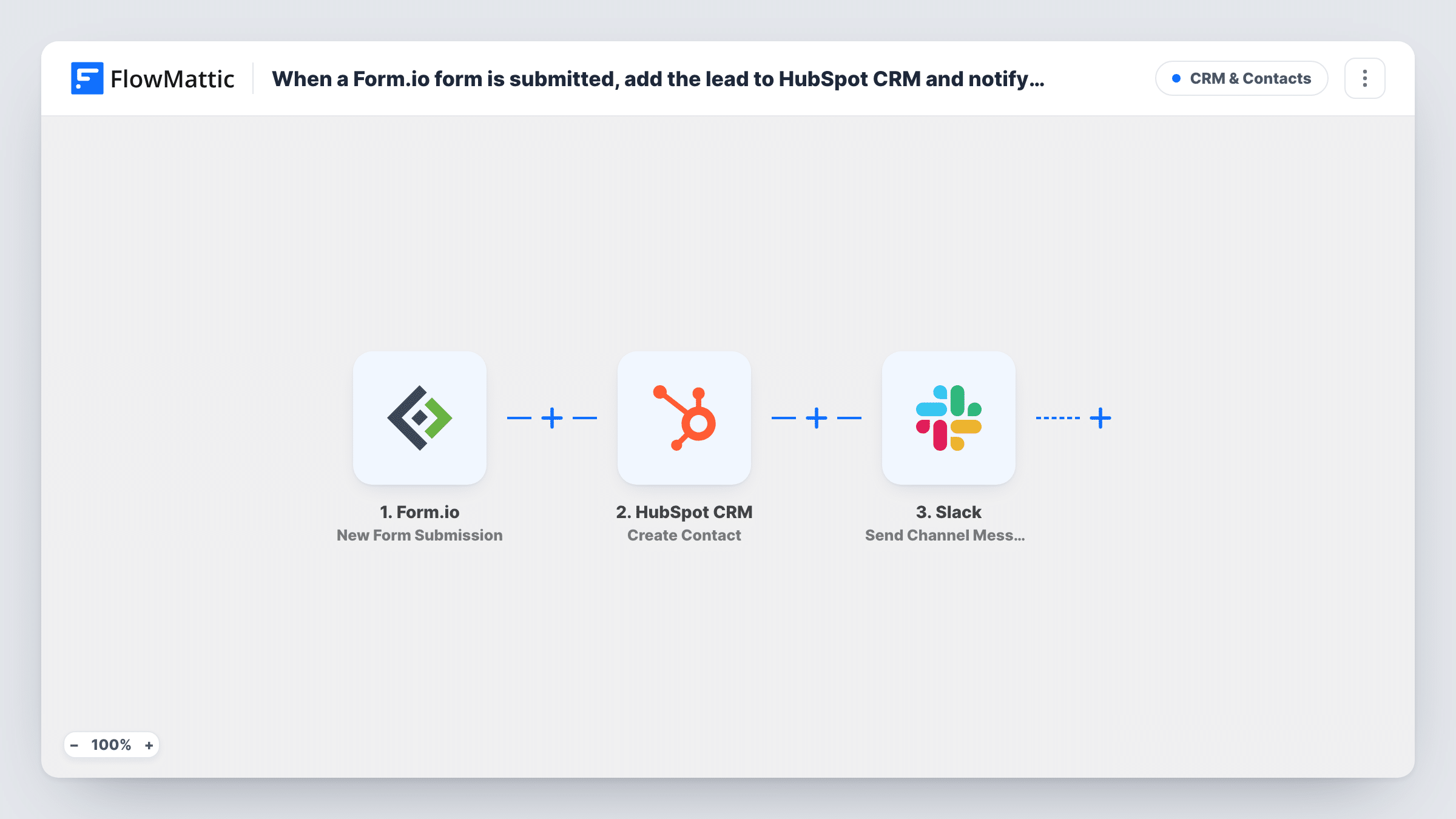
When a Form.io form is submitted, this workflow creates a contact in HubSpot CRM from the answers and posts a Slack channel message so your sales team knows a new lead came in.
 Form.io
 HubSpot CRM
 Slack
Slack3 steps Setup ~5 min Used on 621 sites Free to import
What this workflow does
Form.io is often used for custom lead forms inside web apps and portals. The submissions sit in Form.io until someone exports them, while your sales team works from HubSpot and talks in Slack. This workflow connects the three, so each new lead reaches the CRM and the team in the same run.
The Form.io trigger fires when there is a new submission on the form. FlowMattic sends the answers to HubSpot CRM, where Create Contact adds a contact from the fields you map, such as email and name. Then Slack posts a channel message, which can include the lead's details and anything HubSpot returned.
HubSpot's Create Contact never edits a contact that is already there. If the email already belongs to a HubSpot contact, HubSpot may refuse the duplicate, and the error appears in Task History.
Demo requests from a SaaS portal
A Form.io demo form inside your app creates a HubSpot contact, and the #sales channel sees who asked for a demo.
Partner enquiries on a custom site
Partner applications built in Form.io land in HubSpot for the partnerships team, with a heads-up in their Slack channel.
Event lead capture
Booth staff enter visitor details into a Form.io form on a tablet, and each visitor becomes a HubSpot contact the sales team hears about in Slack.
How this workflow runs
What happens at each step once the workflow is on, and what you need before you import it.
 Form.io New Form Submission
Starts a run each time a lead completes the Form.io form you connect. The submitted fields are passed on to HubSpot and Slack.
- HubSpot CRM Create Contact
Creates a contact in HubSpot CRM from the Form.io answers. Connect your HubSpot account and map the email and other fields to the contact properties.
- Slack Send Channel Message
Tells the sales team about the lead in a Slack channel you set. Map the lead's details from Form.io, and any values returned by HubSpot, into the text.
What you need
- FlowMatticCore
- Form.io AccountAccount
- HubSpot CRM AccountAccount
- Slack AccountAccount
After importing, map your own data. To keep the template universal, not every step is pre-filled. Open each step in the builder and connect your accounts and fields (channels, lists, sheets, recipients) before you switch the workflow on.
Make it yours
Changes worth making after you import it.
- Add HubSpot's Add Contact To List action after Create Contact, mapping the new contact, to put each Form.io lead on a static list.
- Use Slack's Send Private Channel Message action if the sales channel is private.
- Add a Filter between the Form.io trigger and the HubSpot step on a field such as company size or a consent checkbox. A Filter stops every later step, so only qualifying entries reach HubSpot and Slack.
Questions about this workflow
What if the Form.io lead is already a HubSpot contact?
The step is create-only, so HubSpot may reject a second contact with that Form.io email. Task History shows HubSpot's response for that Form.io entry.
Which Form.io submissions start the workflow?
New submissions on the form you connect in the trigger. Submissions made before you turn the workflow on aren't sent to HubSpot.
Can the sales alert in Slack point to the HubSpot record?
It can include any value the Create Contact step returns, such as the contact's ID. Run a test to see what HubSpot sends back before building a link.
More CRM & Contacts workflows
Other ready-to-import templates from the same category.





Import this workflow into your WordPress site
Download the JSON, import it from the Workflows screen and connect your accounts. Every run stays on your server, with no per-task fees.
30-day money-back guarantee Unlimited workflows and runs Self-hosted