

When a form is submitted on Zoho Forms, check if a field contains a word using Filters, and add the data to Google Spreadsheet
Check each Zoho Forms submission with a Filter, for example whether a field contains a certain word, and add only the matching entries to a Google Sheets spreadsheet as new rows.
 Zoho Forms
 Filter
 Google Sheets
3 steps Setup ~5 min Used on 3.2k sites Free to import
What this workflow does
A form often collects more than one kind of response, and the people reading the spreadsheet only care about some of them. Copying all entries and deleting the rest later wastes time. This workflow checks each Zoho Forms entry first and sends only the ones that match to Google Sheets.
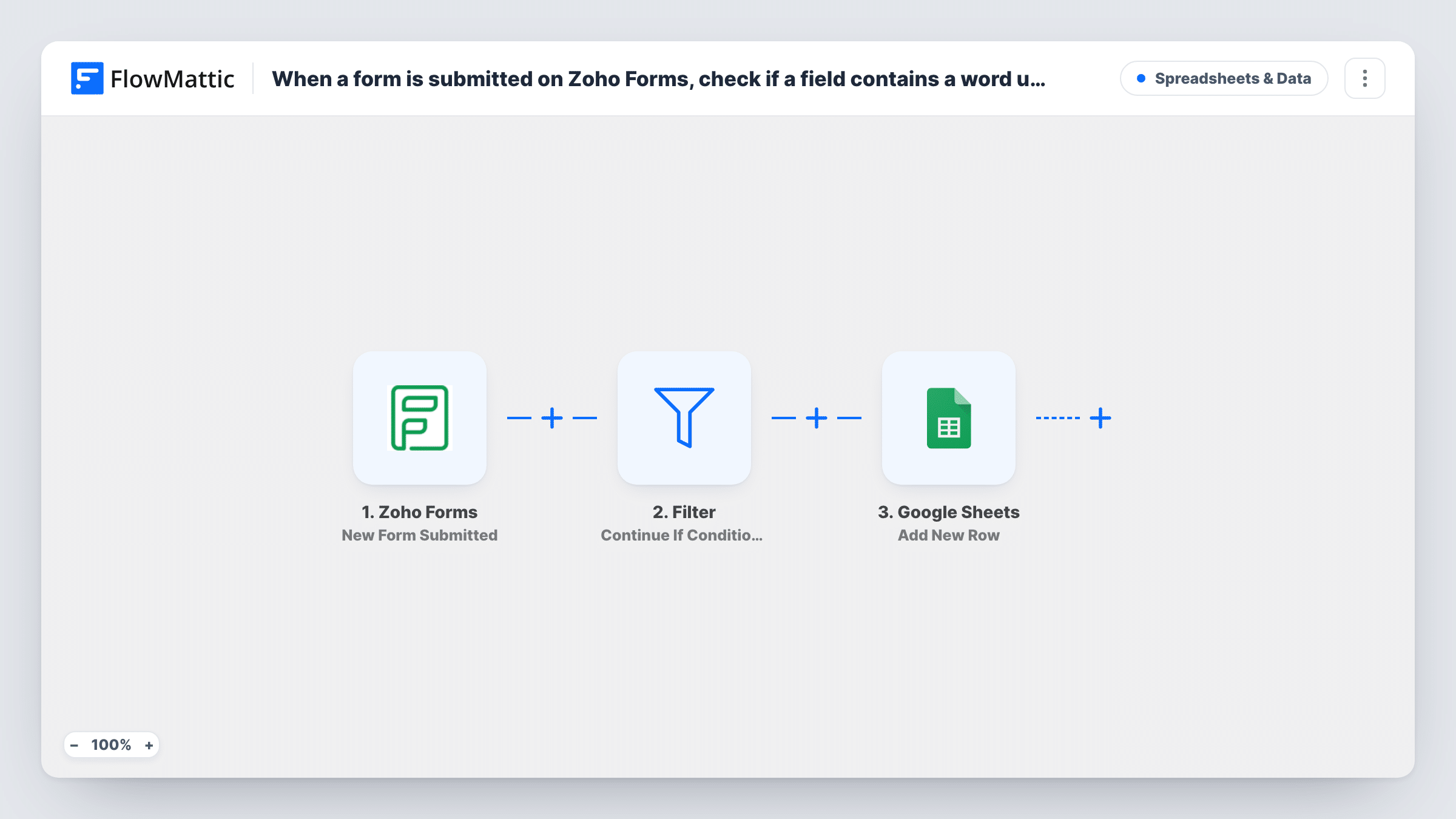
The Zoho Forms trigger fires when a new form entry is submitted. The next step is a Filter set to continue only if its conditions are met. You might check that a message field contains the word urgent. Entries that pass go on to Google Sheets, which adds a new row with the fields you map. Entries that fail stop at the Filter and are not written.
The template ships with an empty Filter, so you add the condition after import. Contains checks are a good fit for free-text fields, while dropdowns usually suit an equals check. Task History shows which runs stopped at the Filter.
Flagging urgent support requests
Your support form has a free-text message. Entries whose message contains urgent are added to a sheet the on-call person checks first.
Product interest list
A general enquiry form asks what the visitor is interested in. Only entries mentioning a particular product reach that product team's sheet.
Screening job applications
Applicants describe their skills in a text field. Rows are added only when the answer contains a skill the role needs.
How this workflow runs
What happens at each step once the workflow is on, and what you need before you import it.
 Zoho Forms New Form Submitted
Fires when a new entry is submitted on your Zoho Forms form. Every field is passed on for the Filter to check and for Google Sheets to store.
- Filter Continue If Condition Meet
Checks the entry against the conditions you add after import, such as a field that contains a chosen word. Matching entries continue; others stop here and nothing is written.
- Google Sheets Add New Row
Adds a new row to your Google Sheets spreadsheet for each entry that passed the Filter. Map the Zoho Forms fields to the sheet columns and connect your Google account.
What you need
- FlowMatticCore
- Zoho Forms AccountAccount
- Google Sheets AccountAccount
After importing, map your own data. To keep the template universal, not every step is pre-filled. Open each step in the builder and connect your accounts and fields (channels, lists, sheets, recipients) before you switch the workflow on.
Make it yours
Changes worth making after you import it.
- Want the entries that fail kept somewhere too? Replace the Filter with a Router, add a route for each outcome, and give each route its own Google Sheets step.
- Give the sheet a column for the field the Filter checks, so anyone reading it can see why each row was added.
- Submit one entry that should pass and one that should not after import, then compare the two runs in Task History.
Questions about this workflow
Is the Zoho Forms word check case-sensitive?
Test it. Submit entries with the word in different cases after import and check Task History to see which ones the Filter lets through, then adjust the condition.
What happens to Zoho Forms entries that don't match?
The run stops at the Filter, so no row is added. The entry itself stays in Zoho Forms as usual.
Can I check more than one Zoho Forms field?
Yes. Add further conditions to the Filter after import, then test with entries that should and should not pass.
Will older Zoho Forms entries be checked?
No. Only entries submitted after the workflow is turned on pass through the Filter.
More Spreadsheets & Data workflows
Other ready-to-import templates from the same category.




Import this workflow into your WordPress site
Download the JSON, import it from the Workflows screen and connect your accounts. Every run stays on your server, with no per-task fees.
30-day money-back guarantee Unlimited workflows and runs Self-hosted