

When a Formspree form is submitted, log it in Google Sheets and send a Telegram notification
Each new Formspree submission is written to a row in Google Sheets, and a Telegram message about it goes to the chat you pick, so the entry is on record and someone sees it straight away.
 Formspree
 Google Sheets
 Telegram
3 steps Setup ~5 min Used on 349 sites Free to import
What this workflow does
Formspree gives a static site or landing page a working form without a server of your own. Submissions then sit in Formspree's dashboard or an inbox. This workflow copies each one into a spreadsheet you control and sends a Telegram message, so the team doesn't have to keep checking.
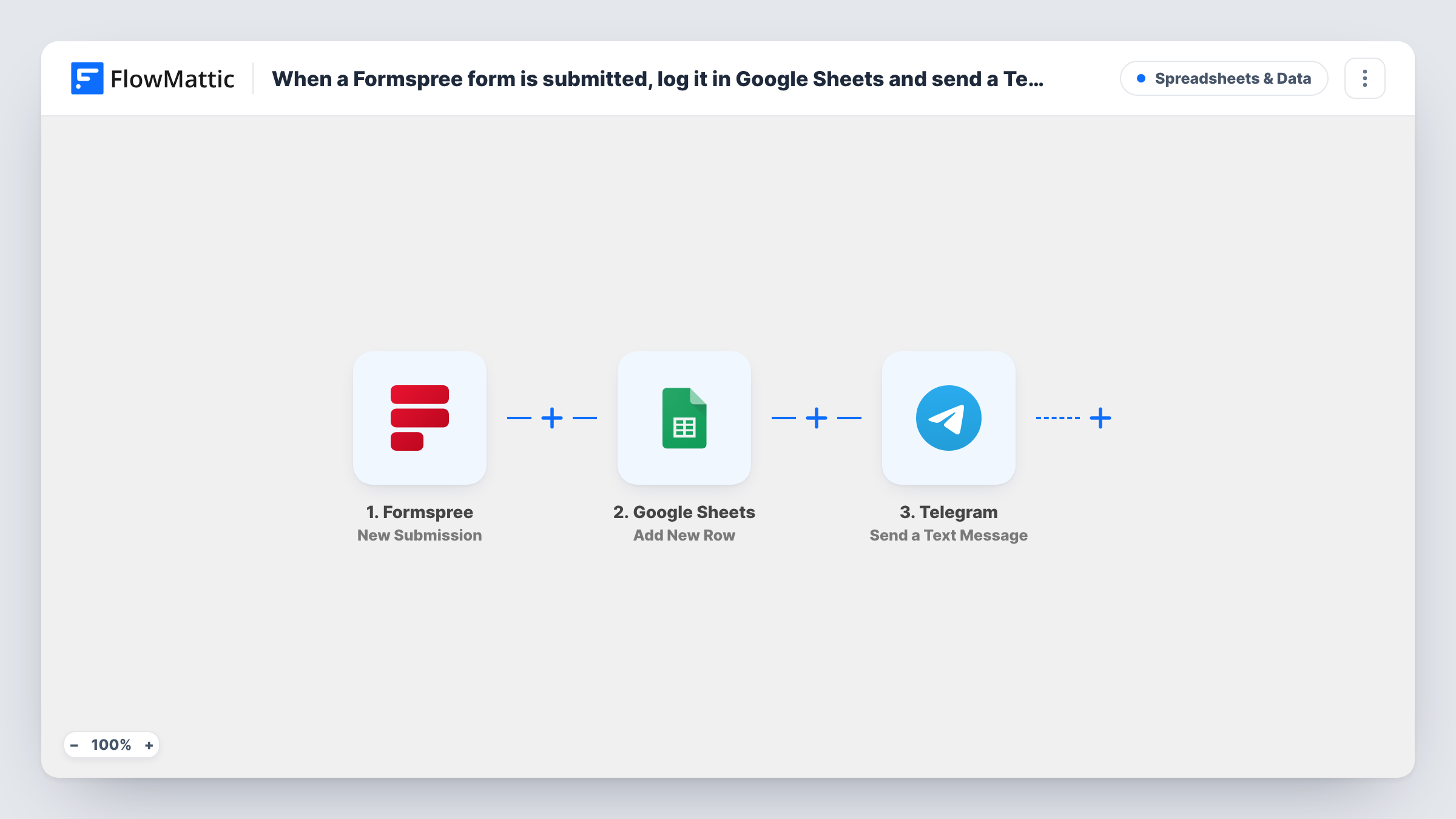
The Formspree trigger fires for a new form submission and hands FlowMattic the submitted fields. The Google Sheets step adds a new row with those fields mapped to your columns. The Telegram step then sends a text message, which supports markup, so you can bold the sender's name or lay the answers out on separate lines.
Every submission runs both steps. The two actions don't depend on each other, so a Sheets problem doesn't keep the Telegram message from going out; Task History shows which step reported an error.
Contact form on a static portfolio site
Your portfolio is hosted as static files with a Formspree form. Enquiries land in a Google Sheet you can sort, and Telegram pings your phone when one arrives.
Event RSVPs from a simple landing page
Guests RSVP through a Formspree form. The sheet becomes the guest list, and the organiser's Telegram group sees each new reply.
Bug reports from a product docs page
A Formspree feedback form on your docs collects bug reports. Each one is logged in the shared sheet and announced in the dev team's Telegram chat.
How this workflow runs
What happens at each step once the workflow is on, and what you need before you import it.
 Formspree New Submission
Starts a run whenever someone sends one of your Formspree forms. The submitted fields come through to FlowMattic, ready for the spreadsheet row and the Telegram message.
- Google Sheets Add New Row
Adds a row with the mapped submission data to the Google Sheets spreadsheet and sheet you choose. Set up the column headers first so each Formspree field has a column to map to.
- Telegram Send a Text Message
Sends a text message through Telegram to the chat you set. Build it from the Formspree fields, using markup to format the text if you like.
What you need
- FlowMatticCore
- Formspree AccountAccount
- Google Sheets AccountAccount
- Telegram AccountAccount
After importing, map your own data. To keep the template universal, not every step is pre-filled. Open each step in the builder and connect your accounts and fields (channels, lists, sheets, recipients) before you switch the workflow on.
Make it yours
Changes worth making after you import it.
- Add a column for the submission time and map it from the trigger data or the run, so the sheet keeps Formspree entries in date order.
- If you run several Formspree forms, add a Filter before the Telegram step so only the forms that need a quick response send a message, while all of them still reach the sheet.
- Submit a test entry through your Formspree form after import. FlowMattic then captures its fields, which makes mapping the sheet columns and the message text straightforward.
Questions about this workflow
Which Telegram chat receives the Formspree alert?
The chat you set in the Telegram step when you connect Telegram in FlowMattic. Send a test submission and confirm the message reaches that chat before you rely on it.
Does Formspree still keep its own copy of each submission?
Yes. The workflow only receives submissions, it doesn't change your Formspree form or its settings.
Can the Telegram message include a link to the Google Sheets row?
Only if the Google Sheets step returns something you can link to. Run a test and check that step's output in Task History before you map it into the message.
What if a Formspree entry is spam?
It runs like any other submission, so it gets a row and a message. Add a Filter after the trigger on a field spam entries tend to leave empty or fill oddly.
More Spreadsheets & Data workflows
Other ready-to-import templates from the same category.




Import this workflow into your WordPress site
Download the JSON, import it from the Workflows screen and connect your accounts. Every run stays on your server, with no per-task fees.
30-day money-back guarantee Unlimited workflows and runs Self-hosted