

When a Gelato production status updates, log it in Google Sheets, alert ops in Slack, then mark it handled
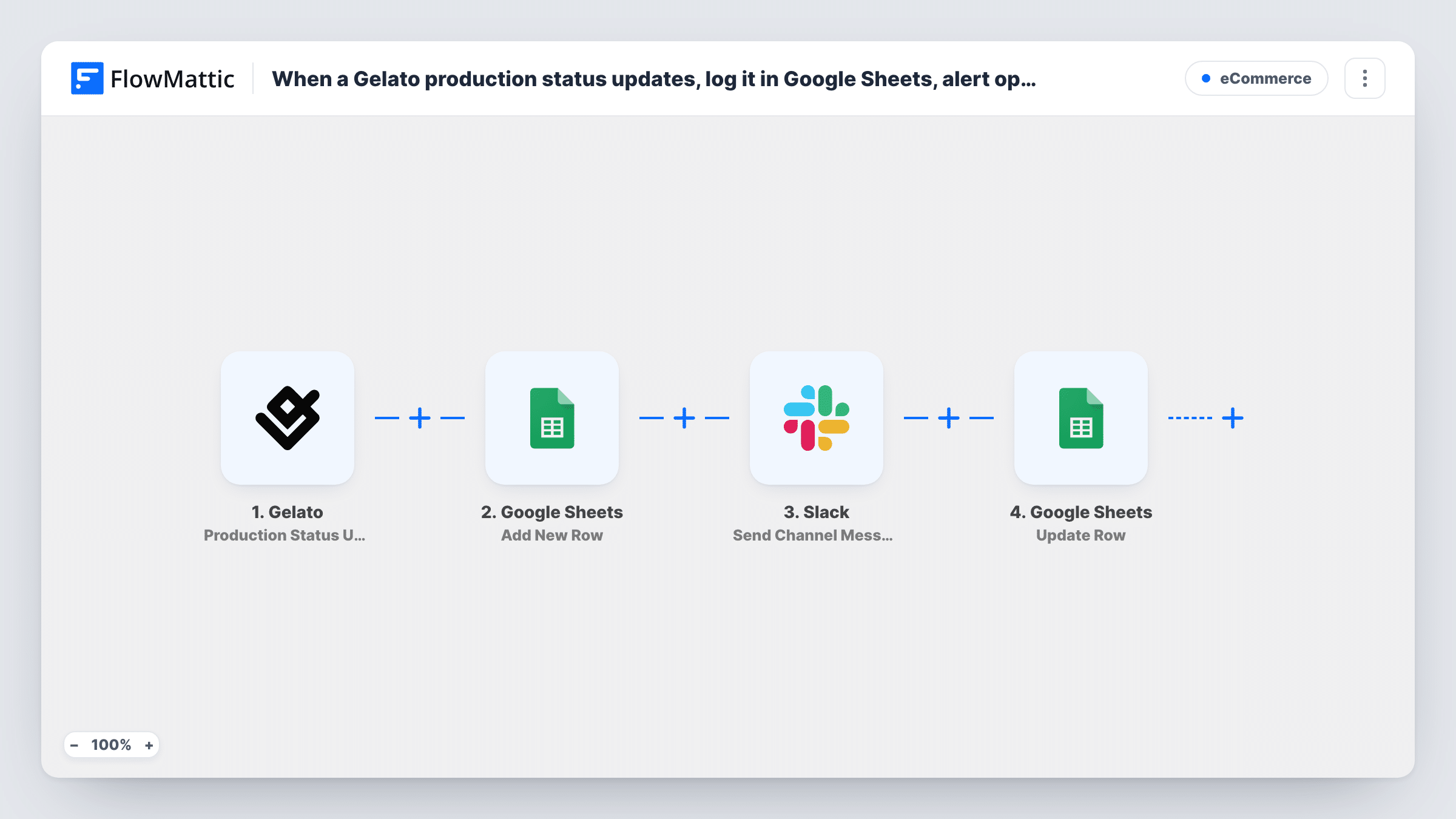
Each Gelato production status update is logged as a new Google Sheets row, posted to your ops channel in Slack, and then the same row is updated to mark that the alert went out.
 Gelato
 Google Sheets
 Slack
Slack4 steps Setup ~8 min Used on 1.9k sites Free to import
What this workflow does
Print-on-demand orders move through production at Gelato without your involvement, which is the point, but your ops team still needs to know when a status changes. A running log of those changes also helps when a customer asks where their order is. This workflow keeps both the log and the alerts.
The Gelato trigger fires whenever a production status is updated. The first action adds a row to your Google Sheets log with the details you map from the update. Next, a Slack message goes to the channel your ops team watches. The last step goes back to the sheet and updates a row, which you point at the row just added so you can mark it as handled.
Every status change runs all four steps, so one order can create several rows as it moves through production. The template sets no values for you. After import, a test run shows what the Add New Row step returns, and you use that to target the update at the right row.
Production log for a print-on-demand store
Each Gelato status change lands in one sheet, so you can look up an order's production history when a customer asks about delivery.
Ops channel alerts
Your fulfilment team sees each Gelato status update in Slack and can act on a change without logging in to Gelato.
Audit column for alerts sent
The final update writes a marker such as Notified into the row, giving you a column that shows the workflow finished with that update.
How this workflow runs
What happens at each step once the workflow is on, and what you need before you import it.
 Gelato Production Status Update
Runs whenever a production status is updated in Gelato. The update's details are passed on for the sheet and the Slack message.
- Google Sheets Add New Row
Adds a new row to the spreadsheet you choose with the Gelato update details you map, such as the order reference and status. Connect your Google account on import.
- Slack Send Channel Message
Sends a message into the Slack channel your ops team reads. Write the text and insert the Gelato status details so the team can see which order changed.
- Google Sheets Update Row
Updates an existing row in the spreadsheet. Point it at the row added in step 2, using what that step returns in a test run, and set a column such as a handled marker.
What you need
- FlowMatticCore
- Gelato AccountAccount
- Google Sheets AccountAccount
- Slack AccountAccount
After importing, map your own data. To keep the template universal, not every step is pre-filled. Open each step in the builder and connect your accounts and fields (channels, lists, sheets, recipients) before you switch the workflow on.
Make it yours
Changes worth making after you import it.
- Add a Filter after the trigger if your team only needs alerts for some statuses. The Filter stops the whole run, so the sheet would then log only those statuses too.
- Put the Filter between the Add New Row and Slack steps instead if you want every status logged but only some posted to Slack.
- Run a test after import and open Task History to see what the Add New Row step returned, then map that into the Update Row step so it targets the new row.
Questions about this workflow
Does each Gelato status change add a new row to the sheet?
Yes. The first Google Sheets step adds a row on every run, so an order that changes status several times appears several times, one row per update.
What does mark it handled mean in this Gelato workflow?
The last step updates a row in the same sheet. You decide which column it writes and what value, for example a handled or notified marker in the row just added.
What if the Slack step returns an error?
The run carries on to the Update Row step, so the row can still be marked. Task History shows the Slack error on that step, so check it when an alert seems to be missing.
Do I need separate Google Sheets connections for the two sheet steps?
No. Both steps can use the same connected Google account and the same spreadsheet. You choose the spreadsheet and sheet in each step.
More E-Commerce workflows
Other ready-to-import templates from the same category.





Import this workflow into your WordPress site
Download the JSON, import it from the Workflows screen and connect your accounts. Every run stays on your server, with no per-task fees.
30-day money-back guarantee Unlimited workflows and runs Self-hosted