

When a Good Grants payment is created, record it in Airtable, notify finance in Slack, then update the Airtable payment status
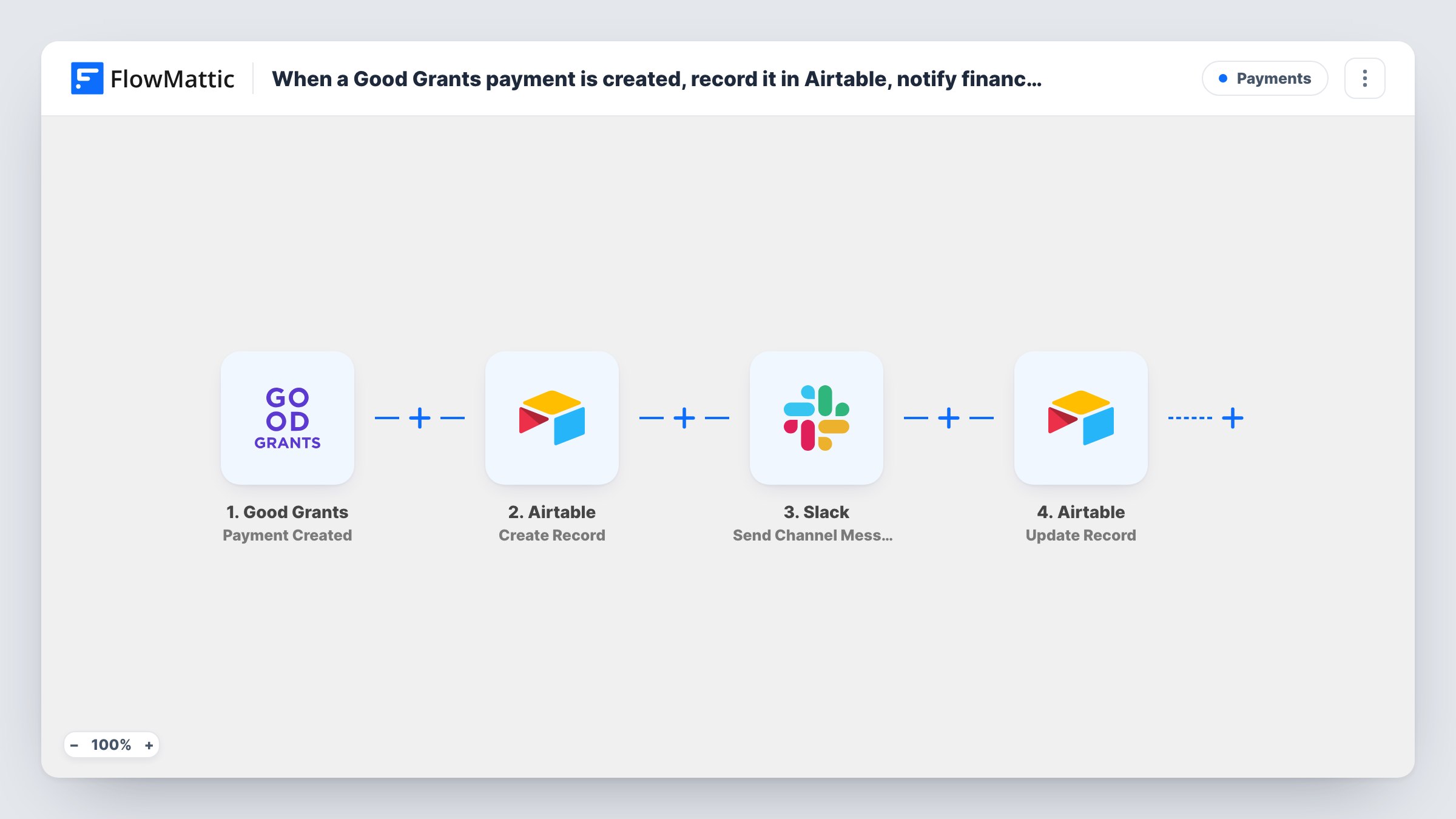
When a payment is created in Good Grants, this workflow adds an Airtable record for it, posts a message to your finance channel in Slack, then updates that same Airtable record with a status you set.
 Good Grants
 Airtable
 Slack
Slack4 steps Setup ~8 min Used on 2.7k sites Free to import
What this workflow does
Grant payments need a paper trail. Finance wants to know a payment exists, and whoever tracks the programme wants it in a table with a status they can follow. This workflow builds both from one Good Grants event.
The Good Grants trigger fires when a new payment is created. The first action creates a record in Airtable with the payment values you map, such as the applicant and amount if Good Grants sends them. Next, a message goes to the Slack channel your finance team reads. Last, a second Airtable step updates the record created at the start, using the record ID that the Create Record step returned, so you can set a status field to a value like Finance notified.
Keep in mind that the status shows the workflow reached the last step, not that someone in finance read the message. Task History shows what each step returned for every payment. Create a test payment after import and check the record and the message.
Grant programme payment log
Each payment created in Good Grants gets a row in your Airtable payments table, with a status column your programme manager filters on.
Finance team heads-up
The finance channel in Slack gets a message for every new grant payment, so the team can prepare the transfer.
Audit trail for a foundation
Trustees review an Airtable view of all grant payments, each marked with the status the workflow set after the Slack step.
How this workflow runs
What happens at each step once the workflow is on, and what you need before you import it.
 Good Grants Payment Created
Fires when a new payment is created in Good Grants. The payment data is passed on to the Airtable and Slack steps.
- Airtable Create Record
Creates a record in the Airtable base and table you choose, with the Good Grants payment values mapped to its fields. The new record's ID is used by the last step.
- Slack Send Channel Message
Posts a message about the payment to the Slack channel you pick, typically your finance channel. Write the text and add payment values from Good Grants.
- Airtable Update Record
Updates the Airtable record created in step two. Map that step's record ID, then set the status field, or any other field, to the value you want after finance is messaged.
What you need
- FlowMatticCore
- Good Grants AccountAccount
- Airtable AccountAccount
- Slack AccountAccount
After importing, map your own data. To keep the template universal, not every step is pre-filled. Open each step in the builder and connect your accounts and fields (channels, lists, sheets, recipients) before you switch the workflow on.
Make it yours
Changes worth making after you import it.
- Add a single-select Status field to your Airtable table with options like New and Finance notified, and set New in the Create Record step so the update has something to change.
- If only larger payments need a Slack message, add a Filter between the Create Record step and the Slack step. Smaller payments keep their record but also skip the status update, since a Filter stops every later step. Decimals are cut, so 999.99 compares as 999.
- Mention the applicant or project name in the Slack message, if Good Grants sends it, so finance knows which grant the payment belongs to.
Questions about this workflow
How does the last step know which Airtable record to update?
It uses the record ID that the Create Record step returns. Map that ID into the Update Record step after import and run a test to confirm the same record changes.
Which Slack channel gets the Good Grants payment message?
The one you choose in the Send Channel Message step after connecting your workspace, usually your finance channel. If finance uses a private channel, swap in the Send Private Channel Message action from FlowMattic's Slack integration.
Will a Good Grants payment that is later edited create another record?
The trigger fires on payment creation only. Changes to an existing payment don't start this workflow.
Which Good Grants payment details can go into Airtable and Slack?
Whatever the Payment Created event sends. Create a test payment after import and look at the trigger data before mapping fields.
More Payments workflows
Other ready-to-import templates from the same category.






Import this workflow into your WordPress site
Download the JSON, import it from the Workflows screen and connect your accounts. Every run stays on your server, with no per-task fees.
30-day money-back guarantee Unlimited workflows and runs Self-hosted