

When a GrowthBook feature is updated, record it in Google Sheets and ping the dev channel in Slack
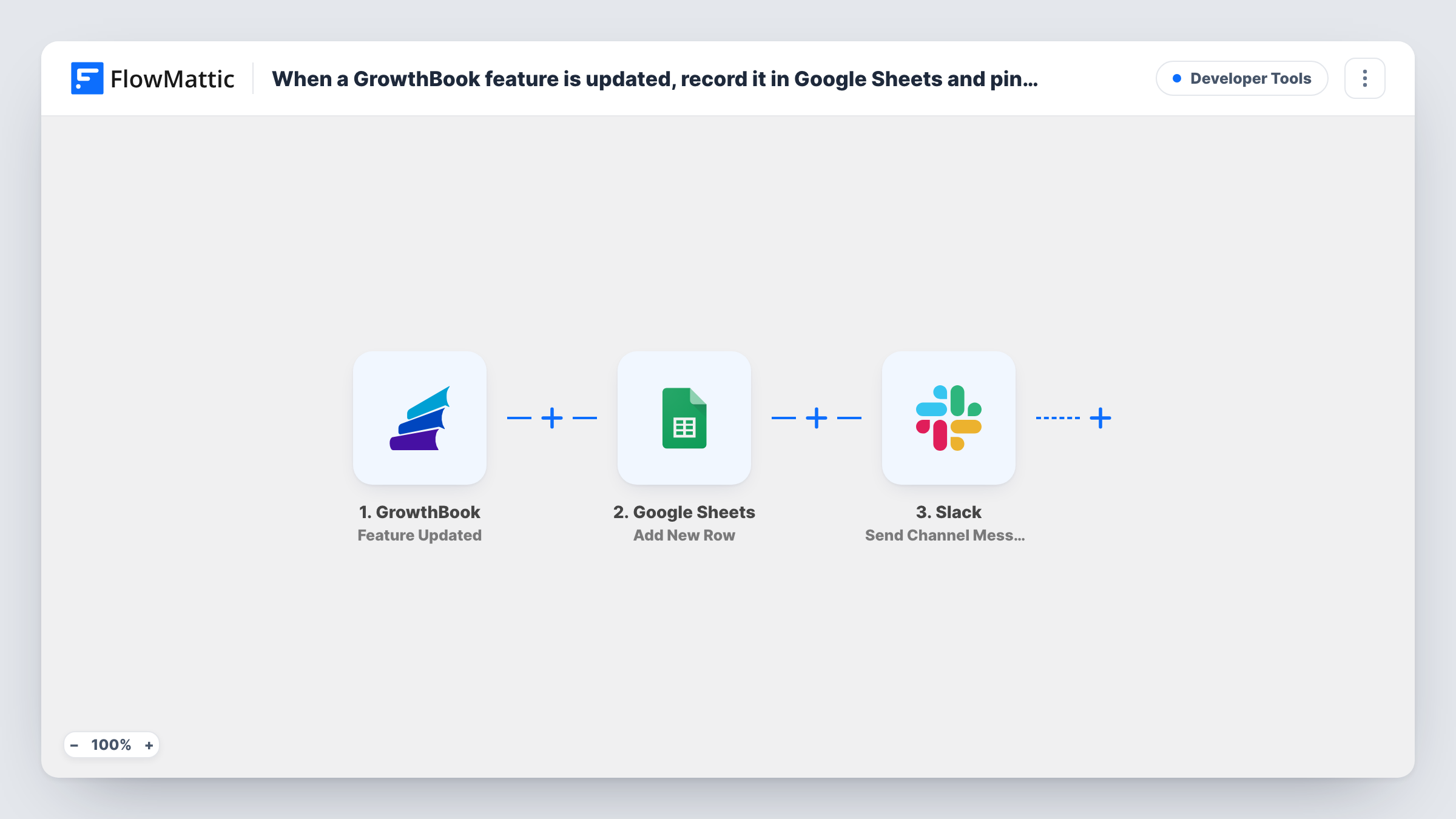
Each time a feature is updated in GrowthBook, this workflow adds a row about the change to Google Sheets and then posts a message to the Slack channel your developers watch.
 GrowthBook
 Google Sheets
 Slack
3 steps Setup ~5 min Used on 2.4k sites Free to import
What this workflow does
Feature flags change often, and the person who flips one is rarely the only one who needs to know. Support wants to know why behaviour changed, and engineers want a record when something breaks after a release. This workflow writes every GrowthBook feature update to a spreadsheet and tells your dev channel about it.
The GrowthBook trigger runs when a feature is updated. FlowMattic then adds a row in Google Sheets and fills its columns with whichever feature values from the trigger you map. After that, the Slack step sends a channel message, which you write with the same feature data.
The sheet becomes a running log you can sort and search later, and the Slack post gives people the news while it matters. There are no conditions, so every feature update produces one row and one message. Task History records each run if you need to see what GrowthBook sent.
Change log for incident reviews
When an error spike appears, your team opens the sheet and sees which GrowthBook features were updated around that time, with one row per change.
Keeping support informed
Support staff join the Slack channel and see each feature update as it happens, so a customer report about changed behaviour has an answer.
Release notes from flag changes
A product manager reads the sheet at the end of the week and turns the list of updated features into release notes for customers.
How this workflow runs
What happens at each step once the workflow is on, and what you need before you import it.
 GrowthBook Feature Updated
Runs when a feature is updated in GrowthBook. The feature data from the update is passed to the Google Sheets and Slack steps for mapping.
- Google Sheets Add New Row
Writes one new row to the spreadsheet and sheet you select in Google Sheets. Map the GrowthBook feature values into its columns and connect your Google account on import.
- Slack Send Channel Message
Posts a message to the Slack channel you pick, written with the GrowthBook feature data. Connect Slack and send a test message to check how it reads.
What you need
- FlowMatticCore
- GrowthBook AccountAccount
- Google Sheets AccountAccount
- Slack AccountAccount
After importing, map your own data. To keep the template universal, not every step is pre-filled. Open each step in the builder and connect your accounts and fields (channels, lists, sheets, recipients) before you switch the workflow on.
Make it yours
Changes worth making after you import it.
- If only some features matter, add a Filter between the GrowthBook trigger and the Google Sheets step, for example on a naming prefix your team uses for production flags. Other features then get no row and no Slack message.
- If some of the people who need to know are not in Slack, add an email step after the Slack step and reuse the same GrowthBook feature data in the message.
- Update one feature in GrowthBook after import so FlowMattic captures sample data. Then map those values in both steps before turning the workflow on.
Questions about this workflow
Will the GrowthBook trigger fire for every kind of change?
It fires on the Feature Updated event. Update a test feature after import and look at the data FlowMattic captures, so you know what each run receives before you map it.
Do I need to set up the Google Sheet before importing the GrowthBook workflow?
Create the spreadsheet with a header row first. Add New Row ships without column mapping, so after import you pick the spreadsheet and sheet and match the GrowthBook feature values to your headers.
Can the GrowthBook message go to a private Slack channel?
Send Channel Message posts to the channel you choose. For a private channel, switch the step to Slack's Send Private Channel Message action, then send a test.
Does it record what the feature looked like before the update?
Only if GrowthBook includes that in the data it sends. Run a test after import and check the captured fields to see what you can map into the sheet.
More Developer Tools workflows
Other ready-to-import templates from the same category.






Import this workflow into your WordPress site
Download the JSON, import it from the Workflows screen and connect your accounts. Every run stays on your server, with no per-task fees.
30-day money-back guarantee Unlimited workflows and runs Self-hosted