

When a Juspay order succeeds, add a Google Sheets row and alert the team in Slack
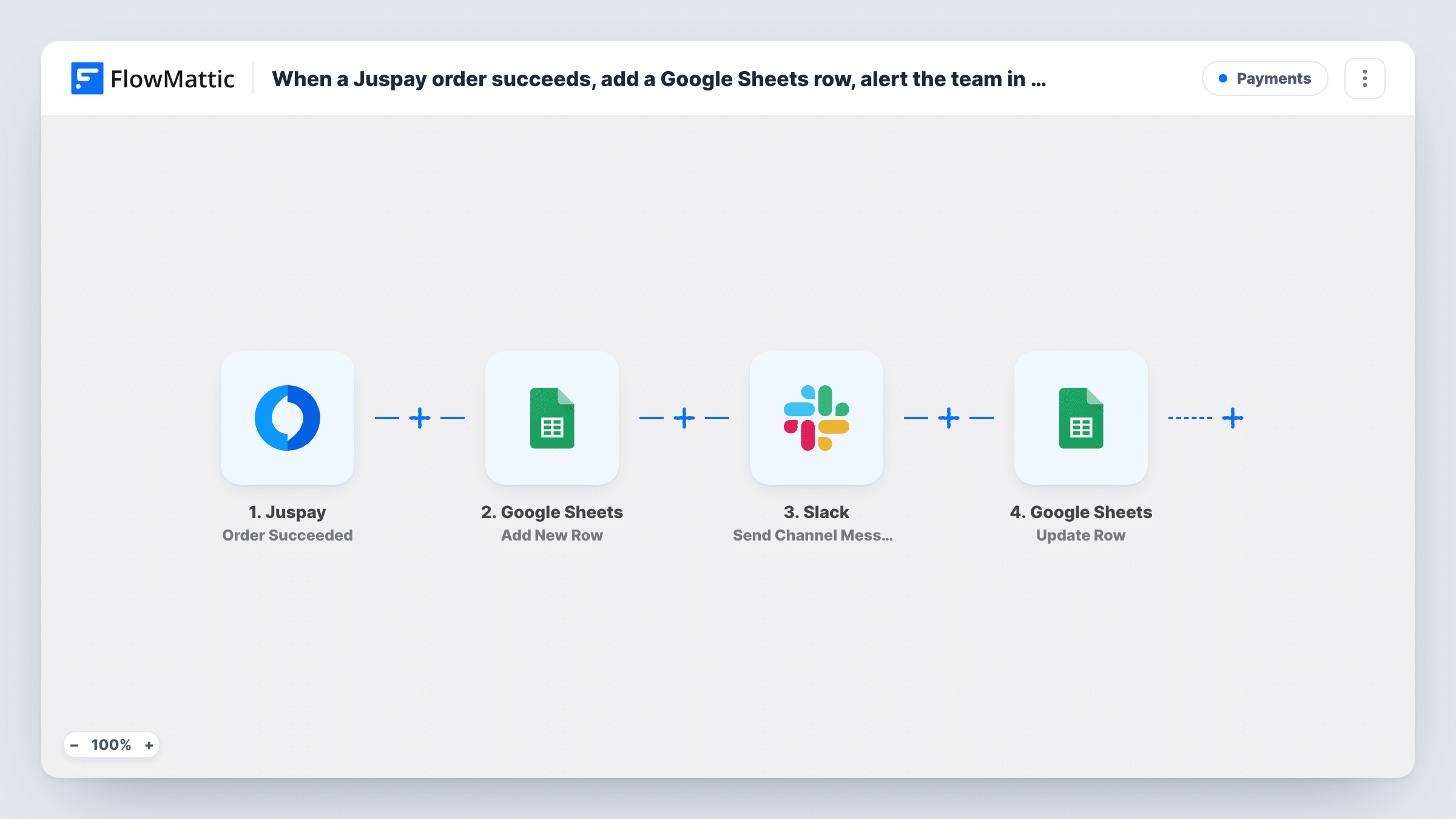
Each successful Juspay order is added as a row to your Google Sheets spreadsheet, and a Slack channel message lets your team know a payment has come through.
 Juspay
 Google Sheets
 Slack
Slack3 steps Setup ~5 min Used on 3.4k sites Free to import
What this workflow does
Payment dashboards are useful, but most teams also want a plain record they can share and a ping when money arrives. This workflow gives you both from one Juspay event: a spreadsheet row for each successful order and a note in Slack.
The Juspay trigger fires when an order succeeds and passes the order details on, such as the order ID, amount and customer. Failed, refunded and other order events are separate Juspay triggers, so only successful orders reach this flow.
The Google Sheets step adds one row per order. Once imported, you select the spreadsheet and tab, then match each Juspay order field to a column. The Slack step then posts to the channel you pick, with the message text you write and any order fields you map in, such as the amount.
None of the action steps come mapped, so plan a few minutes for setup. Make a test payment in Juspay's sandbox if you have one, and check Task History to see the order data that arrived and what each step returned.
Finance log for reconciliation
An online service keeps every successful Juspay payment in a sheet that the accountant matches against bank settlements each week.
Sales channel celebrations
A small team posts each successful order to a #sales channel in Slack, so everyone sees payments as they arrive.
Fulfilment kick-off
An operations team watches a Slack channel for paid orders and starts fulfilment from the details in the message.
How this workflow runs
What happens at each step once the workflow is on, and what you need before you import it.
 Juspay Order Succeeded
Fires when a Juspay order succeeds. The order's details, such as the order ID, amount and customer information, are passed on for the sheet and Slack.
- Google Sheets Add New Row
Adds a row to the Google Sheets spreadsheet you pick for each successful order. The step ships unmapped: choose the sheet and map the order ID, amount and other fields into columns.
- Slack Send Channel Message
Posts a message about the order to a Slack channel. Choose the channel and write the text after import, mapping the amount and order ID so the team can see which payment it was.
What you need
- FlowMatticCore
- Juspay AccountAccount
- Google Sheets AccountAccount
- Slack AccountAccount
After importing, map your own data. To keep the template universal, not every step is pre-filled. Open each step in the builder and connect your accounts and fields (channels, lists, sheets, recipients) before you switch the workflow on.
Make it yours
Changes worth making after you import it.
- Map the order ID into its own column, so you can match each row to the payment in Juspay later.
- To alert Slack only for large payments while still logging every order, put a Filter between the Google Sheets step and the Slack step on the amount.
- Import a second copy with Juspay's Order Refunded trigger and a separate sheet tab, so refunds are recorded next to payments.
Questions about this workflow
Are failed or refunded Juspay orders logged as well?
No. The trigger is Order Succeeded only. FlowMattic's Juspay integration has separate triggers for failed and refunded orders if you want to log those.
What goes into each Juspay row in Google Sheets?
Only the order fields you map. The Add New Row step ships with no mapping, so pick the sheet and match Juspay's order fields to your column headers.
Can Juspay payment alerts post to a private Slack channel?
Use Slack's Send Private Channel Message action in place of Send Channel Message for that. To notify a single teammate instead, Send Direct Message fits better.
More Payments workflows
Other ready-to-import templates from the same category.






Import this workflow into your WordPress site
Download the JSON, import it from the Workflows screen and connect your accounts. Every run stays on your server, with no per-task fees.
30-day money-back guarantee Unlimited workflows and runs Self-hosted