

When a message is received in Flock, log it in Airtable and send a Telegram alert
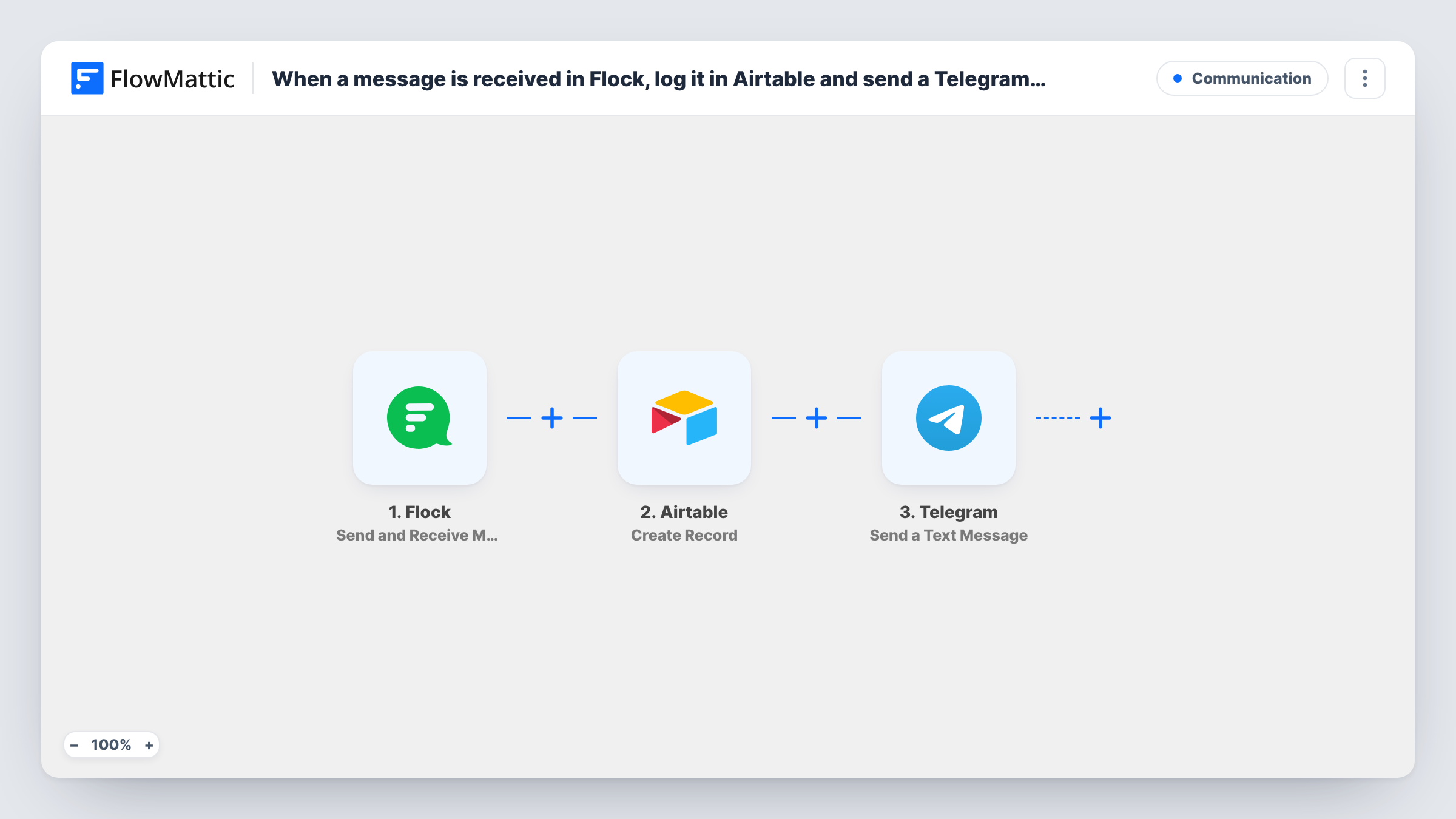
Each Flock message the trigger receives is saved as a new Airtable record and then sent on as a Telegram text, so you keep a searchable log and get a ping on your phone for the same message.
 Flock
Flock
 Airtable
 Telegram
3 steps Setup ~5 min Used on 2.3k sites Free to import
What this workflow does
Team chat moves fast, and a message that matters can scroll out of view before the right person reads it. Keeping a record by hand means copying text into a table. This workflow does the copying and adds an alert in a second app.
The Flock trigger, Send and Receive Messages, runs when a message reaches it and passes the message data to FlowMattic. The Airtable step creates a record in your table, holding whichever message values you map into its fields. The Telegram step then sends a text message built from the same data.
As imported, every message the trigger receives runs both steps, so busy chats produce many records and alerts. A Filter between the Flock trigger and the Airtable step narrows this down, for example to messages containing a keyword. Send a test message after import to see what Flock passes along.
Logging customer requests raised in team chat
Account managers post client requests in Flock. Each message becomes an Airtable record the operations team can sort, and a Telegram text reaches the on-call lead.
Keyword alerts for incidents
With a Filter that checks for words such as down or outage, only those Flock messages are logged in Airtable and sent to a Telegram group.
A message record for compliance reviews
Messages are stored in an Airtable table along with the details your test run shows, which you can review later without scrolling back through chat history.
How this workflow runs
What happens at each step once the workflow is on, and what you need before you import it.
 Flock Send and Receive Messages
Runs when a message reaches the Flock trigger. The message data, such as the text and sender details your test run shows, is passed on to Airtable and Telegram.
- Airtable Create Record
Creates a record in Airtable. Connect your account, choose the base and table, and map Flock values into the table's fields so each message is stored as one row.
- Telegram Send a Text Message
Sends a Telegram text built from the Flock data. Connect Telegram in FlowMattic, set the chat that should receive it, and write the text with the values you want to see in the alert.
What you need
- FlowMatticCore
- Flock AccountAccount
- Airtable AccountAccount
- Telegram AccountAccount
After importing, map your own data. To keep the template universal, not every step is pre-filled. Open each step in the builder and connect your accounts and fields (channels, lists, sheets, recipients) before you switch the workflow on.
Make it yours
Changes worth making after you import it.
- Add a Filter between the Flock trigger and the Airtable step that continues only when the message text contains a keyword. A Filter stops every later step, so routine chat stays out of both Airtable and Telegram.
- Give the Airtable table a checkbox or status field you set by hand, so the team can mark logged messages as handled.
- Send two test messages after import and read both runs in Task History to confirm which Flock fields hold the text and the sender before mapping them.
Questions about this workflow
Which Flock messages start this workflow?
Messages that reach the Send and Receive Messages trigger. Send a test message after connecting Flock and check Task History to confirm which conversations reach it.
Does each Flock message get its own Airtable record?
Yes. Every message that reaches the trigger runs the Create Record step once, so one message becomes one record and one Telegram text. Task History shows what Airtable returned for each run.
Can I change what the Telegram alert says for each Flock message?
Yes. You write the text in the Telegram step and drop in Flock values wherever you like, so the alert can be as short as the sender and the first line of the message.
Do I need an Airtable table ready before importing this Flock workflow?
Yes. Create the base and table with the fields you want, such as sender and message, so the Airtable step has somewhere to map the values.
More Communication workflows
Other ready-to-import templates from the same category.






Import this workflow into your WordPress site
Download the JSON, import it from the Workflows screen and connect your accounts. Every run stays on your server, with no per-task fees.
30-day money-back guarantee Unlimited workflows and runs Self-hosted