

When a MetaSurvey is completed, log the response in Google Sheets, create a Todoist task, and post to Slack
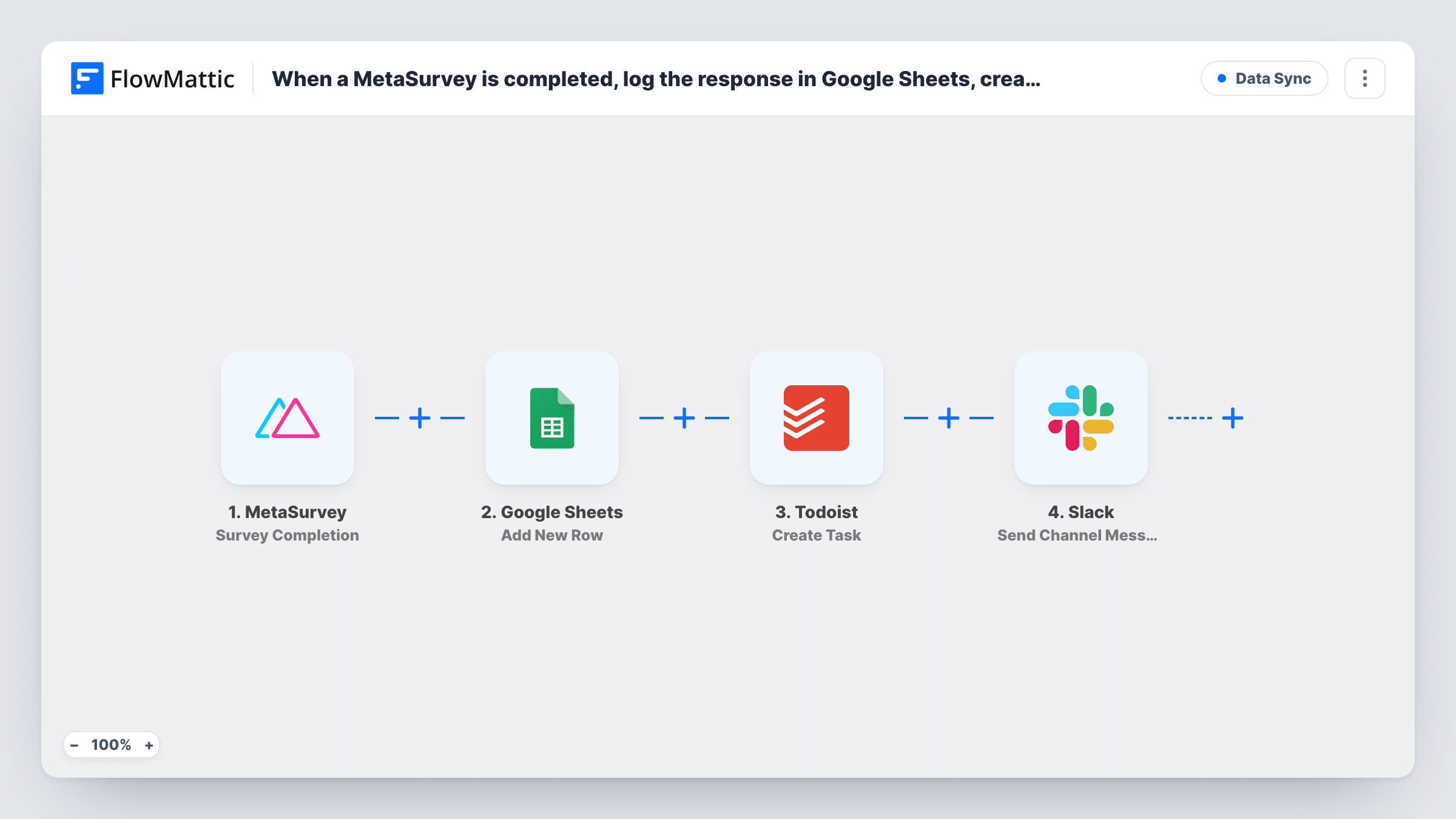
Each completed MetaSurvey is added as a Google Sheets row, turned into a Todoist task for follow-up, and announced in a Slack channel, so one response reaches your records, your to-do list and your team.
 MetaSurvey
 Google Sheets
 Todoist
 Slack
Slack4 steps Setup ~8 min Used on 2.0k sites Free to import
What this workflow does
A survey response often needs three things: a place in your records, someone to act on it, and a heads-up to the team. Doing that by hand for every MetaSurvey result means copying the same answers three times. This workflow sends each completed survey to all three apps in one run.
The MetaSurvey trigger fires on the results of each completed survey. First, the answers go to Google Sheets as a new row, so the spreadsheet builds up a full log of responses. Next, a Todoist task is created, with the answers you map in its text, so following up on the response sits on someone's list. Last, a message goes to the Slack channel you choose.
Every completed survey runs all three steps. There is no condition in the template, so a glowing review creates a follow-up task just like a complaint does. If you only want tasks for some answers, add a Filter before the Todoist step. Task History keeps a record of each run and of what each step sent.
Customer satisfaction survey for a SaaS team
Each response is logged in a shared sheet for monthly reporting, the account manager gets a Todoist task to reply, and the Slack channel shows feedback as it arrives.
Onboarding feedback from new clients
A MetaSurvey sent after onboarding lands in the client sheet, a Todoist task reminds the project lead to call, and the team sees the answers in Slack.
Internal staff pulse survey
HR keeps every pulse response in Google Sheets, gets a Todoist task to review it, and posts a note to an HR-only Slack channel.
How this workflow runs
What happens at each step once the workflow is on, and what you need before you import it.
 MetaSurvey Survey Completion
Fires on the results of each completed MetaSurvey. The answers become available to the Google Sheets, Todoist and Slack steps that follow.
- Google Sheets Add New Row
Adds a new row to the spreadsheet and sheet you pick in Google Sheets. Map each column to a MetaSurvey answer so the sheet keeps a complete log.
- Todoist Create Task
Creates a new task in Todoist for following up on the response. Write the task text yourself and map in the survey answers the person needs to act on.
- Slack Send Channel Message
Posts a message to the Slack channel you choose, announcing the new response. Map in the answers you want the team to see in the channel.
What you need
- FlowMatticCore
- MetaSurvey AccountAccount
- Google Sheets AccountAccount
- Todoist AccountAccount
- Slack AccountAccount
After importing, map your own data. To keep the template universal, not every step is pre-filled. Open each step in the builder and connect your accounts and fields (channels, lists, sheets, recipients) before you switch the workflow on.
Make it yours
Changes worth making after you import it.
- Add a Filter between Google Sheets and Todoist so only low scores create a follow-up task. Every response still gets a row, and the Filter also stops the Slack post for runs that don't match.
- To keep Slack posts for every response but tasks only for some, use a Router after Google Sheets with one route for Todoist plus Slack and one for Slack alone, with conditions that can't both match.
- Complete a test survey after import so FlowMattic captures MetaSurvey's result fields, then map them in all three action steps before you switch the workflow on.
Questions about this workflow
Does every MetaSurvey response create a Todoist task?
Yes, as imported. Each completed survey runs all the steps. Add a Filter before the Todoist step if only some answers should become tasks.
Do I need a header row in the Google Sheets spreadsheet?
Yes. Set up column headers first, so the Google Sheets step can show each column and you can map a MetaSurvey answer to it.
Can the Slack post go to a private channel?
The template uses Slack's Send Channel Message. For a private channel, swap in Slack's Send Private Channel Message action, which the FlowMattic Slack app also offers.
Which Todoist project do the follow-up tasks go into?
Check the options in the Todoist step after import. Run a test survey and confirm where the task appears before you rely on it.
More Data Sync workflows
Other ready-to-import templates from the same category.





Import this workflow into your WordPress site
Download the JSON, import it from the Workflows screen and connect your accounts. Every run stays on your server, with no per-task fees.
30-day money-back guarantee Unlimited workflows and runs Self-hosted