

When an AppDirect order changes, add it to Google Sheets and notify the team in Slack
Whenever an AppDirect order is added, changed or deleted, FlowMattic logs the event as a new Google Sheets row and posts a message to your team’s Slack channel.
 AppDirect
 Google Sheets
 Slack
3 steps Setup ~5 min Used on 1.7k sites Free to import
What this workflow does
Marketplace orders in AppDirect move through several stages, and the people who care about them, such as finance, provisioning and account managers, rarely sit in the AppDirect console. This workflow keeps a running log of every order event in a spreadsheet and tells the team in Slack each time one comes in.
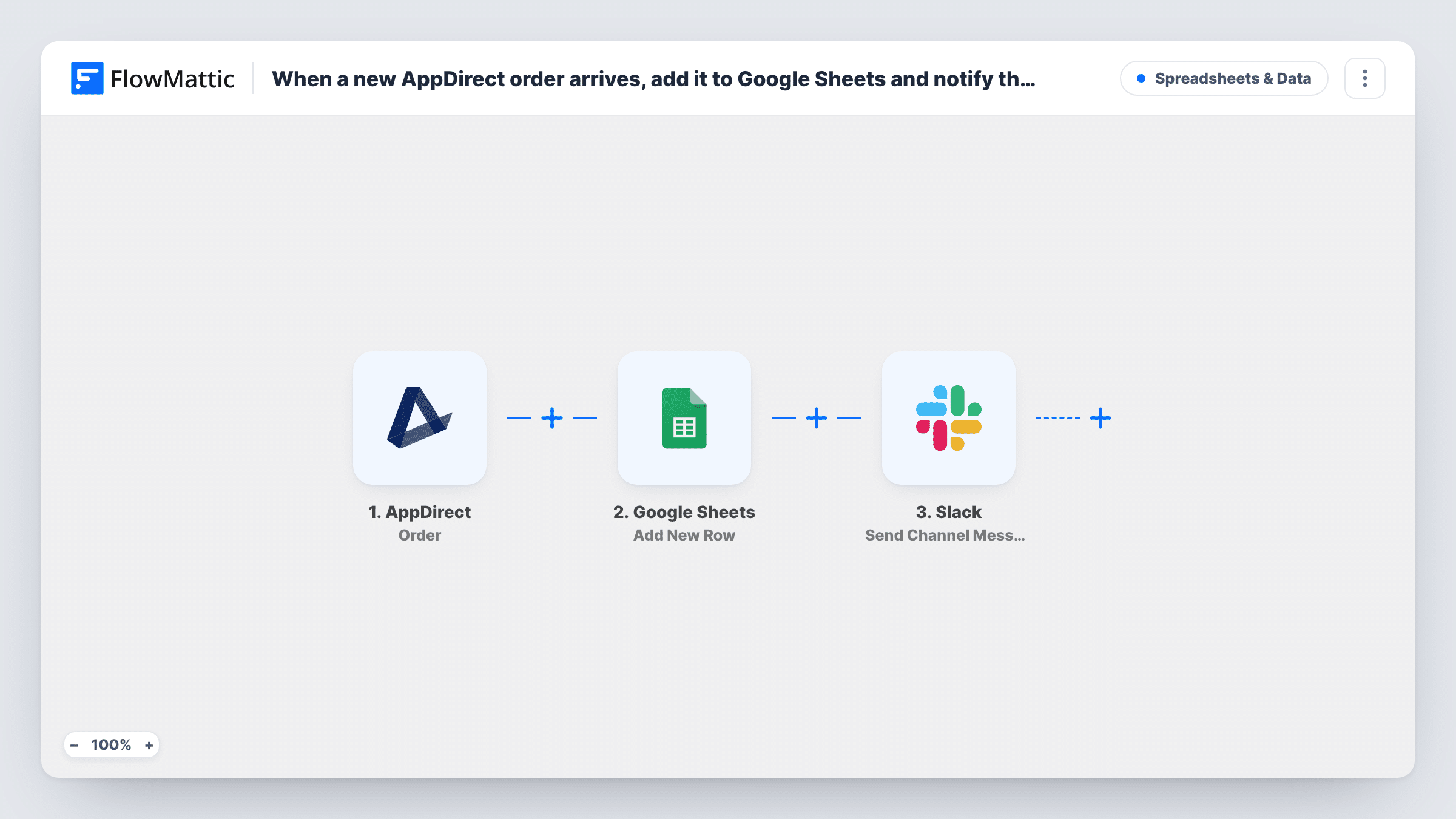
The AppDirect Order trigger fires when an order is added, changed or deleted. All three kinds of event start a run, and the order data that comes with each is available for the next two steps.
The Google Sheets Add New Row step writes one new row per event. It doesn't look for an earlier row for the same order, so one order that is created and then edited twice gives you three rows. That suits an event log; add a column for the event type so you can tell them apart. The step ships unmapped, so after import you pick the spreadsheet and match order fields to your columns.
The Slack Send Channel Message step is empty too. Choose a public channel and write the message, mapping in the order details your team needs. Run a test order and check Task History to see what AppDirect sends.
Order history for the finance team
A reseller's finance team keeps a Google Sheet of every AppDirect order event and reconciles it against invoices at month end.
Provisioning team told about changes
When a customer changes an order on the marketplace, the provisioning channel in Slack gets a message so someone can adjust the account.
Spotting deleted orders
An account manager scans the sheet for delete events to see which customers dropped an order and follows up with them.
How this workflow runs
What happens at each step once the workflow is on, and what you need before you import it.
 AppDirect Order
Fires when an order is added, changed or deleted in AppDirect. The order details from that event are passed to the Sheets and Slack steps.
- Google Sheets Add New Row
Adds a new row to your chosen spreadsheet for each order event. No columns are mapped as shipped: pick the sheet and map the order fields, such as the order ID, company and status, into your headers.
- Slack Send Channel Message
Sends a message to a public Slack channel about the order event. Connect Slack, pick the channel and write the text after import, mapping in the AppDirect order details your team should see.
What you need
- FlowMatticCore
- AppDirect AccountAccount
- Google Sheets AccountAccount
- Slack AccountAccount
After importing, map your own data. To keep the template universal, not every step is pre-filled. Open each step in the builder and connect your accounts and fields (channels, lists, sheets, recipients) before you switch the workflow on.
Make it yours
Changes worth making after you import it.
- Map the event type or order status into its own column, if the AppDirect data includes it, so the sheet shows whether each row came from a new, changed or deleted order.
- Put a Filter between the Google Sheets step and the Slack step on the event type, so every event is still logged but only, for example, new orders reach Slack. Check a test order for the field AppDirect uses.
- Send private alerts with Slack's Send Private Channel Message action instead of Send Channel Message, if your provisioning channel is private.
Questions about this workflow
Does an edited AppDirect order update its existing row?
No. Each event adds a new row, so one order can appear several times. To keep one row per order, you would need a Google Sheets lookup and update step in place of Add New Row.
Will deleted AppDirect orders post to Slack?
Yes, as imported. The Order trigger fires for additions, changes and deletions alike. To leave some out of Slack, add a Filter on the event type between the Google Sheets step and the Slack step.
Which AppDirect order fields can go into the sheet?
The ones included in the Order event. Run a test with a real order and look at the trigger's output in Task History, then map those fields into your columns.
More Spreadsheets & Data workflows
Other ready-to-import templates from the same category.




Import this workflow into your WordPress site
Download the JSON, import it from the Workflows screen and connect your accounts. Every run stays on your server, with no per-task fees.
30-day money-back guarantee Unlimited workflows and runs Self-hosted