

When a new campaign launches in ActiveCampaign, create campaign-specific graphics in Nano Banana
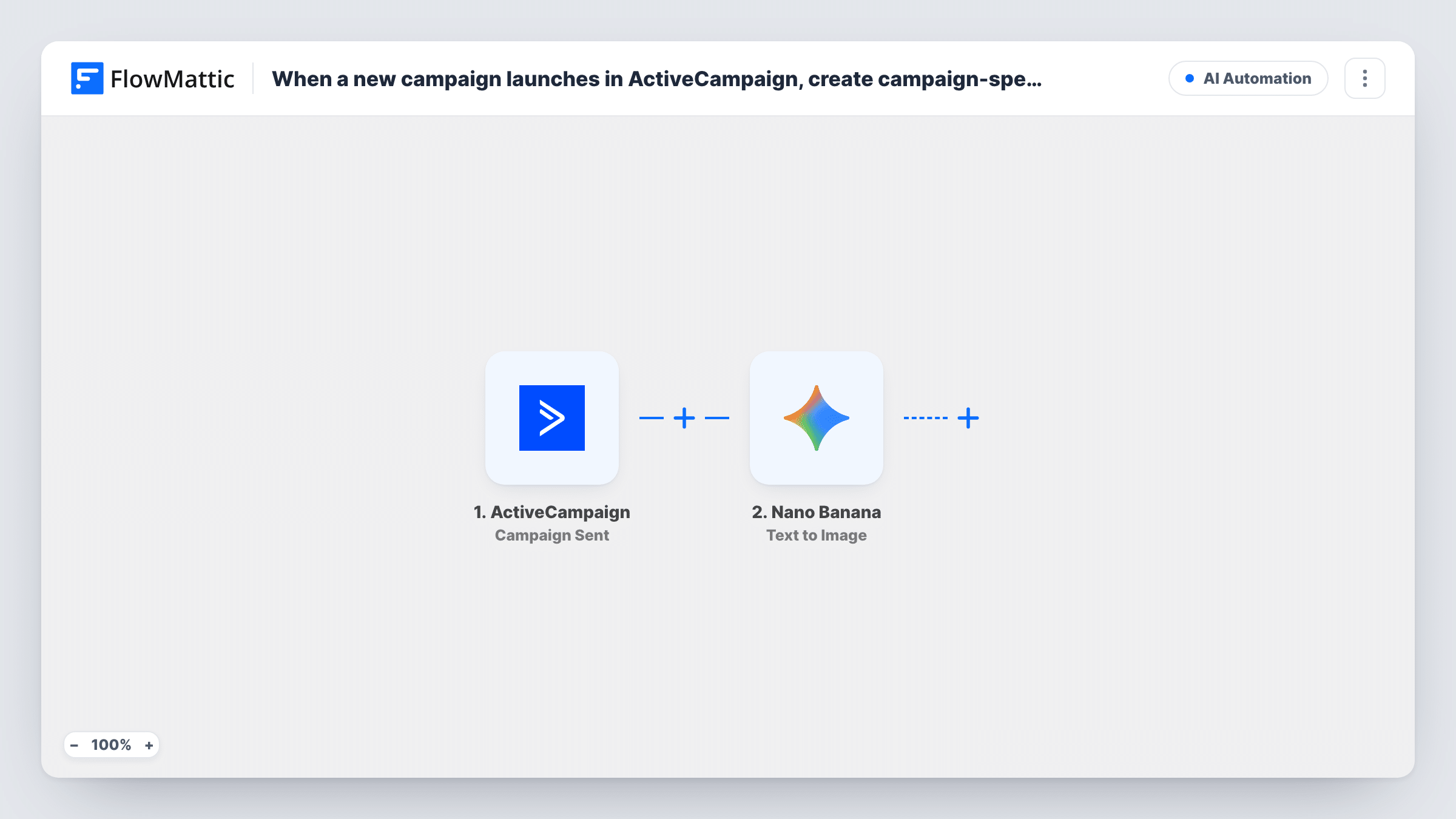
When an ActiveCampaign campaign starts sending, this workflow asks Nano Banana to generate an image from a prompt built with the campaign’s details, giving you a matching graphic for social posts or follow-ups.
 ActiveCampaign
 Nano Banana
2 steps Setup ~5 min Used on 2.1k sites Free to import
What this workflow does
A campaign going out by email is often the moment you also want a graphic for social media, a blog post or a follow-up. Designing one each time is slow. This workflow generates a first version with AI as soon as the campaign starts.
The ActiveCampaign trigger, Campaign Sent, fires when a campaign starts sending. FlowMattic passes the campaign data to Nano Banana, whose Text to Image action generates an image from a text prompt using Gemini AI. You write that prompt and map campaign details into it, such as the campaign name, so each image fits its campaign.
The image arrives after the campaign is already sending, so it is not placed in the email itself. As imported, it also isn't saved or posted anywhere. It sits in the step's output until you add a step that uses it, such as uploading it to Google Drive. Run a test to see what Nano Banana returns before you choose that step.
Social post to match a newsletter
Each newsletter send produces an image with the issue's theme, which your social media manager posts the same day.
Sale announcement graphics
A store sending a promotion campaign gets an AI image based on the campaign name to use on its website banner.
Ideas for a design team
A designer receives a generated image as a starting point for the campaign's landing page artwork, then refines it.
How this workflow runs
What happens at each step once the workflow is on, and what you need before you import it.
 ActiveCampaign Campaign Sent
Fires when an ActiveCampaign campaign starts sending. The campaign's data is captured so you can use it in the image prompt.
- Nano Banana Text to Image
Generates an image from your text prompt with Gemini AI through Nano Banana. Connect your Nano Banana account, write the prompt and map campaign details into it.
What you need
- FlowMatticCore
- ActiveCampaign AccountAccount
- Nano Banana AccountAccount
After importing, map your own data. To keep the template universal, not every step is pre-filled. Open each step in the builder and connect your accounts and fields (channels, lists, sheets, recipients) before you switch the workflow on.
Make it yours
Changes worth making after you import it.
- Add a Google Drive Upload a File step after Nano Banana so each image is saved to a folder, if a test run shows the step returns a file or file link.
- Add a Slack Send Channel Message step that shares the result with your marketing channel, so the team knows a new graphic is ready.
- Describe your brand style in the prompt, such as colours and mood, alongside the mapped campaign name, so images stay consistent from one campaign to the next.
Questions about this workflow
Is the Nano Banana image added to the ActiveCampaign email?
No. The trigger fires once the campaign starts sending, so the email is already on its way. Use the image for other channels.
Where does the generated image go?
Nowhere yet. It sits in the Nano Banana step's output. Add a step, such as Google Drive Upload a File, to save or share it.
Can I control what the image looks like?
Yes, through the prompt you write in the Text to Image step. Mapped campaign details make it specific to each send; fixed wording keeps a consistent style.
Do test or draft campaigns trigger it?
The trigger fires when a campaign starts sending. Drafts that are never sent don't start it.
More AI Automation workflows
Other ready-to-import templates from the same category.






Import this workflow into your WordPress site
Download the JSON, import it from the Workflows screen and connect your accounts. Every run stays on your server, with no per-task fees.
30-day money-back guarantee Unlimited workflows and runs Self-hosted