

When webhook data received, generate images based on the prompt using OpenAI and return the image URL to webhook response
Post an image prompt to a FlowMattic webhook URL and OpenAI’s DALL-E generates the image, then the workflow sends the image URL back as the response to that same request.
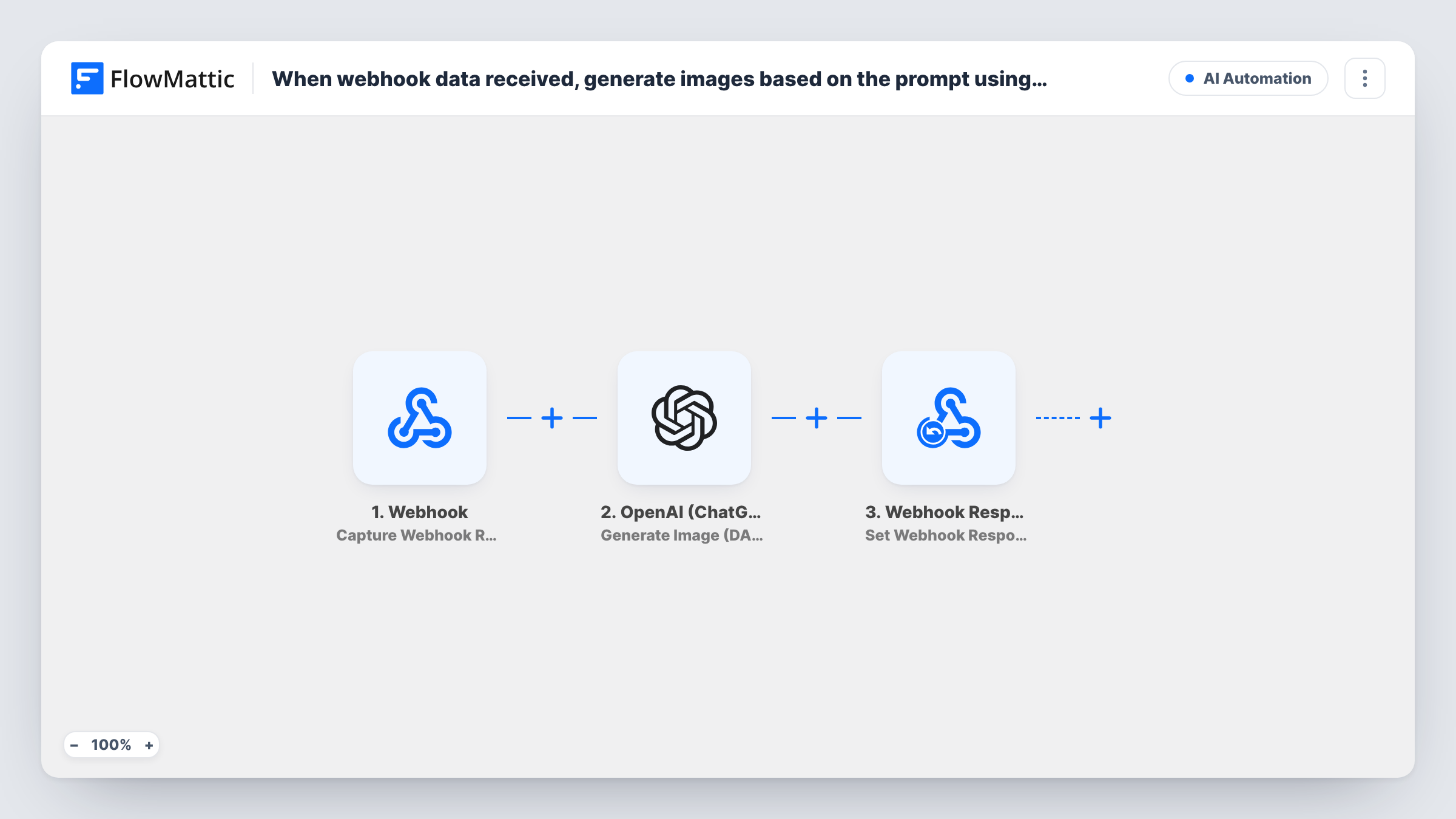
 Webhook
 OpenAI (ChatGPT)
 Webhook Response
3 steps Setup ~5 min Used on 3.0k sites Free to import
What this workflow does
Adding AI image generation to a form, an app or a script usually means each of them needs its own OpenAI key and code. This workflow wraps image generation in a webhook on your WordPress site. Anything that can send a request gets an image URL back.
The Webhook trigger receives a request carrying the prompt. The OpenAI (ChatGPT) step runs Generate Image (DALL-E), which creates an image from that prompt with the DALL-E 2 or DALL-E 3 model. The Webhook Response step then replies to the caller with the image URL you map from OpenAI's result.
The caller waits while the image is made, so the reply arrives only when OpenAI is done. The returned link points to the image OpenAI generated. If you want a lasting copy, save the file elsewhere soon after the run. Each request, prompt and response is kept in Task History.
Blog header images from an editor tool
An internal tool sends the post title as a prompt and puts the returned image URL into the editor as a draft header picture.
Product mock-up previews
A customer types a design idea into a form on your site, and the page shows the generated preview from the URL the webhook returns.
Social post visuals from a scheduler
A scheduling script posts a caption as the prompt and attaches the image link it gets back to the queued social post.
How this workflow runs
What happens at each step once the workflow is on, and what you need before you import it.
 Webhook Capture Webhook Response
Provides a webhook URL that starts a run whenever a request reaches it. Send a test request with the prompt in its payload so you can map it in the OpenAI step.
- OpenAI (ChatGPT) Generate Image (DALL-E)
Creates an image from the mapped prompt using OpenAI's DALL-E 2 or DALL-E 3 model. Connect your OpenAI account and choose the model and options the step shows.
- Webhook Response Set Webhook Response
Sends the result back to the caller of the webhook. Map the generated image URL from the OpenAI step so the requesting app receives the link.
What you need
- FlowMatticCore
- OpenAI (ChatGPT) AccountAccount
After importing, map your own data. To keep the template universal, not every step is pre-filled. Open each step in the builder and connect your accounts and fields (channels, lists, sheets, recipients) before you switch the workflow on.
Make it yours
Changes worth making after you import it.
- Turn on the Webhook trigger's Require authentication on incoming requests setting so only callers with your key can create images on your OpenAI account.
- Add fixed style words around the mapped prompt in the OpenAI step, such as a colour palette or flat illustration, so every request returns images in one look.
- Add Google Drive's Upload a File action before the response if you need a lasting copy, and test whether it accepts the OpenAI image URL in your setup.
Questions about this workflow
Which DALL-E model does the image webhook use?
The Generate Image (DALL-E) step works with DALL-E 2 or DALL-E 3. Pick the model in the step after import.
How long does the caller wait for the image?
The response is sent after the OpenAI step finishes, so the caller waits for the whole run. Set your calling app's timeout with that in mind.
Can anyone generate images through my webhook URL?
Only if authentication is off. With Require authentication on incoming requests turned on in the trigger, requests without your key don't start a run.
Does the OpenAI image link last forever?
Treat it as temporary. Save the image somewhere you control soon after the run if you need to keep it.
More AI Automation workflows
Other ready-to-import templates from the same category.






Import this workflow into your WordPress site
Download the JSON, import it from the Workflows screen and connect your accounts. Every run stays on your server, with no per-task fees.
30-day money-back guarantee Unlimited workflows and runs Self-hosted