

When a new YouTube video is published, Run Workflow in Leap AI to generate blog summaries and social media captions
When a new video goes live on your YouTube channel, this workflow starts a published Leap AI workflow with the video’s details, so your own Leap AI flow can draft a blog summary and social captions.
 Youtube
 Leap AI
2 steps Setup ~5 min Used on 2.3k sites Free to import
What this workflow does
Each upload is a chance for a blog post and a round of social posts, but writing them by hand after every video takes time. If you have built a Leap AI workflow that turns a video's details into a summary and captions, this workflow starts it for you whenever you publish.
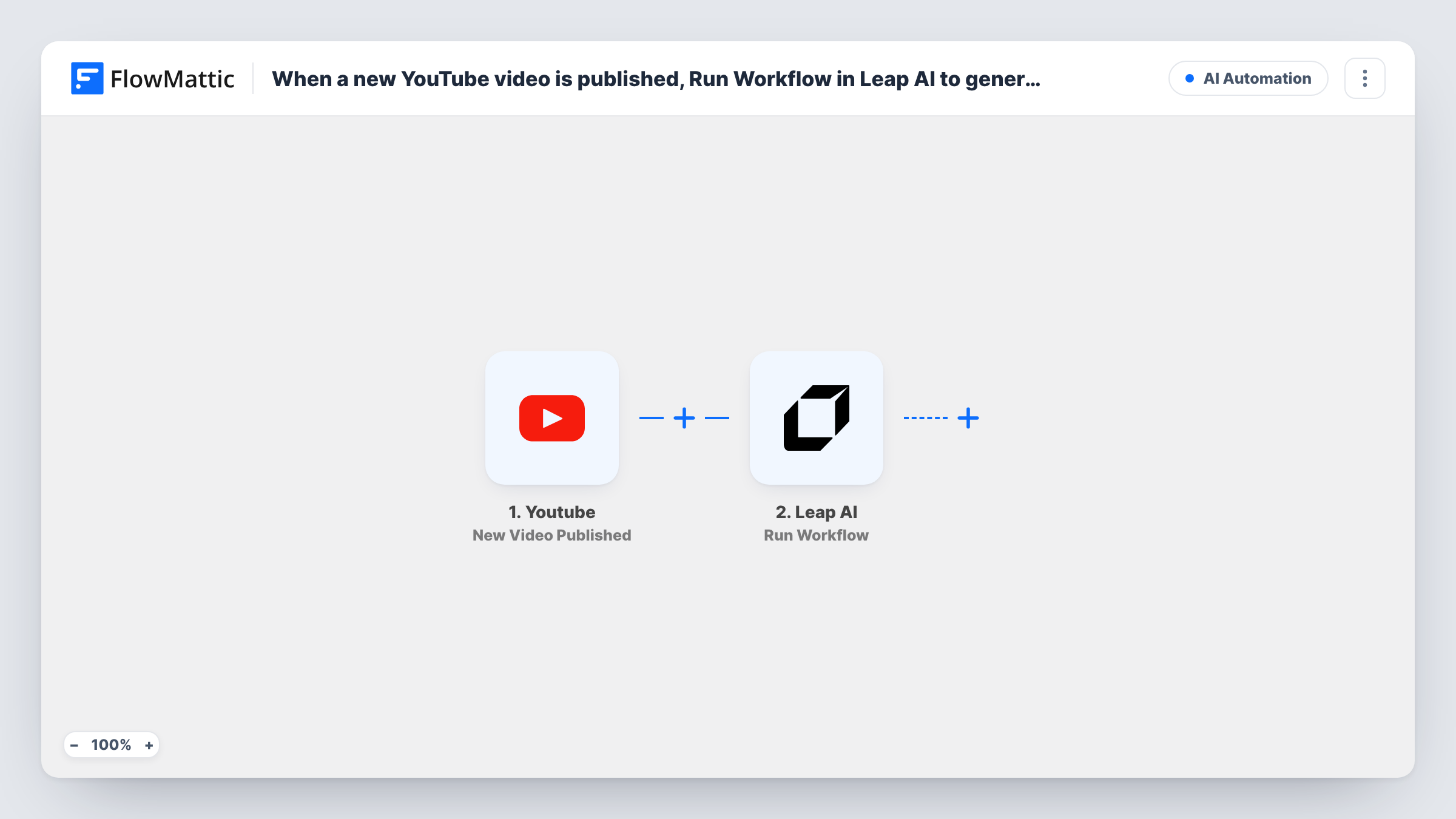
The YouTube trigger is New Video Published. It fires when a new video is published in the channel you specify. FlowMattic passes the video's data to Leap AI, where Run Workflow executes one of your published Leap AI workflows with input parameters. You map video values, such as the title, description or link, into those inputs.
The writing happens inside your Leap AI workflow, so you need to build and publish that workflow first. FlowMattic only starts it. As imported, nothing in FlowMattic collects the generated summary or captions. Add Leap AI's Get Workflow Run action, then a step that saves or posts the text, if you want the results to land somewhere.
Weekly tutorial channel
A software trainer publishes a tutorial every week. Leap AI receives the title and description and drafts a short blog summary for the course site.
Podcast uploaded as video
Each episode published to YouTube starts a Leap AI workflow that writes captions for the show's social accounts from the episode description.
Product demo videos
A SaaS team posts demo videos. The Leap AI workflow turns each video's details into a changelog-style summary for the marketing team to edit.
How this workflow runs
What happens at each step once the workflow is on, and what you need before you import it.
 Youtube New Video Published
Runs when a new video is published in the YouTube channel you set. The video's details are passed on so you can send them to Leap AI.
- Leap AI Run Workflow
Starts one of your published Leap AI workflows and sends it input values from the video. Connect Leap AI, choose the workflow and map the YouTube values to its inputs.
What you need
- FlowMatticCore
- Youtube AccountAccount
- Leap AI AccountAccount
After importing, map your own data. To keep the template universal, not every step is pre-filled. Open each step in the builder and connect your accounts and fields (channels, lists, sheets, recipients) before you switch the workflow on.
Make it yours
Changes worth making after you import it.
- Add Leap AI's Get Workflow Run action after Run Workflow to fetch the run's result. Put a Delay before it if the run needs time to finish.
- Once you can read the result, add a step that stores it, such as a Google Sheets row or a WordPress draft post, so the summary and captions are kept.
- Pass the video link as one of the inputs, so whatever your Leap AI workflow writes can point readers back to the video.
Questions about this workflow
Does this template include the Leap AI prompt that writes the captions?
No. The Run Workflow step starts a Leap AI workflow you have already built and published. The summary and caption logic lives in that Leap AI workflow.
Where do the Leap AI summary and captions end up?
As imported, FlowMattic does not save them. Add Get Workflow Run to read the result, then a step that stores or posts it.
Does the YouTube trigger fire for videos already on my channel?
No. It fires for new videos published after the workflow is on. Older videos do not start Leap AI.
Can Leap AI watch the video itself?
This workflow sends the values you map from YouTube, such as title, description and link. What Leap AI does with them depends on the workflow you built there.
More AI Automation workflows
Other ready-to-import templates from the same category.








Import this workflow into your WordPress site
Download the JSON, import it from the Workflows screen and connect your accounts. Every run stays on your server, with no per-task fees.
30-day money-back guarantee Unlimited workflows and runs Self-hosted