

Analyze product images with Grok and add an Airtable record when a new file is uploaded to Dropbox
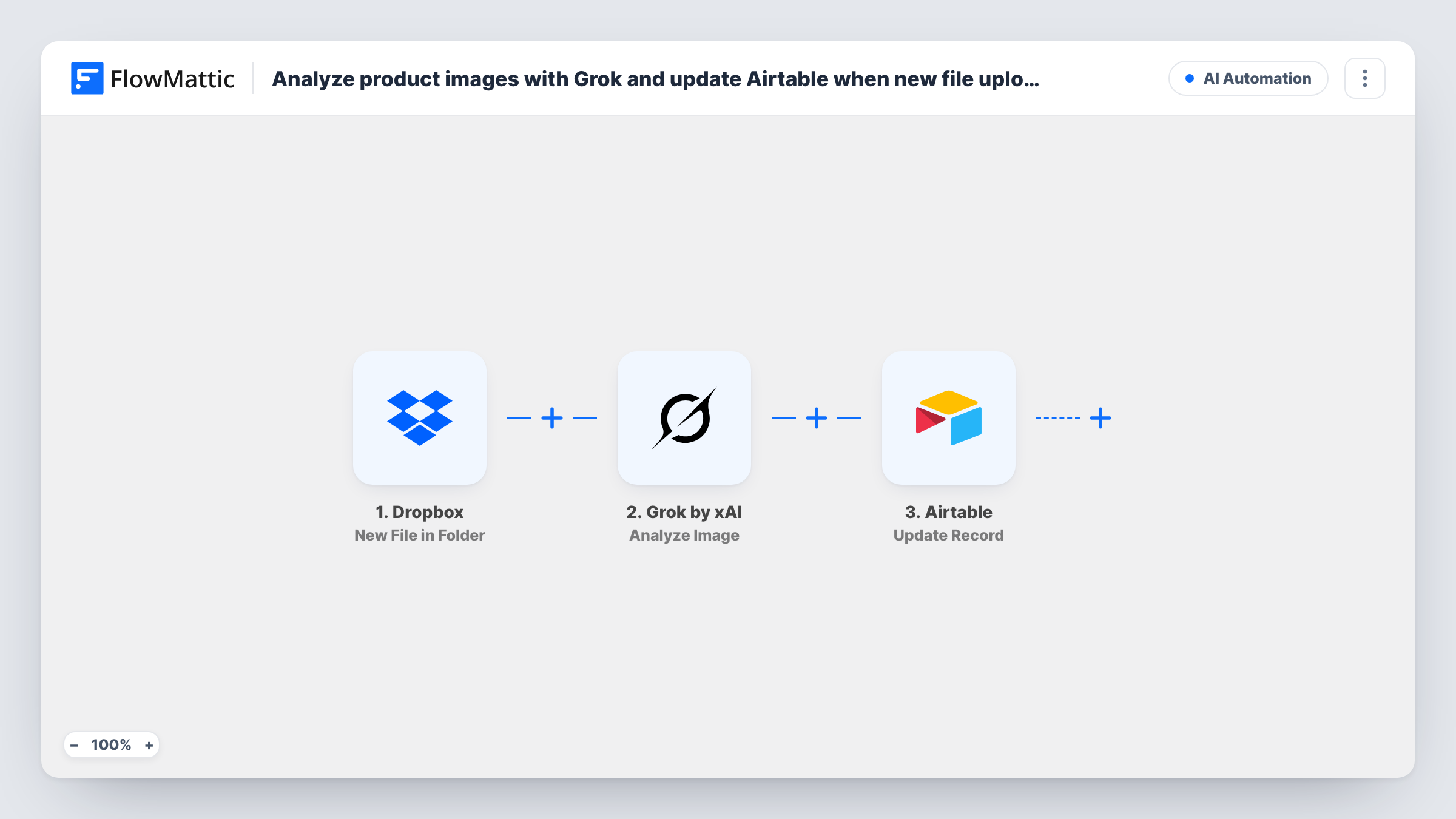
When a new file lands in your Dropbox folder, FlowMattic gets a temporary link to it, Grok by xAI analyzes the image, and an Airtable record is created where you can store the result.
 Dropbox
 Grok by xAI
 Airtable
4 steps Setup ~8 min Used on 478 sites Free to import
What this workflow does
Writing descriptions and notes for a growing set of product photos is slow work. If your team drops product images into one Dropbox folder, this workflow has Grok look at each new file and gives you an Airtable record to keep what it says next to the rest of your product data.
The Dropbox New File in Folder trigger fires when a file is added to the folder you watch. A second Dropbox step then requests a temporary download link for that file, using its path from the trigger. That link is what makes the image reachable for analysis.
The Grok by xAI Analyze Image step already has the temporary link mapped as its image. Open the step after import to see whether it takes instructions, and if it does, say what to look for, such as colours, materials or a short product description.
The Airtable Create Record step has no fields mapped when you import it. Pick the base and table, then map Grok's analysis and any Dropbox details, like the file name, into your fields. The trigger fires for every file in the folder, not only images, so keep the folder for product photos; Grok may return an error for a file it can't read as an image, and Task History shows what each step returned.
Draft descriptions for a new collection
A fashion brand uploads photos for next season to a Dropbox folder, and each one gets an Airtable record with Grok's notes on cut, colour and fabric.
Cataloguing supplier photos
A homeware shop saves product shots from suppliers in Dropbox and reviews Grok's analysis in Airtable before writing listings.
Image checks before listing
A marketplace seller has Grok describe what is visible in each photo, so the team can spot shots that show the wrong item or background.
How this workflow runs
What happens at each step once the workflow is on, and what you need before you import it.
 Dropbox New File in Folder
Fires when a new file is added to the Dropbox folder you choose. The file's details, including its path, are passed on.
- Dropbox Get Temporary Download Link
Requests a temporary download link for the new file, using the file path from the trigger. The link lets the next step reach the image.
- Grok by xAI Analyze Image
Sends the image at the temporary link to Grok's vision model for analysis. The link is already mapped; after import, open the step and check its other options before a test run.
- Airtable Create Record
Creates a record in your Airtable table. No fields are mapped in the template, so choose the base and table and map Grok's analysis and the Dropbox file name into your columns.
What you need
- FlowMatticCore
- Dropbox AccountAccount
- Grok by xAI AccountAccount
- Airtable AccountAccount
After importing, map your own data. To keep the template universal, not every step is pre-filled. Open each step in the builder and connect your accounts and fields (channels, lists, sheets, recipients) before you switch the workflow on.
Make it yours
Changes worth making after you import it.
- Put a Filter between the Dropbox trigger and the Get Temporary Download Link step on the file name, for example ending in .jpg or .png, so other files in the folder stop before Grok.
- Store the Dropbox file name or path in its own Airtable field, so each record points back to the photo it describes.
- If the Analyze Image step accepts instructions, ask Grok for a fixed structure, such as a title line and three short notes, so the analysis reads cleanly in Airtable.
Questions about this workflow
Does every file in the Dropbox folder go to Grok?
Yes, as imported. The trigger fires for any new file, so PDFs or videos in the folder also run the workflow. Add a Filter on the file name between the trigger and the link step to stop them.
Why does the workflow get a temporary Dropbox link?
Grok needs a URL it can open to see the image. The temporary download link gives it one for the new file without creating a permanent shared link in Dropbox.
Which Airtable fields does the Grok analysis go into?
The ones you choose. The Create Record step is empty in the template, so map Grok's output into a long text field and add any other details you want.
Are images already in the Dropbox folder analyzed?
No. The trigger reacts to files that arrive once the workflow is active. Photos already sitting in the folder are left as they are.
More AI Automation workflows
Other ready-to-import templates from the same category.






Import this workflow into your WordPress site
Download the JSON, import it from the Workflows screen and connect your accounts. Every run stays on your server, with no per-task fees.
30-day money-back guarantee Unlimited workflows and runs Self-hosted