

When an audio file URL received in webhooks, transcribe the audio into the input language and display as webhook response
Post an audio file URL to a FlowMattic webhook and OpenAI transcribes the recording, then the transcript is returned as the webhook’s response, giving your app a simple speech-to-text endpoint.
 Webhook
 OpenAI (ChatGPT)
 Webhook Response
3 steps Setup ~5 min Used on 733 sites Free to import
What this workflow does
Plenty of tools need speech-to-text: a voice note form, a call recording archive, a mobile app. Building a transcription endpoint usually means writing server code. With this workflow, your WordPress site with FlowMattic becomes that endpoint: you send it an audio URL and get the text back in the reply.
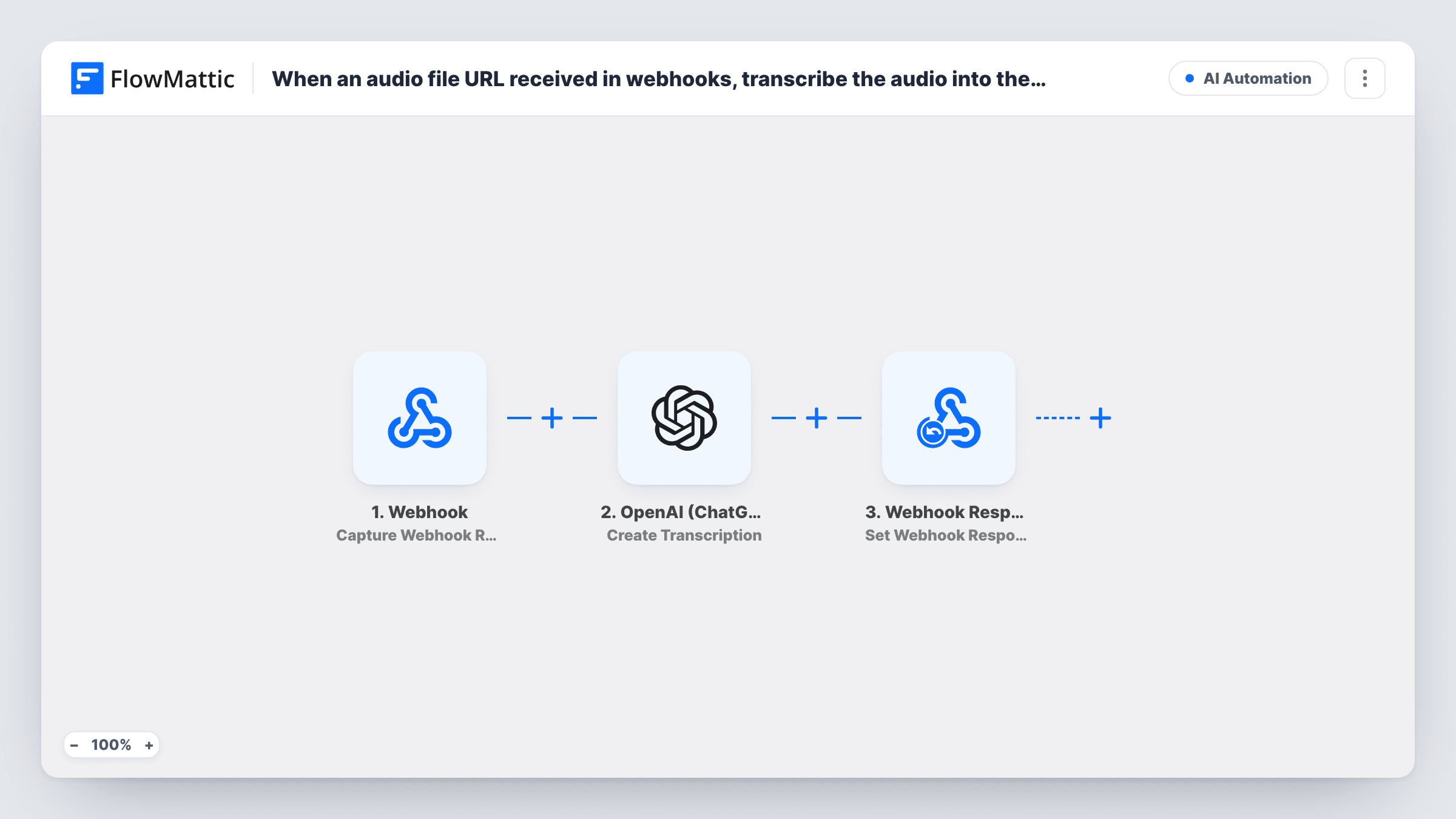
The Webhook trigger hands you an endpoint address on your own site. Your app or service posts the audio file's URL to it, and that value becomes data to map. The OpenAI (ChatGPT) step runs Create Transcription, which transcribes the audio into its spoken language, using the URL you mapped and your OpenAI API key.
The last step, Webhook Response, uses Set Webhook Response to send data from earlier steps back to whoever called the webhook. You choose what goes in the response, normally the transcript text. The caller has to wait for the transcription to finish to get it, and Task History keeps a record of each run, including OpenAI's reply.
Voice notes from a form
A site form lets visitors record a voice message. Your form handler posts the file's URL to the webhook and stores the transcript it gets back.
Podcast show notes
A small script sends each new episode's audio URL and receives the transcript to edit into show notes.
Internal tool for meeting recordings
A no-code app built on another platform calls the webhook with a recording URL and shows the returned text to the user.
How this workflow runs
What happens at each step once the workflow is on, and what you need before you import it.
 Webhook Capture Webhook Response
Gives you a webhook URL to call. Post the audio file's URL to it, then send one test request so FlowMattic captures the field to map into the OpenAI step.
- OpenAI (ChatGPT) Create Transcription
Sends the audio to OpenAI to be transcribed into the language spoken in it. Connect your OpenAI account and map the audio URL from the webhook data.
- Webhook Response Set Webhook Response
Returns data to the app that called the webhook. Map the transcript text from the OpenAI step into the response so the caller receives it.
What you need
- FlowMatticCore
- OpenAI (ChatGPT) AccountAccount
After importing, map your own data. To keep the template universal, not every step is pre-filled. Open each step in the builder and connect your accounts and fields (channels, lists, sheets, recipients) before you switch the workflow on.
Make it yours
Changes worth making after you import it.
- Turn on "Require authentication on incoming requests" in the Webhook trigger, so only your own apps can send audio to be transcribed with your OpenAI key.
- Want a copy of every transcript? Add a Google Sheets Add New Row step after OpenAI that logs the audio URL and the text.
- Need a summary as well as the transcript? Add OpenAI's Ask Chat GPT step after the transcription and include its reply in the webhook response.
Questions about this workflow
Do I need an OpenAI account for the transcription?
Yes. The transcription step uses your OpenAI API key, and the usage is billed to your OpenAI account.
Does the audio file have to be public?
The URL needs to be one that FlowMattic can download from. A link behind a login or an expiring link that has already expired won't work.
What does the webhook caller get back?
Whatever you place in the Set Webhook Response step, usually the transcript text from OpenAI. Run a test after import to see the exact reply.
Can anyone send audio to my transcription webhook?
Any request to the URL starts a run unless authentication is on. Turn on the trigger's authentication setting so each request must include your key.
More AI Automation workflows
Other ready-to-import templates from the same category.







Import this workflow into your WordPress site
Download the JSON, import it from the Workflows screen and connect your accounts. Every run stays on your server, with no per-task fees.
30-day money-back guarantee Unlimited workflows and runs Self-hosted