

Verify emails with Mailboxlayer and add contacts to Mailchimp for new ThriveDesk conversations
For each new ThriveDesk conversation, the customer’s email is checked with Mailboxlayer and the person is then added to your Mailchimp audience, or updated if they are already on it.
 ThriveDesk
 Mailboxlayer
 Mailchimp
3 steps Setup ~5 min Used on 964 sites Free to import
What this workflow does
Support conversations bring you real customer email addresses, and some teams want those people on their Mailchimp audience for product updates. Checking each address first gives you a record of whether it looks deliverable. This workflow runs the check and then adds the person to Mailchimp each time a ThriveDesk conversation starts.
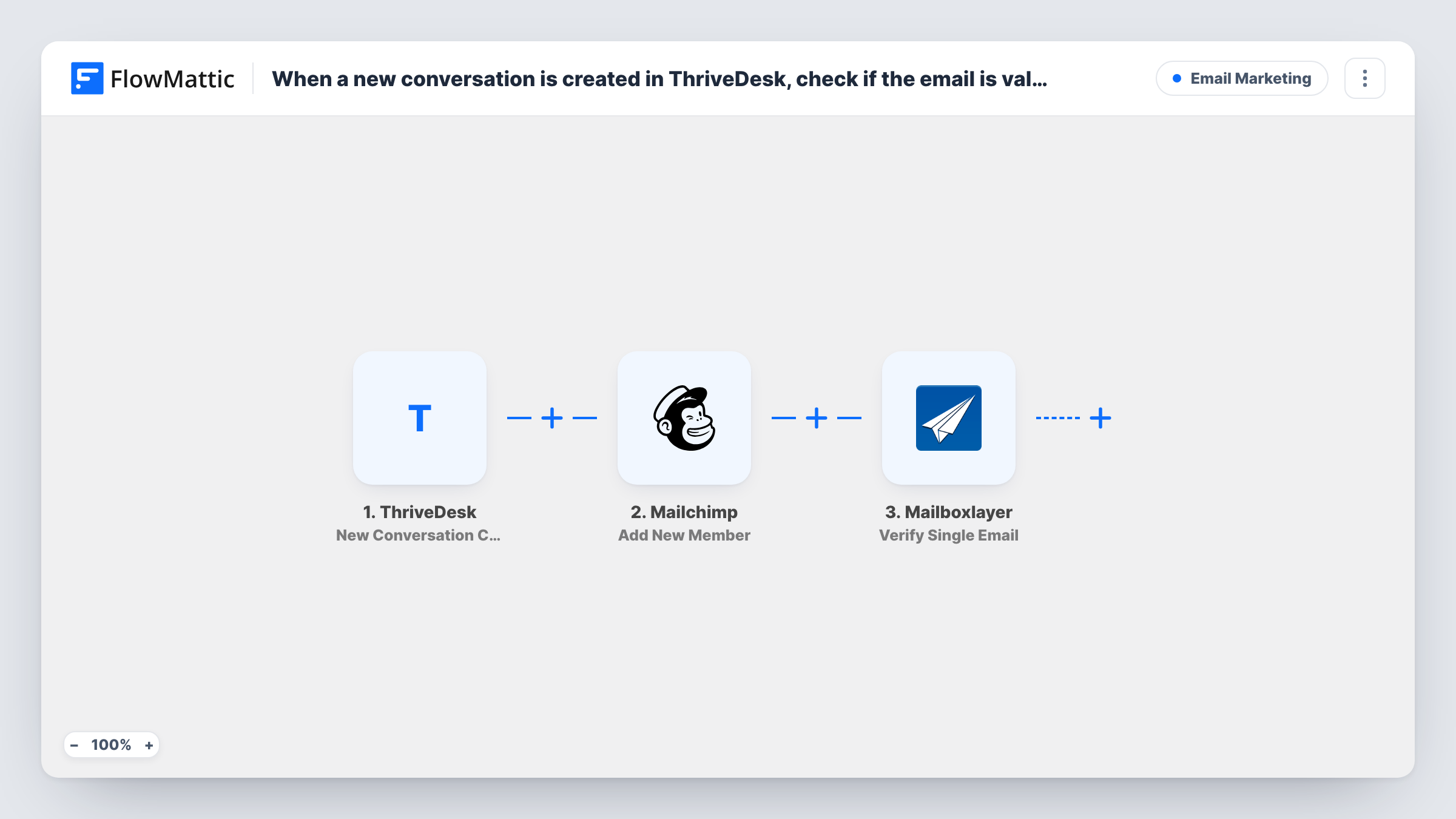
The ThriveDesk trigger fires when a new conversation is created, passing the customer's details. The Mailboxlayer Verify Single Email step checks the address and returns its result. The Mailchimp Add New Member step then adds the person to your audience, or updates them if they already exist.
There is no Filter between the check and Mailchimp, so every contact is added whatever Mailboxlayer says. The verification result is available to later steps, and you can use it to gate the Mailchimp step. All three steps ship unmapped: after import, map the customer's email into Mailboxlayer, then choose the audience and map the email and name into Mailchimp.
People who write to support haven't necessarily agreed to marketing email. Keep them in an audience or tag that you only email in ways their consent allows.
Customer updates for people who ask for help
A SaaS company adds customers who contact support to a Mailchimp audience for release notes, with the Mailboxlayer result in Task History for each address.
Cleaner lists after a filter is added
An online store adds a Filter on the Mailboxlayer result, so only addresses that pass the check reach its Mailchimp audience.
Support contacts kept in one audience
A plugin developer keeps everyone who opened a ThriveDesk conversation in a separate Mailchimp audience for surveys about support.
How this workflow runs
What happens at each step once the workflow is on, and what you need before you import it.
 ThriveDesk New Conversation Created
Starts a run as each new ThriveDesk conversation opens. The customer's email and name are passed on to Mailboxlayer and Mailchimp.
- Mailboxlayer Verify Single Email
Checks the customer's email address with Mailboxlayer and returns the result for later steps. Ships unmapped: map the email from the ThriveDesk trigger.
- Mailchimp Add New Member
Puts the customer on the Mailchimp audience you pick, updating their member record when the address is already there. Ships unmapped: choose the audience and map the email and name.
What you need
- FlowMatticCore
- ThriveDesk AccountAccount
- Mailboxlayer AccountAccount
- Mailchimp AccountAccount
After importing, map your own data. To keep the template universal, not every step is pre-filled. Open each step in the builder and connect your accounts and fields (channels, lists, sheets, recipients) before you switch the workflow on.
Make it yours
Changes worth making after you import it.
- Put a Filter between the Mailboxlayer step and the Mailchimp step that continues only when the verification result shows a deliverable address. Run a test first to see which fields Mailboxlayer returns.
- Add a Mailchimp tag such as support-contact with the Add Member Tag action after Add New Member, so you can tell these people apart from newsletter sign-ups.
- Run a test and check in Mailchimp which status the new member gets, then decide whether support contacts belong in your marketing audience or a separate one.
Questions about this workflow
Does a failed Mailboxlayer check keep the ThriveDesk customer out of Mailchimp?
Not as imported. Every contact goes to Mailchimp whatever Mailboxlayer returns. Add a Filter between the Mailboxlayer and Mailchimp steps that checks the result to keep failing addresses out.
What if the ThriveDesk customer is already on my Mailchimp audience?
FlowMattic's Add New Member action adds a new member or updates the existing one, so the person isn't duplicated.
What happens when one customer opens several ThriveDesk conversations?
Each new conversation triggers the workflow, so a customer who opens three conversations is checked three times and updated in Mailchimp each time.
Is a Mailboxlayer account required to import this ThriveDesk workflow?
Yes. Connect your Mailboxlayer account in the Verify Single Email step after import so FlowMattic can run the check.
More Email Marketing workflows
Other ready-to-import templates from the same category.





Import this workflow into your WordPress site
Download the JSON, import it from the Workflows screen and connect your accounts. Every run stays on your server, with no per-task fees.
30-day money-back guarantee Unlimited workflows and runs Self-hosted