

When a new form submission is received in Ninja Forms, check if the field contains a word, and add the submission data to Google Spreadsheet
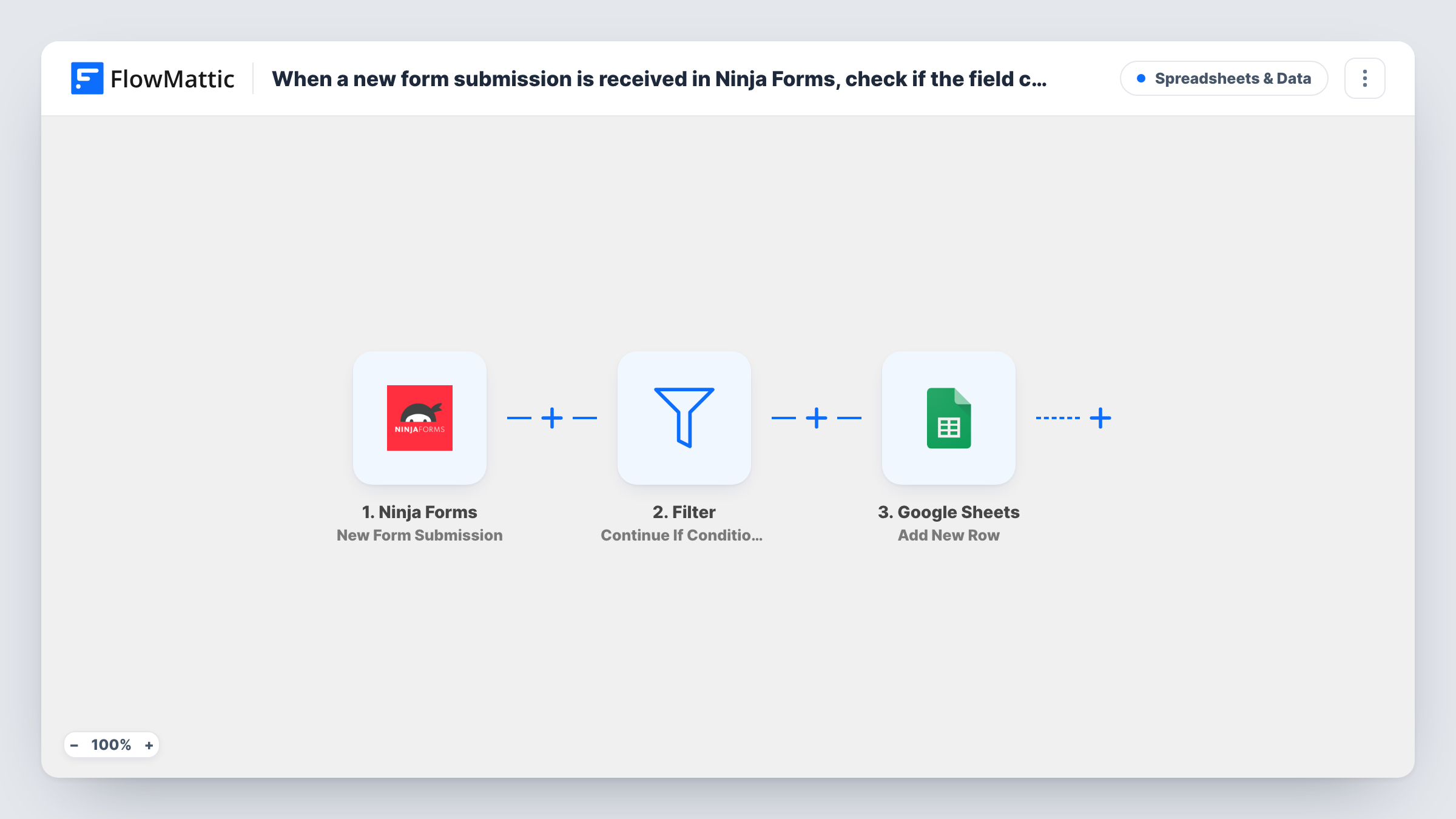
Each Ninja Forms submission is checked by a Filter for a word in a field, and only entries that contain it are added to Google Sheets. The condition is left for you to set after import.
 Ninja Forms
 Filter
 Google Sheets
3 steps Setup ~5 min Used on 2.5k sites Free to import
What this workflow does
When one Ninja Forms form serves several purposes, the person reading the spreadsheet often only needs some of the entries. Copying everything and deleting rows later wastes time. This workflow keeps the sheet to the entries that contain a word you pick.
The Ninja Forms trigger fires when someone submits a form on your WordPress site. The entry then goes to a Filter step. If its condition matches, the Google Sheets step adds a row with the fields you map. If not, the run ends there and nothing is written.
No condition comes with the template. Until you add one, the empty Filter stops every run and the sheet stays empty. Choose the field and the word, for example the enquiry type containing Booking, before you turn the workflow on.
Booking requests for the front desk
A general enquiry form has an enquiry type field. Only entries containing Booking reach the sheet the front-desk team works from.
Volunteer sign-ups for one event
A charity uses one Ninja Forms form for several events. Entries that mention a given event name go to that event coordinator's spreadsheet.
Feedback that mentions a feature
A product team filters feedback for a feature name, so the sheet holds only the comments about that part of the product.
How this workflow runs
What happens at each step once the workflow is on, and what you need before you import it.
 Ninja Forms New Form Submission
Runs when a visitor submits a Ninja Forms form on your WordPress site. Every field in the entry is passed to the Filter and the Google Sheets step.
- Filter Continue If Condition Meet
Continues only if the condition you add matches, such as a field containing a word. It arrives empty, so it stops every run here until you set that condition.
- Google Sheets Add New Row
Adds a row to your chosen Google Sheets spreadsheet for each Ninja Forms entry that passed the Filter. Map the fields into columns and connect your Google account.
What you need
- FlowMatticCore
- Ninja Forms PluginPlugin
- Google Sheets AccountAccount
After importing, map your own data. To keep the template universal, not every step is pre-filled. Open each step in the builder and connect your accounts and fields (channels, lists, sheets, recipients) before you switch the workflow on.
Make it yours
Changes worth making after you import it.
- Once the condition is set, send one entry that contains the word and one that doesn't, then compare the two runs in Task History.
- For two different words going to two different sheets, swap the Filter for a Router with one route per word. An entry containing both words would follow both routes.
- Use a dropdown or radio field in Ninja Forms for the value you filter on, so visitors can't misspell the word your condition looks for.
Questions about this workflow
Why are Ninja Forms entries not reaching Google Sheets?
The Filter in this template ships with no condition, and in that state it stops every run. Add your field and word to it, then test with a new entry.
What happens to Ninja Forms entries that don't match?
The run ends at the Filter and no row is added. The workflow doesn't touch the entry, so Ninja Forms handles it as it normally would.
Can the Filter check a Ninja Forms checkbox or dropdown?
Yes. Any submitted field can be used in a condition. Submit a test entry so you can see the exact value the field sends, then match on it.
More Spreadsheets & Data workflows
Other ready-to-import templates from the same category.




Import this workflow into your WordPress site
Download the JSON, import it from the Workflows screen and connect your accounts. Every run stays on your server, with no per-task fees.
30-day money-back guarantee Unlimited workflows and runs Self-hosted