

When a Hudby blog post is created or updated, log it in Google Sheets and post it to Discord
Whenever a blog post is created or updated in Hudby, FlowMattic adds a row to your Google Sheets content log and posts a message about it in a Discord channel.
 Hudby
 Google Sheets
 Discord
3 steps Setup ~5 min Used on 2.1k sites Free to import
What this workflow does
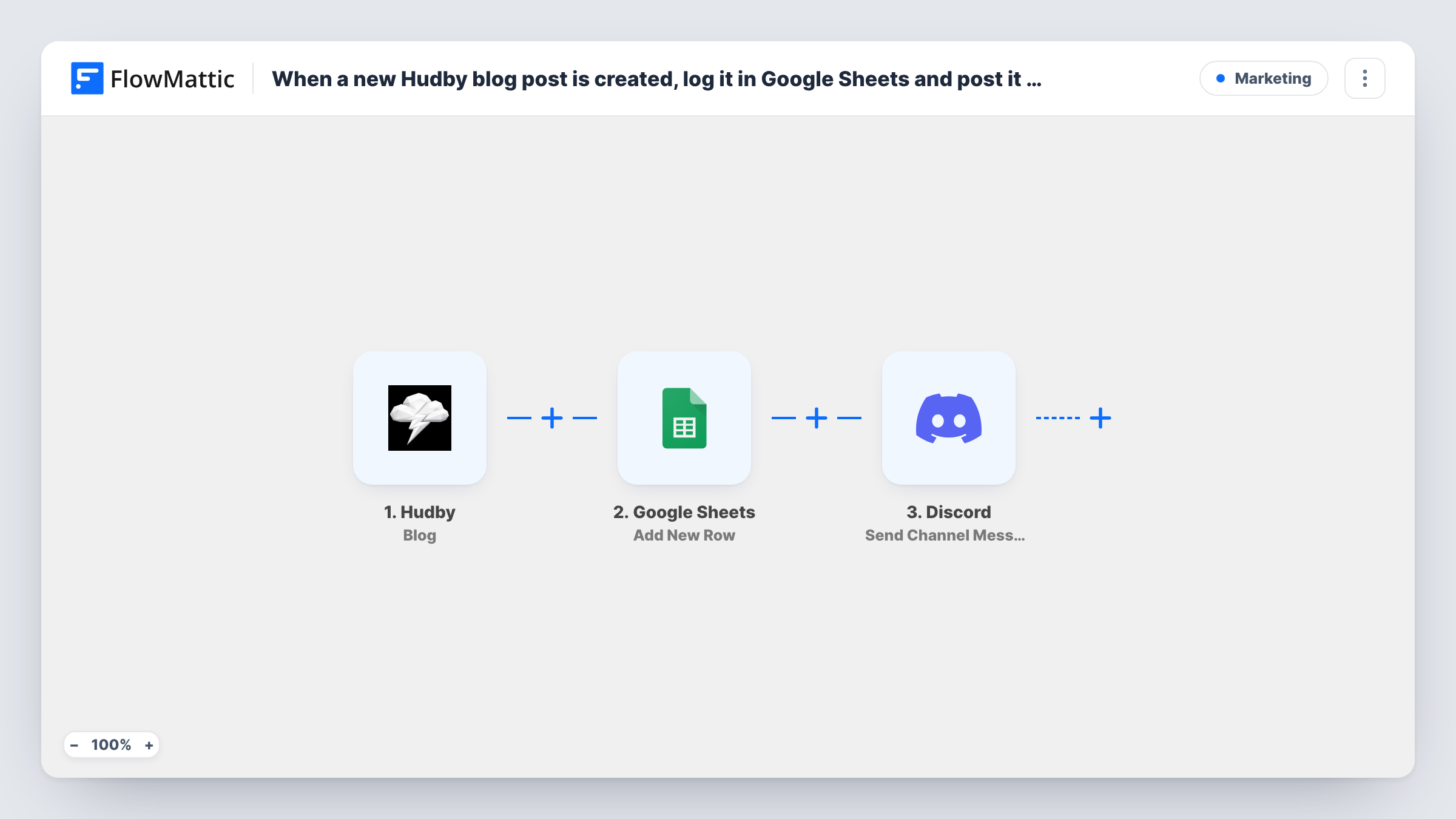
If your blog lives in Hudby, keeping a list of what was published and telling your community about it are two chores that tend to fall behind. This workflow handles both from one Hudby event, giving you a running content log and a Discord post each time a blog post changes.
The Hudby Blog trigger fires when a blog post is created and also when one is updated. That matters: fixing a typo in an old post starts a run just like publishing a new one. The post data from Hudby is handed to the following steps.
Next, a Google Sheets step adds a new row to the spreadsheet you choose. It ships without mapping, so after import you match the Hudby fields to your columns, for example the title, the link and the date. Because edits also run the workflow, one post can end up with several rows, which gives you a rough edit history.
Finally, the Discord step posts a message to the channel you pick. Write the text and map the post details into it after import. Test with a draft post first and check Task History to see which fields Hudby sends.
Editorial log for a small content team
A marketing team keeps a Google Sheet of every Hudby blog post and each later edit, so the editor can see what changed this week without opening the site.
Community updates on a Discord server
A product company posts in its #blog Discord channel whenever a Hudby article goes up or gets refreshed, so members find new reading in one place.
Content audit backlog
A site owner sorts the content log by date to find posts that haven't been updated in months and plans rewrites from that list.
How this workflow runs
What happens at each step once the workflow is on, and what you need before you import it.
 Hudby Blog
Fires when a blog post is created or updated in Hudby. Both events start a run, and the post's data is passed to the Google Sheets and Discord steps.
- Google Sheets Add New Row
Records the blog post as a new row in a spreadsheet you choose. Columns are not mapped in the template, so connect Google, pick the sheet and map the Hudby post fields after import.
- Discord Send Channel Message
Announces the post in a Discord channel of your choice. Write the announcement after import and map the post title or link from the Hudby trigger into it.
What you need
- FlowMatticCore
- Hudby AccountAccount
- Google Sheets AccountAccount
- Discord AccountAccount
After importing, map your own data. To keep the template universal, not every step is pre-filled. Open each step in the builder and connect your accounts and fields (channels, lists, sheets, recipients) before you switch the workflow on.
Make it yours
Changes worth making after you import it.
- If only brand-new posts should reach Discord, add a Filter between the Google Sheets step and the Discord step on a Hudby field that tells new posts from edits, if your test run shows one. Every change still gets its row.
- Add a column that records whether the row came from a create or an update, if Hudby sends that detail, so the log is easier to read later.
- Use a dedicated Discord channel for blog announcements so post updates don't bury other conversation.
- Map the post link into the Discord message so readers can click straight through to the article.
Questions about this workflow
Does editing an existing Hudby blog post post to Discord again?
Yes. The Blog trigger fires on both creates and updates, so every saved edit adds a row and posts a Discord message. To hold some of them back, add a Filter between the Google Sheets step and the Discord step.
Can this workflow log Hudby pages or stories too?
Not as imported. FlowMattic's Hudby integration has separate triggers for Pages, Stories, Categories and Popups & Alerts, so import a copy of this workflow and swap the trigger for those.
What goes into the Google Sheets row?
Whatever you map. The Add New Row step ships empty, so after a test run you pick the Hudby post fields that belong in each column.
Will my existing Hudby posts be added to the sheet when I turn this on?
No. Runs start only from creates and updates that happen while the workflow is on. An older post shows up in the sheet and on Discord the next time someone edits it in Hudby.
More Marketing workflows
Other ready-to-import templates from the same category.





Import this workflow into your WordPress site
Download the JSON, import it from the Workflows screen and connect your accounts. Every run stays on your server, with no per-task fees.
30-day money-back guarantee Unlimited workflows and runs Self-hosted