

When Elementor Pro form is submitted, create a Replug link from a url field in the form
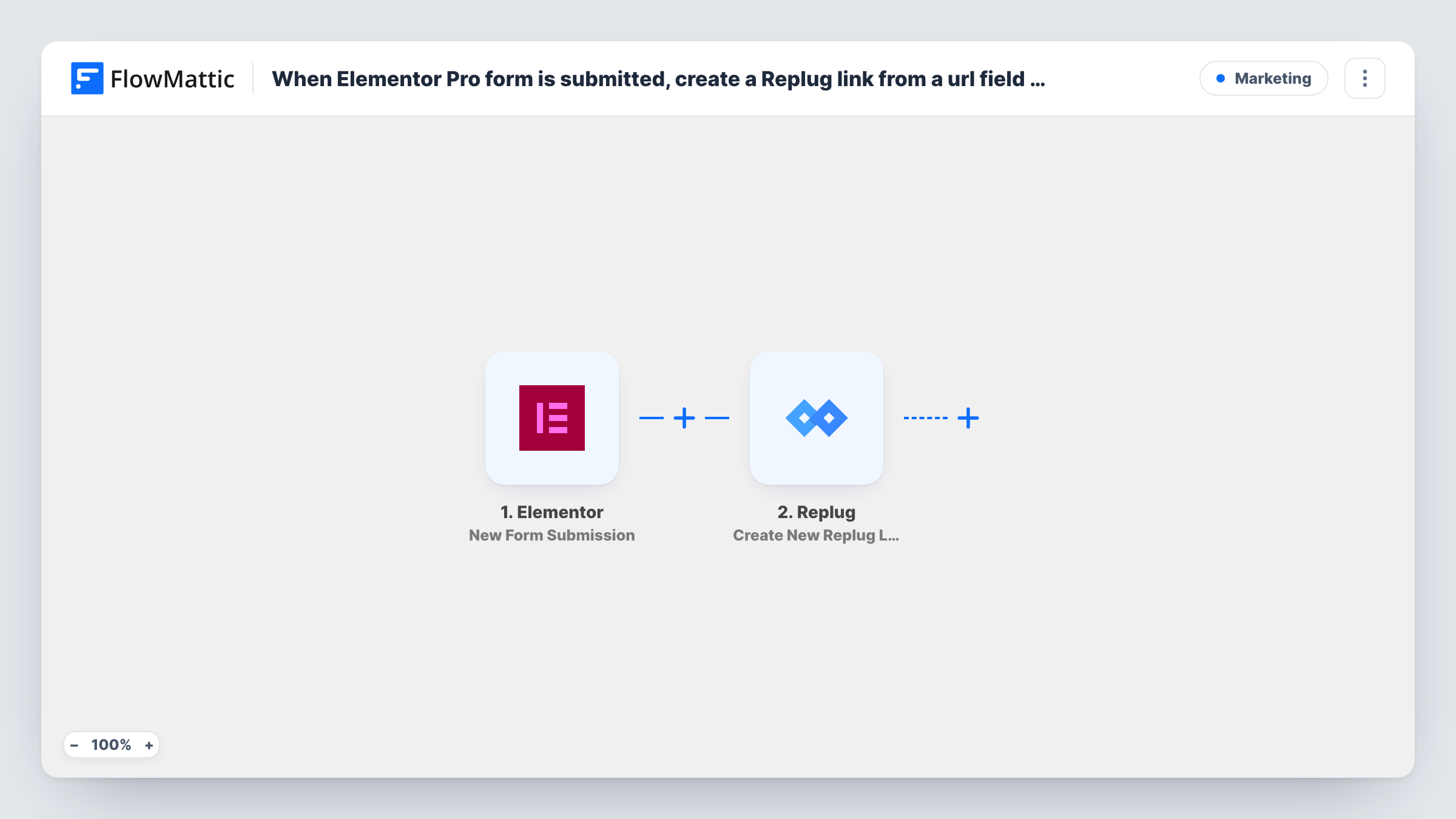
When someone submits an Elementor Pro form that includes a URL field, this workflow sends that address to Replug and creates a new Replug link from it, ready for you to share or pass to another step.
 Elementor
 Replug
2 steps Setup ~5 min Used on 595 sites Free to import
What this workflow does
Some forms collect links rather than names: a partner sends a landing page to promote, a writer submits an article, a team member asks for a campaign link. Turning each one into a short link by hand means copying it into Replug and back. This workflow creates the Replug link as soon as the form is sent.
The Elementor trigger fires when a visitor submits a form built with Elementor Pro, and every field, including the URL field, becomes data you can map. FlowMattic then runs Create New Replug Link in Replug, with the submitted address mapped in as the destination. Replug returns the new link to the workflow.
The template stops after Replug. The link is created in your Replug account, but nothing sends it to the person who filled in the form or stores it anywhere else. Add a step after Replug, such as an email or a sheet row, if you want the short link delivered. Task History shows each run and the response Replug returned.
Partner promotion requests
Affiliates or partners submit the page they want to promote through an Elementor Pro form. Each submission becomes a Replug link in your account, ready to hand back.
Short links for your content team
Writers paste the URL of a new article into an internal form, and a Replug link for it is created without anyone opening Replug.
Campaign links for events
Organisers submit the registration page for each event, so every event gets its own Replug link created from the same form.
How this workflow runs
What happens at each step once the workflow is on, and what you need before you import it.
 Elementor New Form Submission
Runs when a visitor submits your Elementor Pro form. All fields, including the one holding the URL, are passed on so the Replug step can use them.
- Replug Create New Replug Link
Creates a new link in your Replug account from the submitted URL. Map the form's URL field into the action, and run a test to see what else the action accepts and what Replug sends back.
What you need
- FlowMatticCore
- Elementor PluginPlugin
- Replug AccountAccount
After importing, map your own data. To keep the template universal, not every step is pre-filled. Open each step in the builder and connect your accounts and fields (channels, lists, sheets, recipients) before you switch the workflow on.
Make it yours
Changes worth making after you import it.
- Use an Elementor URL field rather than a text field for the address, so visitors are asked for a web address before they can submit.
- Add a Gmail or email step after Replug and map the new link into the message, so the person who filled in the form receives it.
- Add a Google Sheets Add New Row step after Replug to keep a log of each submitted URL alongside the link Replug created for it.
Questions about this workflow
Does the person who submitted the Elementor form get the Replug link?
Not as imported. The link is created in Replug, and the workflow stops. Add an email step after Replug and map the new link into it to send it back.
Will the Replug step work with the free Elementor plugin?
No. The form widget the trigger listens to is part of Elementor Pro, so Elementor Pro must be active on the same WordPress site as FlowMattic.
What happens if the form is submitted with a URL that is not valid?
The workflow still sends it to Replug, and Replug may reject it. Task History shows the response on the Replug step, so you can spot those runs.
Does each Elementor submission make a new Replug link?
Yes. There is no check between the steps, so every submission runs Create New Replug Link, even when the same URL was sent before.
More Marketing workflows
Other ready-to-import templates from the same category.






Import this workflow into your WordPress site
Download the JSON, import it from the Workflows screen and connect your accounts. Every run stays on your server, with no per-task fees.
30-day money-back guarantee Unlimited workflows and runs Self-hosted