

When a new Ortto activity is recorded, add it to Google Sheets and notify the team in Slack
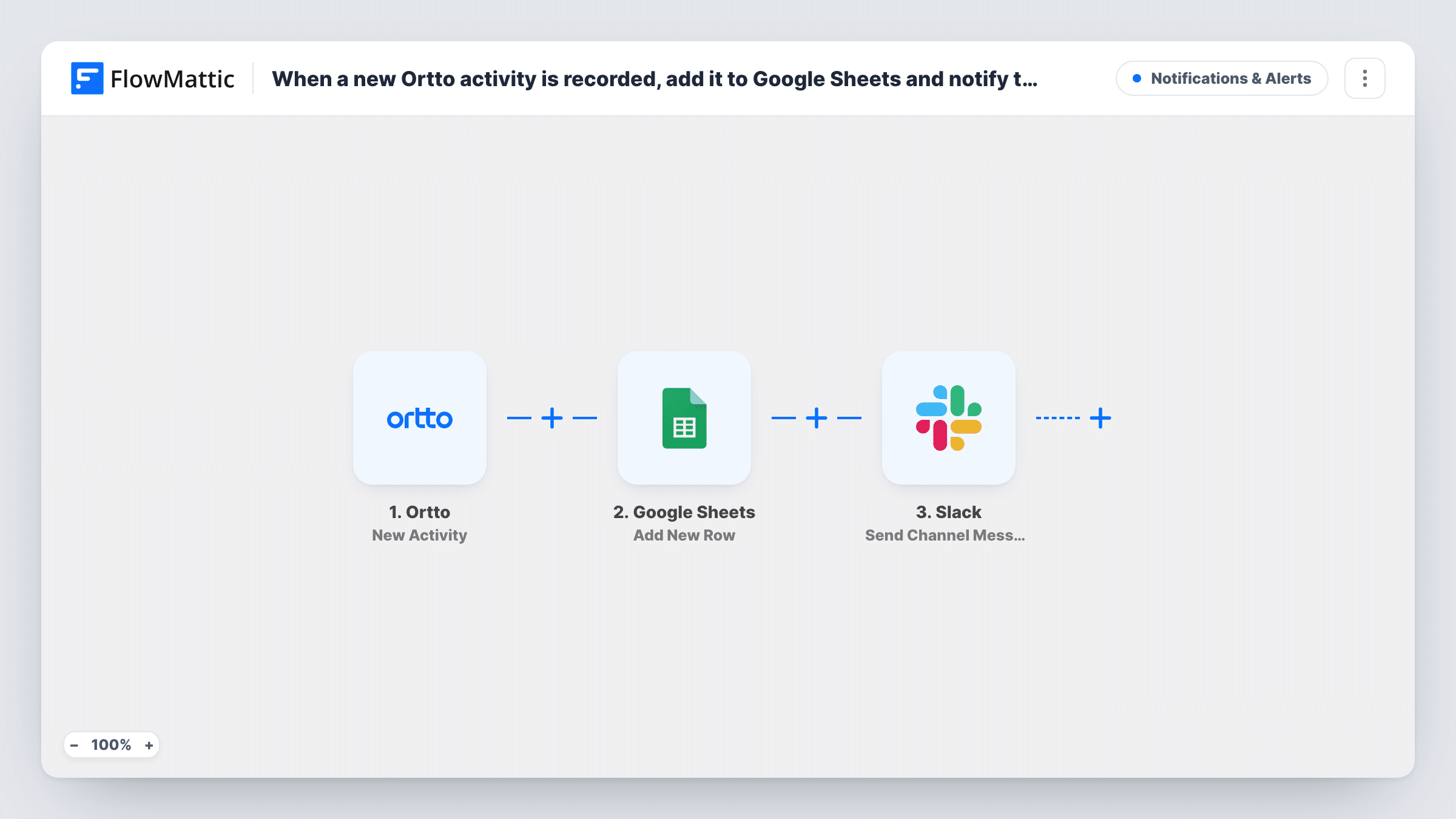
When a new activity occurs in Ortto, this workflow writes it to a Google Sheets row and posts a message in a Slack channel, giving you both a log and a live alert.
 Ortto
 Google Sheets
 Slack
3 steps Setup ~5 min Used on 1.3k sites Free to import
What this workflow does
Ortto tracks what your contacts do, but your sales or success team may not open it all day. A spreadsheet log and a Slack alert put those activities where people already look. This workflow does both each time Ortto records a new activity.
The Ortto trigger fires when a new activity occurs. FlowMattic first sends the activity data to Google Sheets, where Add New Row writes it into your chosen sheet. The Slack step then posts a message in a channel with the details you include, such as the contact and the activity name.
As imported, there's no Filter, so every activity that reaches the trigger is logged and posted. That can be a lot of Slack messages if many activities come through. A Filter between the Google Sheets step and the Slack step can limit the channel to the activities worth discussing, while the sheet keeps the full record.
Sales alerts for high-intent actions
When a contact performs an activity your sales team cares about, a Slack post names the contact, and the sheet keeps every such event for later review.
Weekly engagement review
Marketing filters the Google Sheet by activity type each Friday to see which campaigns drove the most actions.
Customer success hand-offs
Activities from existing customers appear in the success team's Slack channel, so someone can reach out while the moment is fresh.
How this workflow runs
What happens at each step once the workflow is on, and what you need before you import it.
 Ortto New Activity
Runs when a new activity occurs in Ortto. The activity's data is passed on to the Google Sheets and Slack steps.
- Google Sheets Add New Row
Writes the activity into a new row of the spreadsheet you choose. Map activity values, such as the contact and activity name, to the columns.
- Slack Send Channel Message
Posts a message to the Slack channel you pick, with the activity details you place in the text. Link Slack, pick where the alert should appear, and send a test.
What you need
- FlowMatticCore
- Ortto AccountAccount
- Google Sheets AccountAccount
- Slack AccountAccount
After importing, map your own data. To keep the template universal, not every step is pre-filled. Open each step in the builder and connect your accounts and fields (channels, lists, sheets, recipients) before you switch the workflow on.
Make it yours
Changes worth making after you import it.
- Put a Filter between Google Sheets and Slack so every activity is logged but only the ones you choose are posted to the channel.
- To alert one person rather than a channel, swap the Slack step for Send Direct Message. Ortto alerts meant for a private channel need Slack's Send Private Channel Message action.
- Trigger a test activity in Ortto after import and check Task History to see the values you can map before setting up the sheet's columns.
Questions about this workflow
Which Ortto activities start this workflow?
Any new activity that reaches the trigger, as set up in the step. Check the trigger's options after import and run a test to see which activities come through.
Will Slack get a message for every Ortto activity?
Yes, as imported. There's no Filter, so each activity is logged and posted. To limit the alerts, put a Filter between the Google Sheets step and the Slack step; every activity still gets its row.
What goes into each Google Sheets row for an Ortto activity?
The values you map. Add New Row ships unmapped, so set up your column headers, then match activity data such as the contact and activity name to them. A test activity shows what Ortto sends.
More Notifications & Alerts workflows
Other ready-to-import templates from the same category.





Import this workflow into your WordPress site
Download the JSON, import it from the Workflows screen and connect your accounts. Every run stays on your server, with no per-task fees.
30-day money-back guarantee Unlimited workflows and runs Self-hosted