

When a new row is added in Google Sheets (containing a text prompt), generate an AI image in Nano Banana, then turn that image into a video in Veo 3
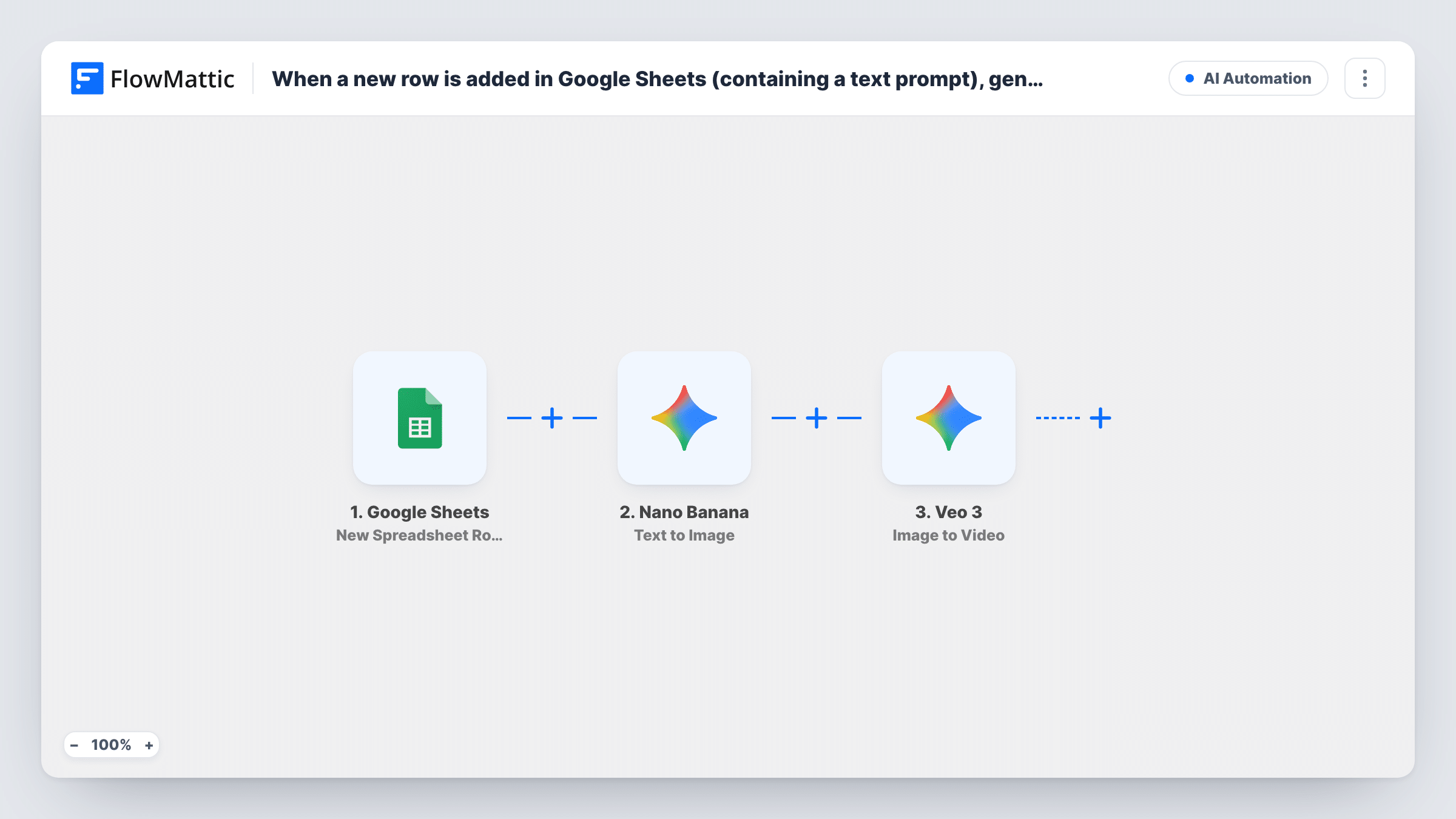
Type a text prompt into a new Google Sheets row and this workflow asks Nano Banana to generate an image from it, then sends that image to Veo 3 to start an image-to-video generation.
 Google Sheets
 Nano Banana
Veo 3
Nano Banana
Veo 33 steps Setup ~5 min Used on 1.4k sites Free to import
What this workflow does
Making short AI clips by hand means writing a prompt, generating an image, downloading it and uploading it again to a video tool. When you have a list of ideas, that loop gets slow. Here your prompt sheet runs the loop instead: each new row with a prompt starts the image and the video generation.
The Google Sheets trigger fires when a row is added to the spreadsheet you choose. FlowMattic passes the prompt from that row to Nano Banana, whose Text to Image action generates a picture with Gemini AI. The generated image is then handed to Veo 3 with the Image to Video action, which asks Gemini's video model to animate it.
Video generation takes time. FlowMattic's Veo 3 app also has a Retrieve Video action that checks a generation's status and fetches the video when it is ready, and this template does not include it. Run a test row and look at the Veo 3 step's response in Task History to see what comes back and whether you need that extra step.
Batch of social media clips from a prompt list
A marketer adds one prompt per row for a week of posts, and each row produces a still image and starts a short animated version of it.
Product mood visuals for a shop
A store owner writes scene descriptions for a new collection in the sheet and gets an image plus a video request for each scene.
Testing prompt ideas with a team
Several people add prompts to a shared sheet, and every row they add goes through the same image-then-video steps.
How this workflow runs
What happens at each step once the workflow is on, and what you need before you import it.
 Google Sheets New Spreadsheet Row
Starts a run for every row added to your prompt sheet in Google Sheets. Keep the text prompt in its own column so you can map it in the next step.
- Nano Banana Text to Image
Sends the prompt from the new row to Nano Banana, which generates an image from it using Gemini AI. Map the prompt column here and connect your Nano Banana account.
- Veo 3 Image to Video
Passes the image from the Nano Banana step to Veo 3, which starts generating a video from it. Map the generated image in this step and check the response after a test run.
What you need
- FlowMatticCore
- Google Sheets AccountAccount
- Nano Banana AccountAccount
- Veo 3 AccountAccount
After importing, map your own data. To keep the template universal, not every step is pre-filled. Open each step in the builder and connect your accounts and fields (channels, lists, sheets, recipients) before you switch the workflow on.
Make it yours
Changes worth making after you import it.
- Add a Delay after the Veo 3 step, then a Veo 3 Retrieve Video step, if your test shows the Image to Video response is a pending operation rather than a finished video.
- Put a Filter between the Google Sheets trigger and the Nano Banana step that continues only when the prompt column is not empty, so blank or half-filled rows don't use up image and video generations.
- Want to keep the results? Add a step after Veo 3 that stores the output somewhere else, such as a different spreadsheet. Writing back into the trigger sheet as a new row would start another run.
Questions about this workflow
Does each new Google Sheets row create a new image and video?
Yes. Every row added to the chosen sheet starts a run, and each run calls Nano Banana and then Veo 3 once. Rows that were already there when you turned the workflow on are not processed.
Will I have the finished Veo 3 video at the end of the run?
That depends on what the Image to Video response holds. Veo 3 in FlowMattic has a separate Retrieve Video action for checking a generation and getting the video when it is ready. Check a test run in Task History before relying on the output.
What happens if a new row has no prompt in it?
A run starts anyway, and Nano Banana receives an empty prompt, so it may return an error. Open the Nano Banana step in Task History to read its reply. A Filter between the Google Sheets trigger and the Nano Banana step stops blank rows before either generation.
Do I need accounts for Nano Banana and Veo 3?
Yes. Both steps run through your own connections, which you set up when you import the workflow, along with the Google account that owns the sheet.
More AI Automation workflows
Other ready-to-import templates from the same category.






Import this workflow into your WordPress site
Download the JSON, import it from the Workflows screen and connect your accounts. Every run stays on your server, with no per-task fees.
30-day money-back guarantee Unlimited workflows and runs Self-hosted