

Verify a Typeform submission email with MailRefine, then create a Pabbly customer
Every new Typeform response has its email address verified by MailRefine, then FlowMattic creates a customer in Pabbly Subscriptions from the response, with the verification result there to map or filter on.
 Typeform
 MailRefine
 Pabbly Subscriptions
3 steps Setup ~5 min Used on 1.7k sites Free to import
What this workflow does
When a Typeform form is the front door to a paid service, each response usually needs a customer record in your billing tool. This workflow creates that record in Pabbly Subscriptions and runs the email through MailRefine first, so you know whether the address looks deliverable before invoices start going to it.
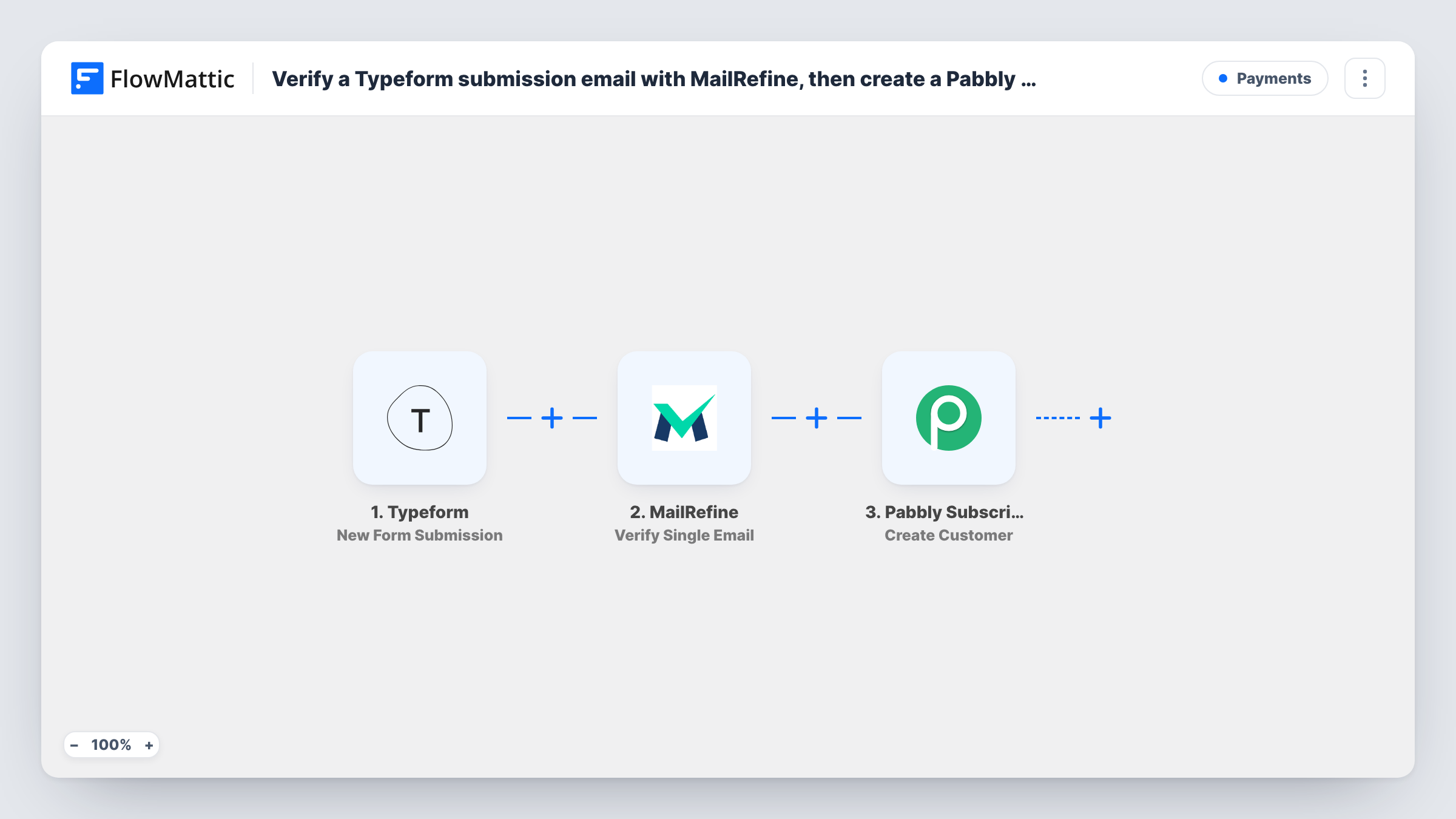
A new response on Typeform starts each run. MailRefine verifies the email answer and hands back its findings. Pabbly Subscriptions then gets a new customer built from the response, such as the name and email you map.
As shipped, the verification is informational. There is no Filter, so a response becomes a Pabbly customer whatever MailRefine says. If bad addresses should never reach Pabbly, insert a Filter between the MailRefine step and the Create Customer step that continues only on a passing result.
None of the three steps is configured yet. Link your form, map its email answer into MailRefine, and map the customer details into Pabbly. Submit one response with a working address and one with a fake one, and compare the MailRefine output for both in Task History before you rely on it.
Trial sign-ups into billing
A SaaS team collects trial requests in Typeform and creates each requester as a Pabbly Subscriptions customer, with MailRefine's result showing which addresses need a second look.
Service bookings that become accounts
A cleaning company's Typeform booking form sets each client up in Pabbly, and a Filter after MailRefine keeps fake addresses out of the customer list.
Course registrations before invoicing
A language school registers students in Typeform and has their Pabbly customer records ready before the first invoice, checking each email along the way.
How this workflow runs
What happens at each step once the workflow is on, and what you need before you import it.
 Typeform New Form Submission
Starts the workflow whenever someone submits your Typeform form. Link the trigger to the form during setup and send a test response so its answers can be mapped.
- MailRefine Verify Single Email
Passes the email answer from Typeform to MailRefine for verification and returns the result. Nothing after this step reads that result until you add a Filter or map it somewhere.
- Pabbly Subscriptions Create Customer
Creates a Pabbly Subscriptions customer from the Typeform response, for every response, whatever MailRefine returned. Link your Pabbly account here and fill the customer from the Typeform answers.
What you need
- FlowMatticCore
- Typeform AccountAccount
- MailRefine AccountAccount
- Pabbly Subscriptions AccountAccount
After importing, map your own data. To keep the template universal, not every step is pre-filled. Open each step in the builder and connect your accounts and fields (channels, lists, sheets, recipients) before you switch the workflow on.
Make it yours
Changes worth making after you import it.
- Insert a Filter between the MailRefine step and the Create Customer step on MailRefine's result field. Run a test first to see which field and value mark a valid address.
- Make the email question required in your Typeform form so MailRefine always has an address to check.
- Add Pabbly's Create Subscription action after the Create Customer step and map the new customer into it, if each response should also start a subscription.
Questions about this workflow
Does MailRefine block invalid Typeform emails from reaching Pabbly?
No, not as imported. It reports on each address and the Pabbly customer is created anyway. Add a Filter between the two steps to hold back the ones that fail.
Do I need a MailRefine account for this Typeform workflow?
Yes. The verification runs through your own MailRefine connection, which you set up in the MailRefine step after import.
Can one Typeform respondent end up as two Pabbly customers?
Create Customer runs for each response, including repeat ones. How Pabbly handles an email it already holds is up to Pabbly, so test with an existing customer and check the reply in Task History.
Can I keep the MailRefine result in Pabbly?
If the Create Customer step gives you a field that suits it, map MailRefine's result there. Otherwise, the result stays visible in each run's Task History.
More Payments workflows
Other ready-to-import templates from the same category.





Import this workflow into your WordPress site
Download the JSON, import it from the Workflows screen and connect your accounts. Every run stays on your server, with no per-task fees.
30-day money-back guarantee Unlimited workflows and runs Self-hosted