

Enroll learner to course in Graphy when order is paid in Razorpay
When a Razorpay order is marked paid, this workflow enrols the buyer in a Graphy course using their email address, so learners who pay outside Graphy’s own checkout still get course access without you adding them by hand.
 Razorpay
 Graphy
2 steps Setup ~5 min Used on 1.5k sites Free to import
What this workflow does
Some course creators take payment through their own Razorpay checkout on their website rather than through Graphy's store. Each sale then needs someone to open Graphy and enrol the buyer manually. This workflow does the enrolment as soon as Razorpay reports the order as paid.
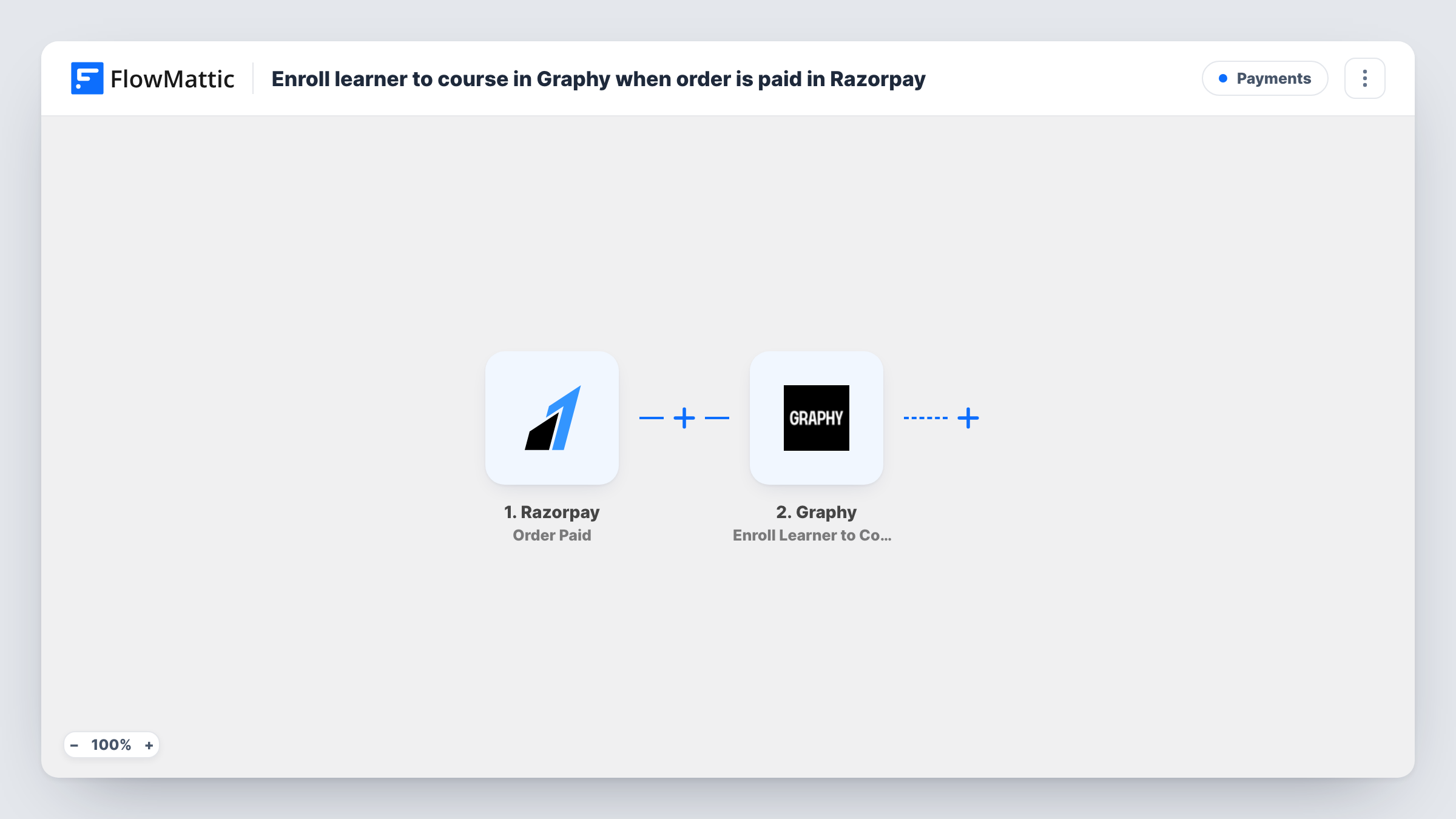
The Razorpay trigger is Order Paid, which fires when an order in your account is paid. FlowMattic receives the order and payment data Razorpay sends with that event. The second step runs Enroll Learner to Course in Graphy, which enrols a learner by email. You map the buyer's email from the Razorpay data into that step.
The template has no Filter, so every paid order in your Razorpay account leads to an enrolment attempt. If you sell more than one course, or sell other things through the same account, add conditions before the Graphy step. Make a test payment after import to confirm which Razorpay value holds the email and how the step chooses the course. Task History shows Graphy's response for each run.
A course sold from your own sales page
Your sales page uses Razorpay checkout for your flagship course. Every buyer whose order is paid is enrolled in that Graphy course.
Cohort launches with your own checkout
Your website takes payment with Razorpay for a cohort-based program, and each paid order enrols the student in the Graphy course that holds the cohort's lessons.
Bundles sold alongside coaching
You sell a coaching package through your site's Razorpay checkout, and the paid order also enrols the client in the Graphy course that holds your worksheets and recordings.
How this workflow runs
What happens at each step once the workflow is on, and what you need before you import it.
 Razorpay Order Paid
Fires when an order in your Razorpay account is paid. The order and payment details Razorpay sends become available to map into Graphy.
- Graphy Enroll Learner to Course
Enrols a learner in a Graphy course by email. Connect Graphy and map the buyer's email from the Razorpay data. A test payment shows which course and learner details the step accepts.
What you need
- FlowMatticCore
- Razorpay AccountAccount
- Graphy AccountAccount
After importing, map your own data. To keep the template universal, not every step is pre-filled. Open each step in the builder and connect your accounts and fields (channels, lists, sheets, recipients) before you switch the workflow on.
Make it yours
Changes worth making after you import it.
- Add a Filter before the Graphy step if your Razorpay account takes payments for other things, so only orders for the course trigger an enrolment. Check the trigger data for a value that marks those orders.
- Selling several courses? Use a Router with one route per course, each with a condition on a value that differs between them, and its own Graphy step.
- Add an email step after Graphy to send the buyer a welcome note with your course login link.
Questions about this workflow
Does the Graphy learner need an account before the Razorpay payment?
FlowMattic describes the Graphy action as enrolling a learner by email. Run a test payment with an address that has no Graphy account yet to see how Graphy responds, and check Task History.
What if the Razorpay order has no email address?
The Graphy step needs an email to enrol the learner. If your checkout does not collect one, the enrolment cannot succeed, and Task History shows the error for that run.
Will Razorpay refunds remove the Graphy enrolment?
No. This workflow only reacts to paid orders. Graphy has an unenroll action you could pair with a Razorpay refund trigger in a separate workflow.
Do Razorpay orders paid before the import get enrolled?
No. Only orders paid after the workflow is turned on start a run. Enrol earlier buyers in Graphy directly.
More Payments workflows
Other ready-to-import templates from the same category.







Import this workflow into your WordPress site
Download the JSON, import it from the Workflows screen and connect your accounts. Every run stays on your server, with no per-task fees.
30-day money-back guarantee Unlimited workflows and runs Self-hosted