

When a Rippling employee is added, create a Notion page and notify HR on Slack
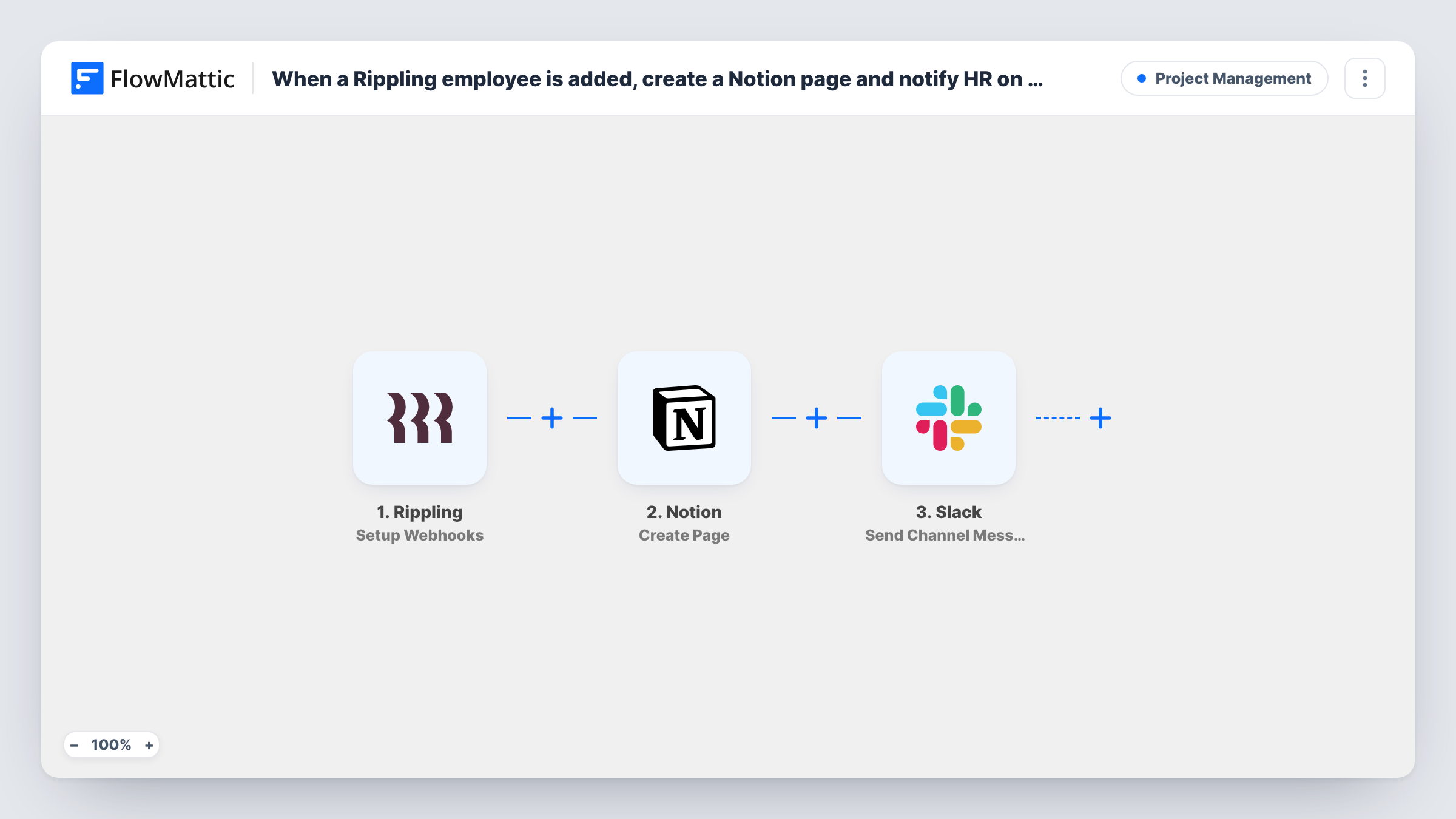
When Rippling reports a new employee, this workflow creates a Notion page for them under a parent page you pick and then tells HR in Slack, so each hire has a place for onboarding notes from day one.
 Rippling
 Notion
 Slack
Slack3 steps Setup ~5 min Used on 3.5k sites Productivity Free to import
What this workflow does
Rippling holds the official employee record, but onboarding notes, checklists and first-week plans often live in Notion. Someone has to create that page for each hire and let HR know it exists. This workflow does both when Rippling reports the new employee.
The Rippling step uses Setup Webhooks, a trigger that listens for whichever Rippling event you name in its settings. The template does not set it, so choose the event for new employees after import. When it arrives, Notion creates a page inside the parent page you select, titled and filled with the employee values you map. Then Slack posts a message to your HR channel, and you can include values from the Rippling data or from the Notion step's response.
Each event Rippling sends creates one page and one message, with no checks in between. If you pick an event that also fires on edits, existing employees would get extra pages, so confirm the event before turning the workflow on. A test employee shows exactly which values Rippling includes, and Task History records each run.
Onboarding hub in Notion
Your people team keeps a Notion page per new starter for equipment, buddies and first-week goals. Each one appears under the onboarding parent page as Rippling reports the hire.
HR heads-up in Slack
The HR channel in Slack gets a short post naming the new hire, so the team knows to fill in the Notion page before the start date.
Agency adding contractors
If you add contractors in Rippling, each one gets a Notion page for project access notes, and the Slack post tells the operations lead who to set up.
How this workflow runs
What happens at each step once the workflow is on, and what you need before you import it.
 Rippling Setup Webhooks
Fires on the Rippling event you specify in the trigger. Choose the one that reports new employees so each hire's data is passed on for mapping.
- Notion Create Page
Creates a page in Notion inside the parent page you select. Map the employee's name into the page title and any other Rippling values you want on the page.
- Slack Send Channel Message
Sends a message to your HR channel in Slack. Write the text after import and add the new hire's name, plus the Notion page link if the Notion step returns one.
What you need
- FlowMatticCore
- Rippling AccountAccount
- Notion AccountAccount
- Slack AccountAccount
After importing, map your own data. To keep the template universal, not every step is pre-filled. Open each step in the builder and connect your accounts and fields (channels, lists, sheets, recipients) before you switch the workflow on.
Make it yours
Changes worth making after you import it.
- If only some teams use Notion for onboarding, add a Filter between the Rippling trigger and the Notion step that continues only for a chosen department. Other hires then get no Slack post either, since a Filter stops every later step.
- Add a second Slack step that posts to the hiring team's channel, so the manager who asked for the hire also hears that the Notion page is ready.
- Add a Google Calendar step after Slack to book a welcome meeting for the start date, mapping the date from the Rippling data.
Questions about this workflow
Which Rippling event should I pick for new hires?
The template leaves the event blank. Pick the one that reports new employees. Then add a test employee and check Task History to confirm the data FlowMattic receives.
Where in Notion is the employee page created?
Inside a parent page you choose in the Create Page step. Share that parent page with the Notion connection FlowMattic uses so the page can be created there.
Can the Slack message link to the new Notion page?
If the Notion step returns the new page's link, you can map it into the Slack text. Run a test and look at the Notion step's response to see what it returns.
Can the HR alert go to a private Slack channel?
Yes, after one change. Switch the Slack step's action to Send Private Channel Message, which FlowMattic's Slack integration has for private channels, and pick the HR channel there. To alert a single HR person, choose Send Direct Message.
More Project Management workflows
Other ready-to-import templates from the same category.




Import this workflow into your WordPress site
Download the JSON, import it from the Workflows screen and connect your accounts. Every run stays on your server, with no per-task fees.
30-day money-back guarantee Unlimited workflows and runs Self-hosted