

When an Opsgenie alert triggers, log it in Google Sheets and open a ClickUp task for the responder
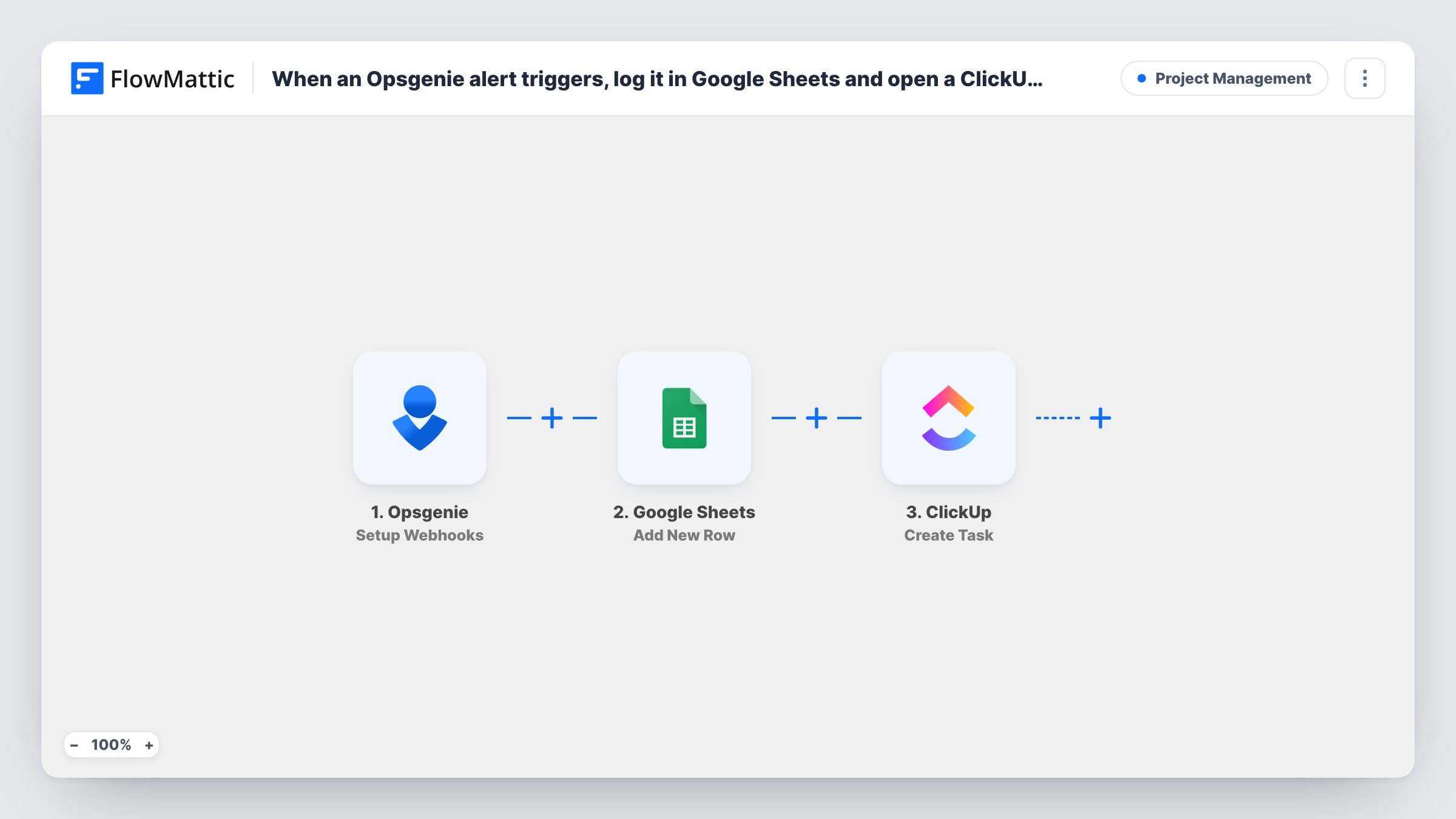
When Opsgenie posts an alert event, this workflow logs it as a Google Sheets row and creates a ClickUp task, so each incident is recorded for review and tracked as work.
 Opsgenie
 Google Sheets
 ClickUp
3 steps Setup ~5 min Used on 972 sites Productivity Free to import
What this workflow does
Opsgenie is built to wake the right person up. What happens after the page is answered often lives elsewhere: the follow-up work sits in ClickUp, and the incident record ends up in a spreadsheet for monthly reviews. This workflow fills both from the same alert, so nobody has to copy details across while the incident is still open.
FlowMattic's Opsgenie trigger is Setup Webhooks, which fires for the events you specify in Opsgenie. Point an Opsgenie webhook at the URL FlowMattic gives you and send it the alert-created event. Each alert is first written to Google Sheets as a new row with the values you map. The run then creates a task in ClickUp in the list you choose, using the alert's message and details.
Every event Opsgenie sends runs both steps. If the webhook also sends acknowledgements or closures, those create rows and tasks too, so send only the events you want. Task History shows each run with the Opsgenie payload and the replies from Google Sheets and ClickUp.
Post-incident follow-up tasks
Each production alert becomes a ClickUp task in your on-call list, where the responder writes up the cause and the fix once the alert is closed.
Monthly incident review sheet
The engineering manager sorts the Google Sheets log by service or priority at the end of the month to see which systems alerted most.
Agency client reporting
A managed-hosting team logs every client alert in a sheet it shares in reports, while the task in ClickUp tracks the work done.
How this workflow runs
What happens at each step once the workflow is on, and what you need before you import it.
 Opsgenie Setup Webhooks
Gives you a webhook URL for Opsgenie and runs for each event Opsgenie sends to it. Set the Opsgenie webhook to send alert events, and the alert data is passed on to map.
- Google Sheets Add New Row
Writes the alert to a new row in the Google Sheets spreadsheet and tab you choose. Map columns such as the alert message, priority and time from the Opsgenie data.
- ClickUp Create Task
Creates a task in the ClickUp list you pick, using values from the alert for the task name and description. Connect your ClickUp account and check the result with a test alert.
What you need
- FlowMatticCore
- Opsgenie AccountAccount
- Google Sheets AccountAccount
- ClickUp AccountAccount
After importing, map your own data. To keep the template universal, not every step is pre-filled. Open each step in the builder and connect your accounts and fields (channels, lists, sheets, recipients) before you switch the workflow on.
Make it yours
Changes worth making after you import it.
- Fire a test alert in Opsgenie after you set up the webhook, so FlowMattic captures a real payload for mapping the sheet and the task.
- If the webhook sends several event types, add a Filter after the trigger that continues only for newly created alerts.
- To route tasks by priority, put a Router after the Google Sheets step with one route per priority value, each ending in its own ClickUp Create Task step.
Questions about this workflow
Which Opsgenie events start this workflow?
Whatever your Opsgenie webhook sends to the FlowMattic URL. Limit it to alert creation, or add a Filter, if you don't want acknowledgements and closures to create tasks.
Can the ClickUp task be assigned to the on-call responder?
The template doesn't assign anyone. Open the Create Task step after import to see what it offers, and run a test alert to confirm the task looks right.
Does closing the Opsgenie alert close the ClickUp task?
No. The workflow creates the task and the row when the event arrives. It doesn't track the alert after that.
More Project Management workflows
Other ready-to-import templates from the same category.



Import this workflow into your WordPress site
Download the JSON, import it from the Workflows screen and connect your accounts. Every run stays on your server, with no per-task fees.
30-day money-back guarantee Unlimited workflows and runs Self-hosted