

When a Serviceform chatbot submission arrives, add the lead to Mailchimp and notify the team in Slack
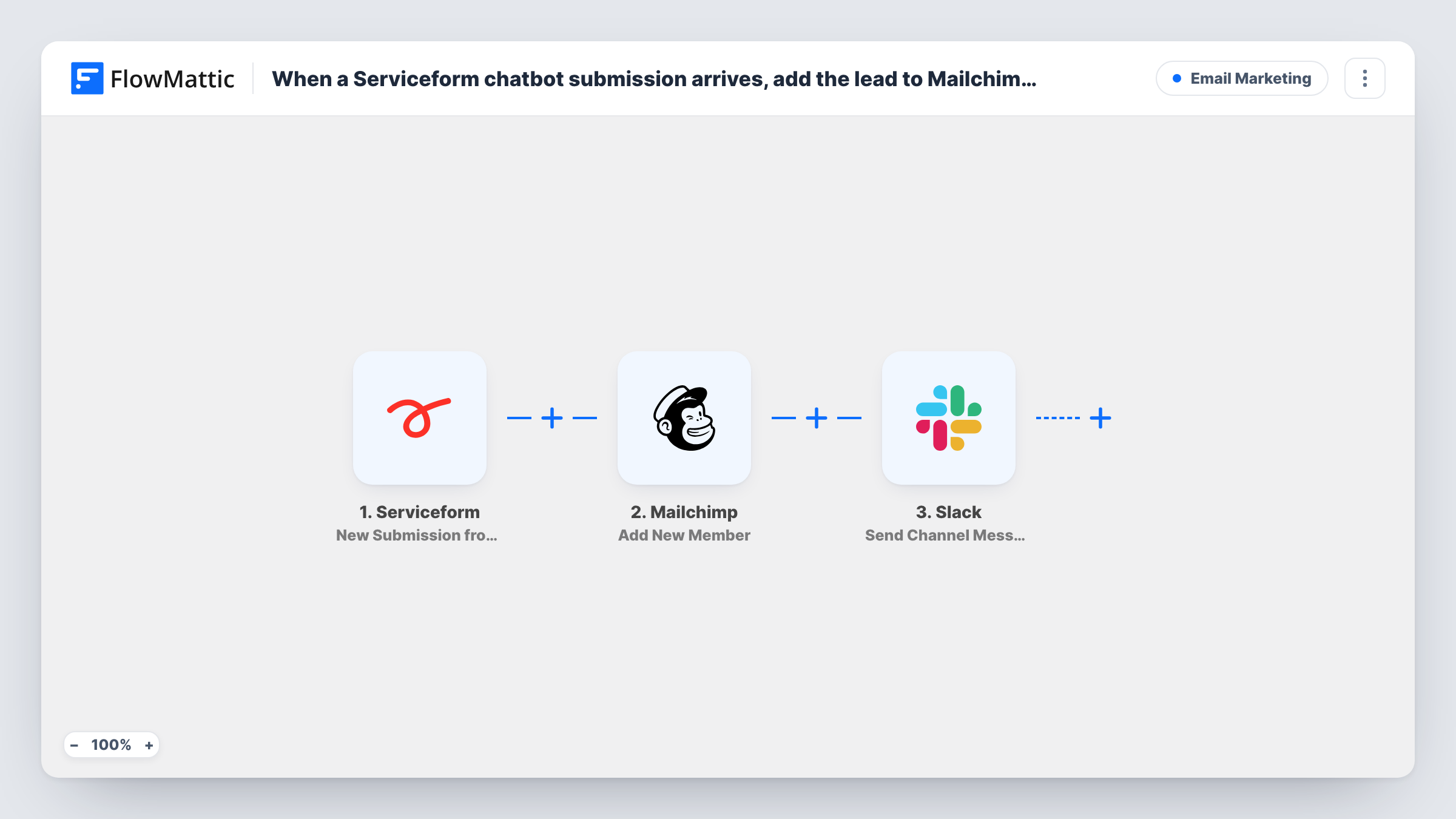
Each new Serviceform chatbot submission is added to your Mailchimp audience as a member, or updated if already there, and a message goes to a Slack channel so your team knows a lead arrived.
 Serviceform
 Mailchimp
 Slack
Slack3 steps Setup ~5 min Used on 3.2k sites Free to import
What this workflow does
Leads from a website chatbot need two things fast: a place on your mailing list and a person who notices them. Doing that by hand means exporting from Serviceform, importing into Mailchimp and telling the team. This workflow handles all three as each submission comes in.
The Serviceform trigger fires for each new chatbot submission. FlowMattic sends the email address and any name fields to Mailchimp, whose Add New Member action adds the person to your list, or updates them if they are already a member. Next, a message is posted to the Slack channel you pick, with whichever submission details you map in.
Because the Mailchimp step updates existing members, a returning visitor does not end up on the list twice. The Slack message still goes out for every submission, so your team sees repeat enquiries too.
Chatbot leads for a dental clinic
Patients who ask about treatments through the chatbot join the clinic's Mailchimp newsletter list, and reception sees each one in a Slack channel to call back.
B2B demo requests
A software company's chatbot collects demo requests. Each one lands in Mailchimp for nurture emails, and the sales channel in Slack gets the details.
Real estate enquiries
Buyers who leave their email with the property chatbot go into a Mailchimp audience for listing updates, while agents read the enquiry in Slack.
How this workflow runs
What happens at each step once the workflow is on, and what you need before you import it.
 Serviceform New Submission from Chatbot
Runs for every new submission from your Serviceform chatbot. The collected answers, including the email address, are passed to Mailchimp and Slack.
- Mailchimp Add New Member
Adds the person to your Mailchimp list, or updates the member if that email address is already there. Map the submission's email field and any name fields.
- Slack Send Channel Message
Posts a message in a Slack channel you pick. Map in the lead's name, email and question so the team can act without opening Serviceform.
What you need
- FlowMatticCore
- Serviceform AccountAccount
- Mailchimp AccountAccount
- Slack AccountAccount
After importing, map your own data. To keep the template universal, not every step is pre-filled. Open each step in the builder and connect your accounts and fields (channels, lists, sheets, recipients) before you switch the workflow on.
Make it yours
Changes worth making after you import it.
- Map the chatbot's topic or interest answer into a Mailchimp merge field, if the step offers one for it, so you can segment these leads later.
- Add a Filter after the trigger that continues only when the email field is not empty, so submissions without an address skip Mailchimp and Slack.
- Run one test chat after import to capture the Serviceform fields, then map them in both later steps.
Questions about this workflow
What if the chatbot lead is already in my Mailchimp list?
Add New Member updates an existing member instead of creating a second one. The Slack message is still posted for that submission.
Does this send a Mailchimp confirmation email to the lead?
That depends on how the Mailchimp step and your list are set up. Run a test with your own address and check your inbox before going live.
Can the Slack alert for a chatbot lead tag a colleague?
Yes. Type the mention into the message text, for example the teammate's Slack handle, alongside the mapped submission data.
More Email Marketing workflows
Other ready-to-import templates from the same category.



Import this workflow into your WordPress site
Download the JSON, import it from the Workflows screen and connect your accounts. Every run stays on your server, with no per-task fees.
30-day money-back guarantee Unlimited workflows and runs Self-hosted