

When a SmartSurvey response is completed, save it to Google Sheets and email the team via Gmail
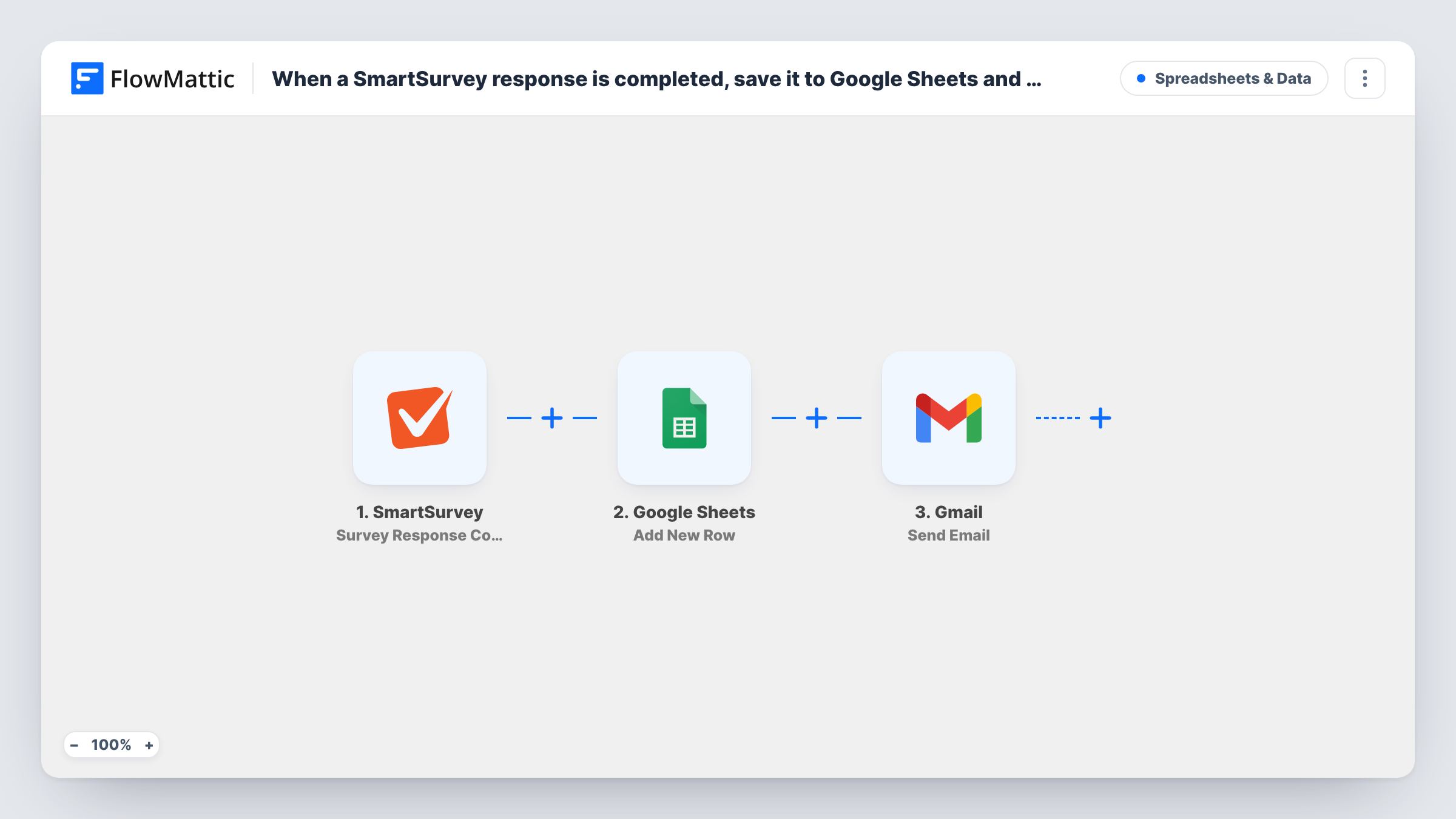
Each completed SmartSurvey response is written to a new Google Sheets row, then Gmail sends an email to your team with the answers you choose to include, so results are stored and shared at once.
 SmartSurvey
 Google Sheets
 Gmail
Gmail3 steps Setup ~5 min Used on 2.5k sites Free to import
What this workflow does
SmartSurvey keeps responses inside its own dashboard. If your team works from a spreadsheet, or needs to know when someone finishes a survey, you end up exporting results and forwarding them yourself. This workflow handles both each time a respondent completes a survey.
Once a respondent reaches the end of a survey, the SmartSurvey trigger picks up that completed response. FlowMattic passes the response data to Google Sheets, which adds it as a new row in the spreadsheet you pick. The last step uses Gmail to send an email from your connected account. You decide who receives it and which answers go into the subject and body.
Responses that are only started, updated or disqualified do not start this workflow, because the trigger listens for completed responses. Every run appears in Task History, so you can see the data each step received and spot a step that returned an error.
Customer satisfaction surveys
Each finished satisfaction survey lands in a shared sheet for monthly review, and the support lead gets an email with the score and comments right away.
Event feedback forms
Attendees complete a SmartSurvey after a workshop. The organiser sees each response in Google Sheets and the speaker gets an email copy of the comments.
Staff pulse checks
HR collects completed pulse surveys in one spreadsheet for trend tracking, while a Gmail message tells the HR inbox each time a response comes in.
How this workflow runs
What happens at each step once the workflow is on, and what you need before you import it.
 SmartSurvey Survey Response Completed
Fires when a respondent completes a SmartSurvey response. The answers and response details become data you can map in the Google Sheets and Gmail steps.
- Google Sheets Add New Row
Writes the response to a fresh row at the bottom of the Google Sheets spreadsheet you select. Map each column to a survey answer or response detail, and connect your Google account on import.
- Gmail Send Email
Emails your team from the Gmail account you connect. Set the recipient addresses and map the survey answers you want into the subject and message.
What you need
- FlowMatticCore
- SmartSurvey AccountAccount
- Google Sheets AccountAccount
- Gmail AccountAccount
After importing, map your own data. To keep the template universal, not every step is pre-filled. Open each step in the builder and connect your accounts and fields (channels, lists, sheets, recipients) before you switch the workflow on.
Make it yours
Changes worth making after you import it.
- Add a Filter before the Gmail step that continues only when a rating answer is low, so your team gets an email for unhappy respondents while every response still goes to the sheet.
- Complete a test response in SmartSurvey after import so FlowMattic captures the response fields, then map them in both later steps before you switch the workflow on.
- Want a record of edited answers too? Build a second workflow on SmartSurvey's Survey Response Updated trigger that adds or updates rows in the same spreadsheet.
Questions about this workflow
Does a partly finished SmartSurvey response trigger the workflow?
No. The trigger is Survey Response Completed, so it fires only when a respondent finishes the survey.
Can the Gmail email go to several team members?
You set the recipients in the Gmail step after import. Run a test and check the email arrives the way you expect before relying on it.
Will past SmartSurvey responses be copied to Google Sheets?
No. Only responses completed after you turn the workflow on reach the sheet and trigger an email.
Which Gmail account sends the team email?
The Gmail account you connect to the step on import. The message is sent from that address.
More Spreadsheets & Data workflows
Other ready-to-import templates from the same category.




Import this workflow into your WordPress site
Download the JSON, import it from the Workflows screen and connect your accounts. Every run stays on your server, with no per-task fees.
30-day money-back guarantee Unlimited workflows and runs Self-hosted